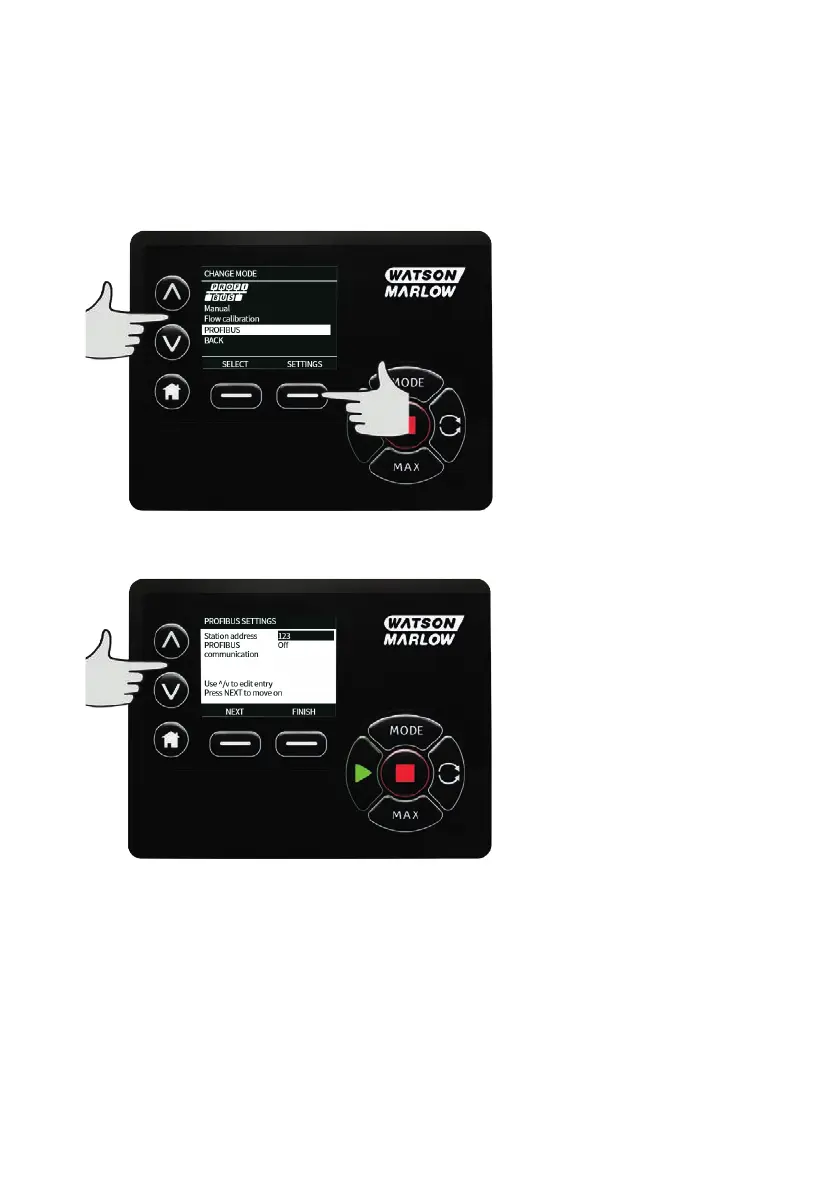
19.4 Assigning the PROFIBUS station address at the pump
The station address can only be set from PROFIBUS settings. The station address cannot be automatically
assigned by the master.
Select MODE.
Use the ∧ and ∨ keys to scroll to PROFIBUS and press SETTINGS.
Use the ∧ and ∨ keys to alter the station address, in the range from 1 to 125 (126 is the default station
address). Press FINISH to set the station address, or NEXT to enable/disable PROFIBUS communication.
46 m-730bpn-en-08.1



 To Next Page