3 Tonic Simple Media Table Assembly | INS-TWTM
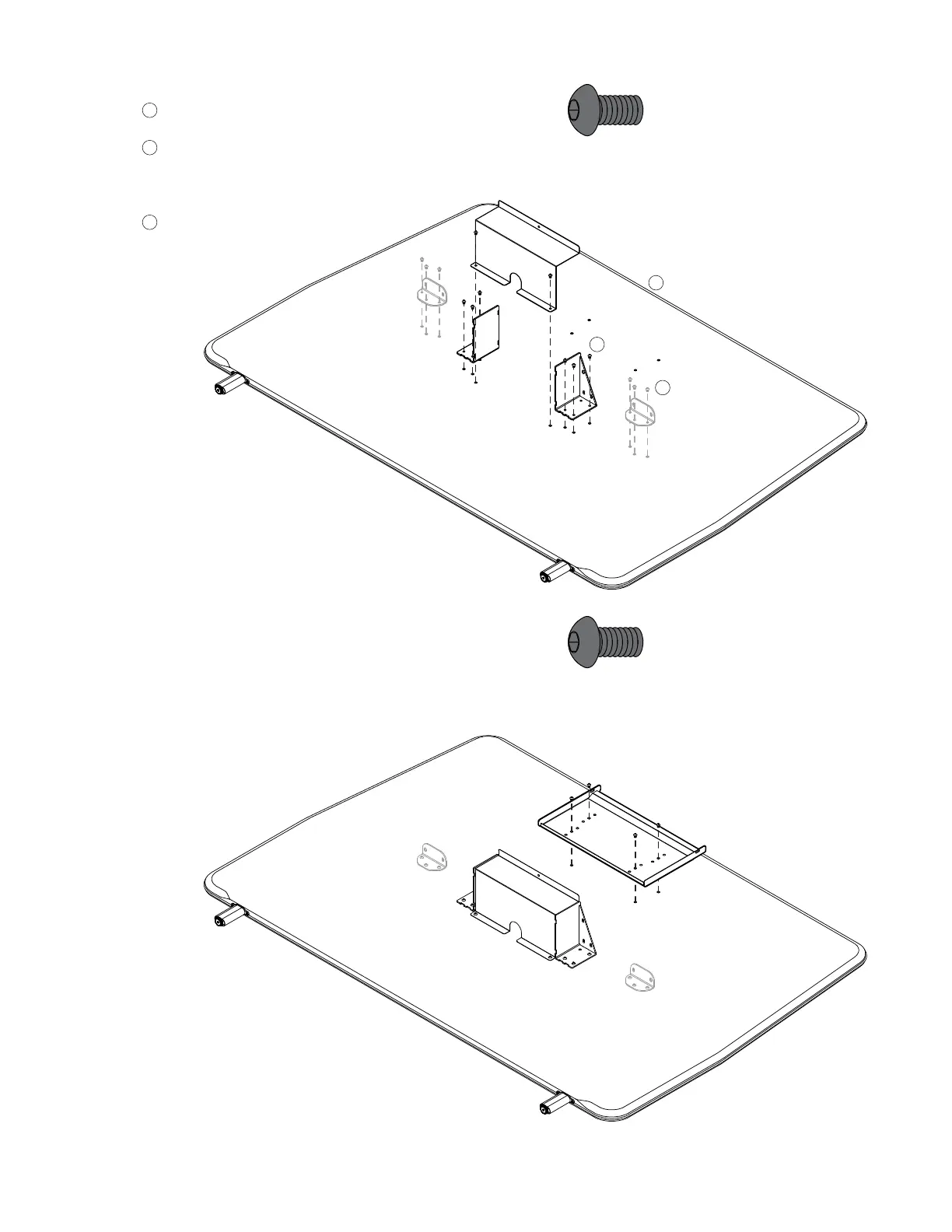
Prepare Screen
A
Lay screen down holes side up.
B
Attach worksurface support brackets
and cable bin using the supplied ⁄-20x⁄”
Button Head Screws (x8).
C
Units with an overall width of 72” or
wider will include outer support
brackets and additional
⁄-20x⁄” screws (x6).
Attach Monitor Mount
Attach the monitor mount bracket with
the supplied
¼-20x⁄” Button Head
Screws (x4).
(490719)
(490719)
1.
2.
B
A
C


 To Next Page