4 Tonic Simple Media Table Assembly | INS-TWTM
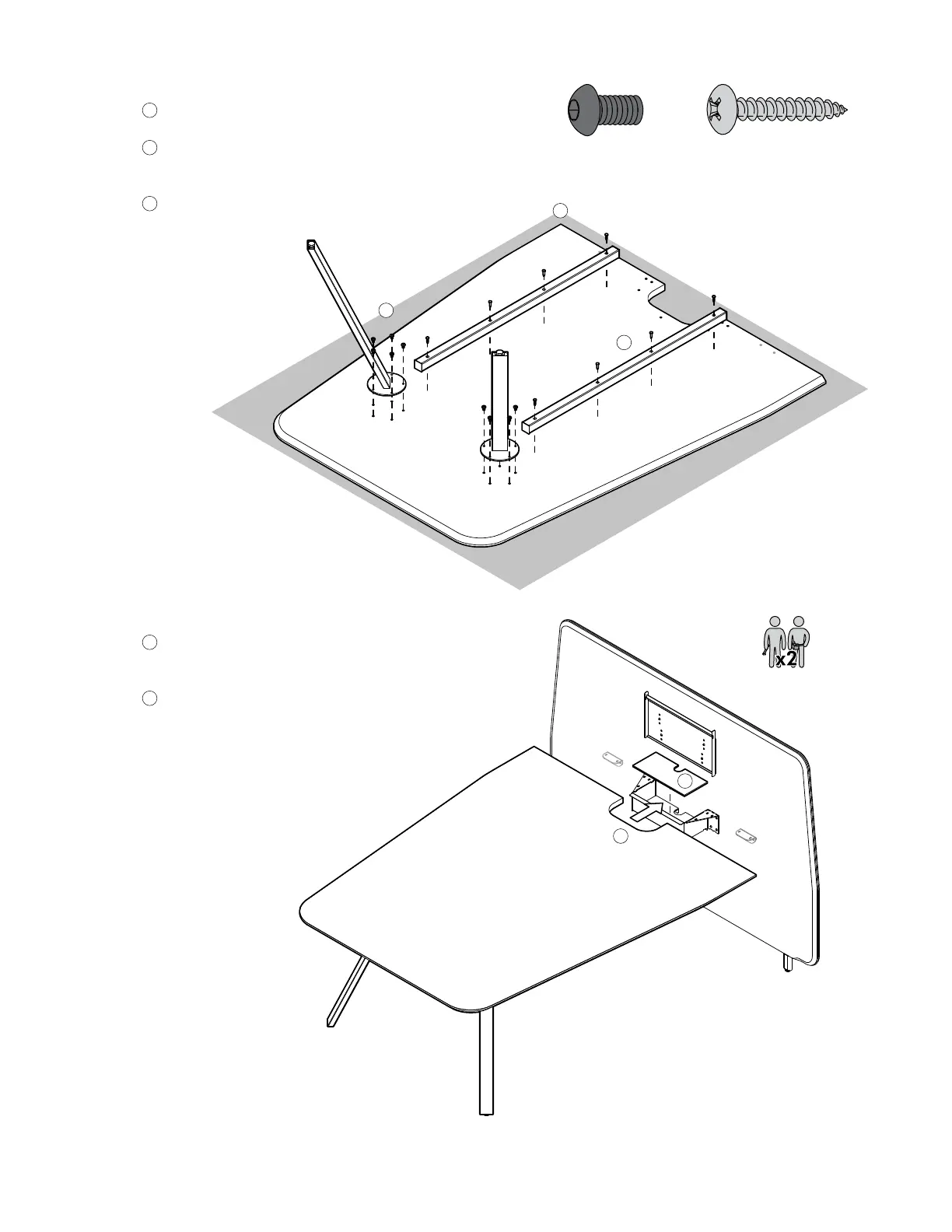
Prepare Worksurface
A
Assemble on a clean blanket or on carpet.
B
With the worksurface face down, attach the legs
using ⁄-20x⁄” Button Head Screws (x5 ea).
C
Attach the support rails roughly halfway between
the legs and the flat edge of the worksurface using
#10x1” screws (3-4 ea).
Position Worksurface
A
Place the cable tray into the cable
bin.
B
With the assistance of a friend,
position the worksurface up against
the screen on top of the support
brackets.
Note — It may help to place
the screen against a wall for
added stability during this step.
(122850)(490719)
3.
4.
B
A
C
A
B


 To Next Page