avin Tempower Control Manual
Wavin Tempower Control
Heating and Cooling systems
.
avin Tempower Control Manual
Wavin Tempower Control
Heating and Cooling systems
.
7
D
esign Manual
TELEPHONE
+31 (38) 4294911
4
E-MAIL
info@wavin.com
www.wavin.com
4
4
.
.
4
4
F
F
u
u
n
n
c
c
t
t
i
i
o
o
n
n
s
s
4
.4.4. ON/OFF function
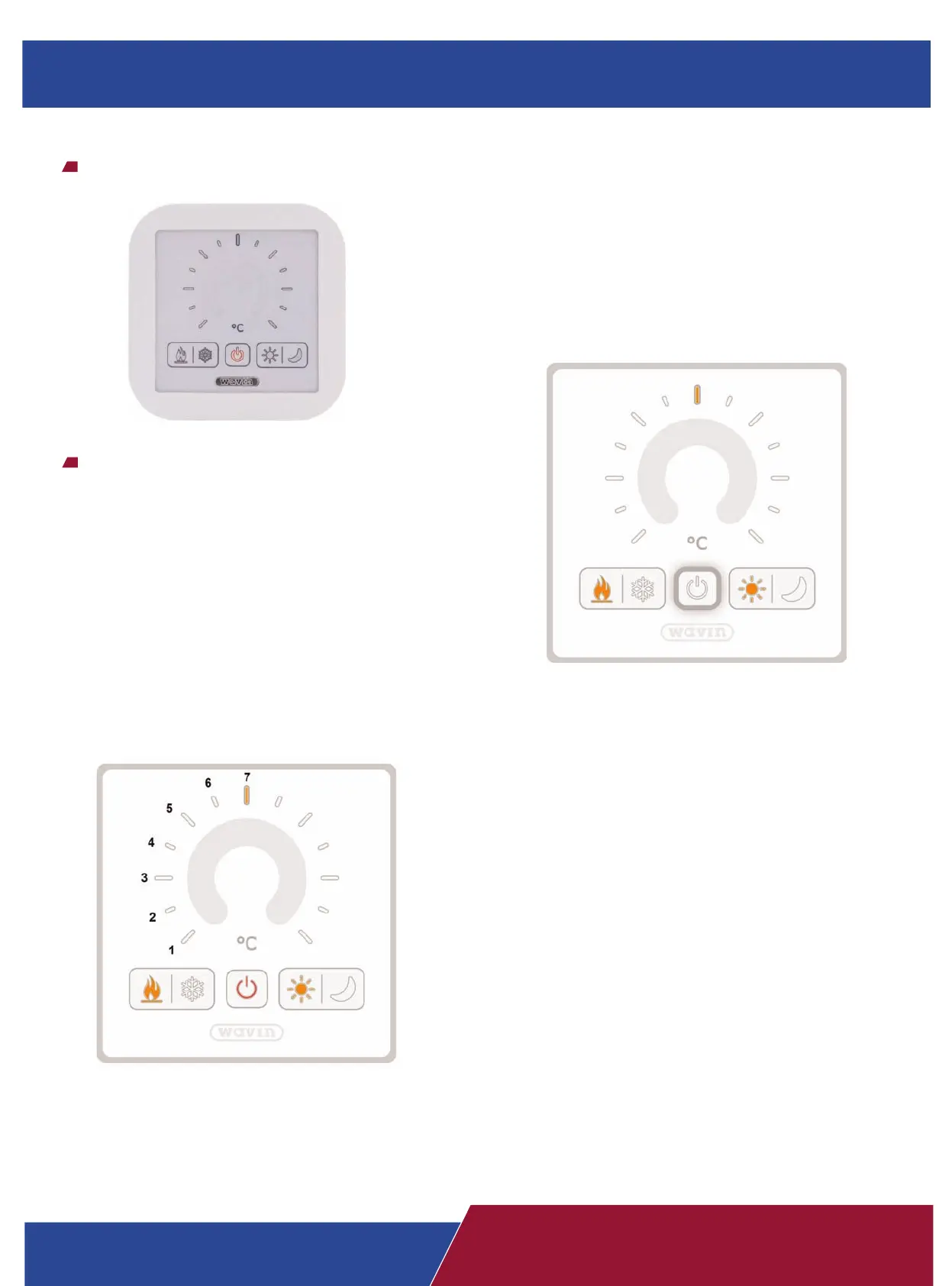
The on/off button will turn off the heating or cooling in the room:
when the thermostat in off mode then the actuator(s) is in the
closed position. This function can be activated by the room
thermostat (default) or via a master thermostat or the building
management system.
4.4.1. Temperature setting
The device defaults to the winter or summer r
efer
ence
temperatur
e of the current operating mode. The default reference
temperature for summer is 26
°C, and for winter is 21 °C. The
temperature setting range from the reference temperature is +/- 6
°C (default). T
emperatur
e settings can be adjusted by the touch
buttons or by holding and moving the fingers on the touch surfa
-
ce.
Ready for setting.
Addressing:
Please follow these steps to address the DRT-200
in right way:
- Press the heating/cooling buttons minimum 3
seconds until the confort/economy buttons are
illuminate.
- Press the comfort/economy buttons minimum 3
seconds until the heating/cooling buttons are
illuminate.
- Press again the heating/cooling buttons minimum
3 seconds until all LED of
f.
- Set the requested address 1-7 according to
the picture.
- Save the new setting with press the On/Off
button.
D
esign Manual
Heating and Cooling systems
Design Manual
Heating and Cooling systems



 To Next Page
 Loading...