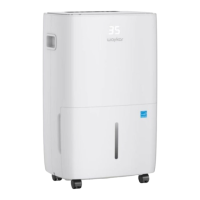
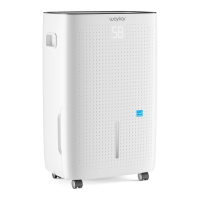
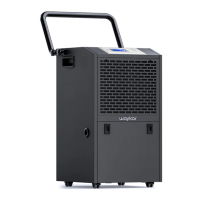
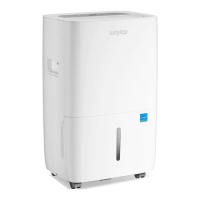
The Waykar Home Dehumidifier, model JD025C-80, is designed to efficiently reduce humidity levels in various indoor environments, including family bedrooms, bathrooms, basements, offices, and storage rooms. Its primary function is to create a healthier and more comfortable living space by removing excess moisture from the air.
Usage Features:
The dehumidifier boasts powerful moisture removal capabilities, utilizing cutting-edge technology to maintain dry and comfortable indoor air. Its lightweight and portable design, featuring casters at the bottom, allows for easy movement between rooms.
Operating the dehumidifier is straightforward. Upon first power-on, the machine will emit a buzz before entering standby mode. The control panel includes a digital display that serves three functions: showing the current room humidity when powered on, displaying the set humidity level during adjustment, and indicating the timing duration when the timer is programmed. The display also shows "35" if the environment humidity is below 35%RH and "95" if it's above 95%RH.
The device features a "Turn On/Off" button (labeled "POWER") to start or stop the machine. Humidity levels can be adjusted using the "+" or "–" buttons, allowing users to set the desired humidity from 40%RH to 80%RH in 5% increments. The LED display flashes during humidity adjustment, with a default setting of 40%RH.
For enhanced control, the dehumidifier includes a "Fan Speed Setting" button (labeled "SPEED") to switch between low and high fan speeds, with a corresponding light indicating the selected speed. A "Swing Setting" button (labeled "SWING") allows users to start or stop the oscillation of the air outlet blade.
The "Timer Setting" function enables automatic operation. In standby mode, pressing the timer button allows users to set a timer for automatically starting the machine, adjustable from 1 to 24 hours using the "+" or "–" buttons. When the machine is operating, the timer can be set to automatically shut down the machine, also adjustable from 1 to 24 hours. It's important to note that the timing function may become invalid if the dehumidifier is turned on/off by user operations or if the water tank is full.
The dehumidifier is designed for low-temperature operation and includes an automatic defrost function. After 10 minutes of continuous compressor operation, the machine detects the coil temperature. If the coil temperature drops to ≤-2°C (28.4°F) for more than 10 seconds, the compressor stops, and the fan runs at high speed. After 3 minutes, if the coil temperature rises to ≥5°C (41°F) for more than 10 seconds, the anti-frost mode exits, and the compressor and fan resume normal operation. If the anti-frost period exceeds 10 minutes, it automatically exits. During anti-frost, if the water tank becomes full, the fan turns off and resumes high-wind operation once the water level is restored.
The adjustable humidistat allows users to set different humidity levels tailored to specific room requirements. The machine operates quietly and is energy-efficient, consuming low power.
Maintenance Features:
Regular maintenance ensures optimal performance and longevity of the dehumidifier. Before cleaning or storing the machine, always unplug the power cord.
Manual Drainage:
When the water tank is full, the "FULL" indicator light turns on, and the dehumidifier automatically stops, accompanied by 15 beeps to remind the user to empty the tank. To empty, gently press the sides of the tank with both hands and pull it out. Pour out the collected water, then steadily reinstall the tank into the machine.
Important notes for manual drainage: Do not remove the float from the water tank, as this will prevent correct water level detection and may cause leaks. If the tank is dirty, wash it with cold or lukewarm water. Avoid using detergents, scouring pads, chemically treated dust cloths, gasoline, benzene, thinner, or other solvents, as these can scratch or damage the tank and lead to leaks. When replacing the tank, press it firmly into place; improper positioning will activate the "TANK FULL" sensor and prevent operation.
Continuous Drainage:
For continuous operation without manual emptying, the dehumidifier supports continuous drainage. First, remove the drain hose connector from the water tank. Unscrew the outlet cover on the back of the machine. Install the drain hose connector and connect a drain hose. Ensure the drain hose is properly installed and positioned at a downhill grade to allow condensed water to drain continuously.
Warnings for continuous drainage: Do not block the drain port or drain hose; blockages will cause water to flow into the water tank. Do not bend the drain hose, and ensure its height is lower than the drain port. The drain hose must be firmly connected to the drain port.
Cleaning the Dehumidifier:
Cleaning the Body: Wipe the exterior with a soft, damp cloth.
Cleaning the Air Filter: Open the inlet grill and wash the air filter with water. Alternatively, use a vacuum cleaner to lightly remove dirt from the filter surface. If the air filter is exceptionally dirty, wash it with warm water and a mild cleanser, then dry thoroughly before reinserting it smoothly into the grill.
Storing the Dehumidifier:
For long-term storage or when not in use, follow these steps:
- Empty any remaining water from the tank.
- Store the power supply cord by wrapping it around the hook on the back of the unit.
- Clean the air filter.
- Place the dehumidifier in a cool and dry location.
Clearance:
Maintain a minimum clearance of 18 inches around the dehumidifier during operation to ensure proper air circulation.
Important Safety Precautions:
Always unplug the power cord before cleaning or storing. The machine is for indoor use only, excluding laundry rooms. Keep it away from heat-generating devices, flammable, and dangerous materials. Never insert fingers or other objects into the intake or discharge ducts. Do not sit or stand on the machine. Avoid operating the dehumidifier in closed areas like closets, as this may pose a fire hazard. Do not place it near edible items, artwork, or scientific materials. If the power cord is damaged, contact the manufacturer or a qualified person for replacement. Ensure the machine is positioned so the plug is accessible. Maintain a 20 cm distance from walls or other objects for optimal air circulation. Installation must comply with local national wire regulations. The machine is not suitable for public transportation. Children aged 8 and above, and persons with reduced physical, sensory, or mental capabilities, or lack of experience and knowledge, can use the machine under supervision and with proper instructions, understanding the hazards involved. Children should not play with the machine, and cleaning/user maintenance should not be performed by children without supervision. Do not operate the machine if it is visibly damaged.


 To Next Page
 General