EasyManua.ls Logo

Waykar JD026E-130 - User Manual

Waykar JD026E-130
20 pages
Print Icon
To Next Page IconTo Next Page
Loading...
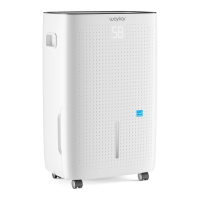
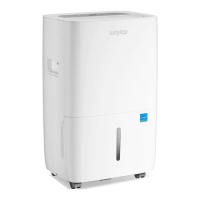
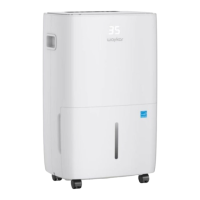
Home Dehumidier
Please read this manual carefully
before using the product
JD026E-130
USER MANUAL
www. kar.com way

Questions and Answers

  • J
    Joshua FuentesAug 13, 2025
    What to do if my Waykar JD026E-130 doesn't turn on?
    • H
      Heather MiddletonAug 13, 2025
      If your Waykar Dehumidifier isn't turning on, there are a few things to check: * First, ensure the power cord is properly plugged into the outlet. * Second, if the tank full indicator is flashing, empty the water tank and make sure it's correctly positioned. * Finally, the room temperature should be between 7°C (44.6°F) and 32°C (89.6°F) for the dehumidifier to operate.
  • J
    Jackie GonzalezAug 17, 2025
    How to fix a Waykar JD026E-130 that is not dehumidifying?
    • K
      Kerri MillerAug 17, 2025
      If your Waykar Dehumidifier isn't dehumidifying, check these: * A clogged air filter can hinder performance. Clean the air filter according to the instructions. * Ensure that neither the intake nor the discharge duct is blocked. Remove any obstructions.
  • B
    Brittany BakerAug 20, 2025
    What to do if my Waykar JD026E-130 is not blowing air?
    • D
      Deborah HardingAug 20, 2025
      If your Waykar Dehumidifier isn't discharging air, the air filter might be clogged. Clean the air filter as instructed.
  • R
    Robert HoffmanAug 25, 2025
    What does error code E3 mean on my Waykar JD026E-130 Dehumidifier?
    • M
      Mary CooperAug 25, 2025
      Error code "E3" indicates a communication failure. Check to see if the main PCB is connected properly. If not, replace it with a new main PCB.
  • B
    benjaminallenAug 28, 2025
    What does error code EH mean on my Waykar Dehumidifier?
    • E
      Eric TorresAug 28, 2025
      Error code "EH" signifies an abnormal humidity sensor. Check if the wires of the temperature and humidity module are loose. If not, replace the temperature and humidity module or the motherboard.
  • H
    hunteremmaSep 1, 2025
    What does error code E1 mean on my Waykar JD026E-130 Dehumidifier?
    • B
      Barbara JordanSep 1, 2025
      Error code "E1" indicates an abnormal exhaust pipe temperature sensor. Check the exhaust pipe temperature sensor and the related circuit.
  • D
    derek42Sep 5, 2025
    What does error code E2 mean on my Waykar JD026E-130?
    • M
      Michael OlsonSep 5, 2025
      Error code "E2" indicates an abnormal coil temperature sensor. Check the coil temperature sensor and the related circuit.
  • D
    dwhiteSep 8, 2025
    Why is my Waykar Dehumidifier so loud?
    • K
      Kathleen WangSep 8, 2025
      If your Waykar Dehumidifier is making excessive noise, consider these potential causes: 1. The unit might be on an uneven surface. Try moving it to a stable, sturdy location. 2. A clogged air filter can also cause noise. Clean the air filter as instructed.

Summary

For Customers

Requesting Customer Service

Contact Waykar Customer Service at support@waykar.com for product issues, providing your Purchase Order ID.

Before First Use

Features

Powerful Moisture Removal

Removes moisture from the air using cutting-edge technology for dry and comfortable indoor air.

Lightweight Portable Design

Compact and lightweight design with casters for easy movement between rooms.

Low Temperature Operation with Automatic Defrost Function

Operates at low temperatures with automatic defrost to prevent frosting.

Adjustable Humidistat

Allows setting different humidity levels for various rooms.

Timer On; Off

Programs the machine to automatically turn on and off.

Quiet Operation

Operates with a low noise level.

Energy Efficient

Features low power consumption.

Safety Precautions

Important Notice for First Use

Read manual carefully, keep for reference, and install/use according to instructions.

Safety Warnings and Storage

Warnings

Key warnings regarding operation, piercing, refrigerants, room size, and servicing.

Storing the Dehumidifier

Steps for storing the unit when not in use, including emptying and cleaning.

Clearance

Minimum clearance requirement of 18 inches around the dehumidifier for operation.

Specifications

Product Drawings

Operation Instructions - Control Panel

Control Panel

Overview and functions of the control panel buttons and display.

Humidity Level & Timer Display

Explanation of the indicator functions for humidity and timer display.

Turn On;Off

Instructions for powering the machine on and off using the power button.

Fan Speed

How to adjust the fan speed between low and high settings.

Operation Instructions - Settings

Humidity Setting

Procedure to set the desired humidity level from 40%RH to 80%RH.

Timer Setting

How to set the machine to automatically start or shut down within 01-24h.

Lock Setting

Instructions for locking and unlocking the control panel to prevent unintended changes.

Drainage - Manual

Manual Drainage

Steps for manually emptying the water tank when it is full.

Drainage - Continuous

Continuous Drainage

Procedure to set up continuous drainage using a drain hose.

Maintenance & Cleaning

Cleaning the Body

Instructions for cleaning the exterior of the dehumidifier with a soft damp cloth.

Cleaning the Air Filter

Steps to clean the air filter, including vacuuming or washing.

Troubleshooting

Special Notes

Warranty & Contact Us

Warranty

Details of the 12-month warranty, coverage, and exclusions.

Extend Your Warranty by 1 Year

Information on how to register the product to extend the warranty by one year.

Customer Support

Contact information and support hours for Waykar customer service.

Waykar JD026E-130 Specifications

General IconGeneral
Model NumberJD026E-130
Auto-RestartYes
Continuous Drain OptionYes
Operating Temperature41°F-95°F
Power Supply115V/60Hz
Coverage Area1500 sq ft
Noise Level≤ 45 dB

Related product manuals