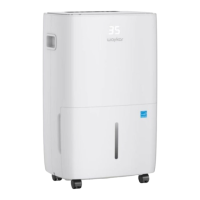
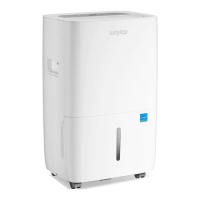
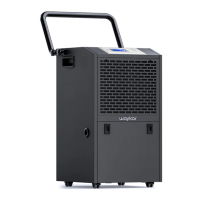
The Waykar Home Dehumidifier, model JD026C-150, is designed to efficiently reduce room humidity, creating a healthier and more comfortable indoor environment. It is suitable for various spaces such as family bedrooms, bathrooms, basements, offices, and storage rooms.
Function Description:
The primary function of this dehumidifier is powerful moisture removal. Utilizing cutting-edge technology, it extracts excess moisture from the air, helping to maintain a dry and comfortable atmosphere. The unit is equipped with an automatic defrost function, allowing for low-temperature operation. After the compressor runs for 10 minutes, it begins to detect the coil temperature. If the coil temperature drops to -2°C (28.4°F) or below for more than 10 seconds, the compressor will stop, and the fan will run at high speed to defrost. After 3 minutes, if the coil temperature rises to 5°C (41°F) or above for more than 10 seconds, the anti-frost mode will exit, and the compressor and fan will resume normal operation. If the anti-frost period exceeds 10 minutes, it will automatically exit. During defrosting, the defrosting light remains on. If the water tank becomes full during the anti-frost period, the fan will turn off and will resume forced high-wind operation once the water level is restored.
Usage Features:
The dehumidifier offers several features for user convenience and control:
- Adjustable Humidistat: Users can set their desired humidity levels, ranging from 40%RH to 80%RH, in 5%RH increments, to suit different room conditions. The default humidity setting is 40%RH. When the room humidity reaches the set level, the compressor stops, and the "ECO" LED lights up.
- Timer On/Off: The unit can be programmed to turn on or off automatically. In standby mode, a timer can be set for automatic startup, with the timing light illuminating and the display showing "01" initially. The timer duration can be adjusted from 1 to 24 hours. Similarly, when the machine is operating, a timer can be set for automatic shutdown. The front display can also be turned off by pressing and holding the timer button for 3 seconds.
- Quiet Operation: The dehumidifier is designed to operate with a low noise level, minimizing disturbance in living or working spaces.
- Energy Efficient: The machine has a low power consumption, contributing to energy savings.
- Control Panel: The control panel features a digital display that shows the current room humidity when powered on, the set humidity level, or the timing duration when the timer is programmed. It also indicates "35" if the environment humidity is lower than 35%RH and "95" if it's higher than 95%RH.
- Mode Settings: Users can switch between "DRY" (dehumidifying), "CONTINUOUS" (drying), and "FAN" (air supply) modes using the mode button. The corresponding indicator light will turn on for the selected mode. In dehumidifying or drying mode, if the compressor stops, the power indicator flashes. In air supply mode, the power indicator remains on.
- Fan Speed Adjustment: The fan speed can be adjusted between low and high settings using the fan speed button, with a corresponding indicator light showing the selected speed.
- Swing Setting: The swing function allows the fan blades to move up and down within a 40-80 degree range, improving air circulation. This feature can be activated or stopped by pressing the swing button.
- Lock Setting: For safety and to prevent accidental changes, the control panel can be locked by pressing and holding the lock button. The indicator light will illuminate, and the buttons will be disabled until the lock button is pressed and held again to unlock.
- Portable Design: The unit is compact and lightweight, equipped with casters at the bottom for easy movement between rooms.
Drainage Options:
The dehumidifier offers two methods for water drainage:
- Manual Drainage (Water Tank): When the water tank is full, the "BUCKET FULL" indicator light will turn on, and the dehumidifier will automatically stop, accompanied by 15 beeps. To empty, gently press the sides of the tank with both hands and pull it out. After pouring out the collected water, steadily reinstall the tank. It is crucial not to remove the float from the water tank, as this will prevent the sensor from detecting the water level correctly and may lead to leaks. If the tank is dirty, it should be washed with cold or lukewarm water, avoiding detergents, scouring pads, or harsh chemicals that could damage it. The tank must be firmly pressed into place during reinstallation; otherwise, the "TANK FULL" sensor will remain activated, preventing operation.
- Continuous Drainage: For continuous operation without needing to empty the tank, a drain hose can be connected. First, remove the drain hose connector from the water tank. Unscrew the outlet cover on the back of the machine, then install the drain hose connector and attach the drain hose. Ensure the drain hose is properly installed and positioned at a downhill grade to allow condensed water to drain continuously. It is important not to block the drain port or bend the drain hose, and the height of the drain hose must be lower than the drain port. The drain hose must be firmly connected to the drain port to prevent water from flowing into the water tank.
Maintenance Features:
Regular maintenance helps ensure the dehumidifier's optimal performance and longevity:
- Cleaning the Body: The exterior of the dehumidifier can be wiped clean with a soft, damp cloth. Direct spraying of water on the unit should be avoided.
- Cleaning the Air Filter: The air filter should be cleaned every two weeks. To clean, open the inlet grill and either wash it with water or use a vacuum cleaner to lightly remove dirt from its surface. For exceptionally dirty filters, wash with warm water and a mild cleanser, then dry thoroughly. After cleaning, smoothly insert the filter back into the grill. Avoid drying the filter under direct sunlight to prevent deformation.
Safety Precautions:
Before first use, the product should be left standing in an upright position for 24 hours to protect against internal damages. The power cord should be unplugged before cleaning or storing the machine. The dehumidifier is intended for indoor use, excluding laundry rooms. It should not be placed near heat-generating devices, flammable materials, or dangerous substances. Fingers or other objects should never be inserted into the intake or discharge ducts. The machine should not be sat or stood on. It should not be operated in closed areas like closets, as this may pose a fire risk. The unit should be kept away from edible items, artwork, or scientific materials. If the power cord is damaged, it must be replaced by the manufacturer or a qualified person. The machine must be positioned to allow easy access to the plug. A minimum clearance of 18 inches around the dehumidifier should be maintained for proper air circulation. Installation must comply with local national wire regulations. The machine is not suitable for use in public transportation. Children aged 8 and above, and individuals with reduced physical, sensory, or mental capabilities, or lack of experience and knowledge, can use the machine if supervised and instructed on safe use and understanding of hazards. Children should not play with the machine, and cleaning or user maintenance should not be performed by children without supervision. The machine should not be operated if it is visibly damaged. Users should not accelerate the defrosting process or clean ice themselves, other than as recommended by the manufacturer. The machine should not be pierced or burned, and users should be aware that refrigerants may not have an odor. The machine must be installed, operated, and stored in a room with a floor area larger than 4 square meters and comply with national gas regulations. Servicing should only be performed as recommended by the manufacturer. When not in use for extended periods, the machine should be stored to prevent mechanical damage. Any repairs should be handled by an authorized Service Centre following manufacturer instructions. Before moving or carrying the machine, the water tank must be emptied. Objects should not be placed around the machine as this can affect dehumidification efficiency due to poor ventilation. When using the machine, doors and windows should be closed for optimal moisture removal.


 To Next Page
 General