Cutter lock:
If the auto cutter blade stops operating due to a jam, the ERROR light blinks. Clear the jam
and press the FEED button. If the blade does not move, refer to section 3.2.
Paper jam:
When paper is fed 3 inches, the receipt sensor detects it. After the paper is cut, it is
determined to be a jam when the paper doesn't reach the sensor position at that time.
The printer memorizes whether there is paper on the receipt sensor when the print begins.
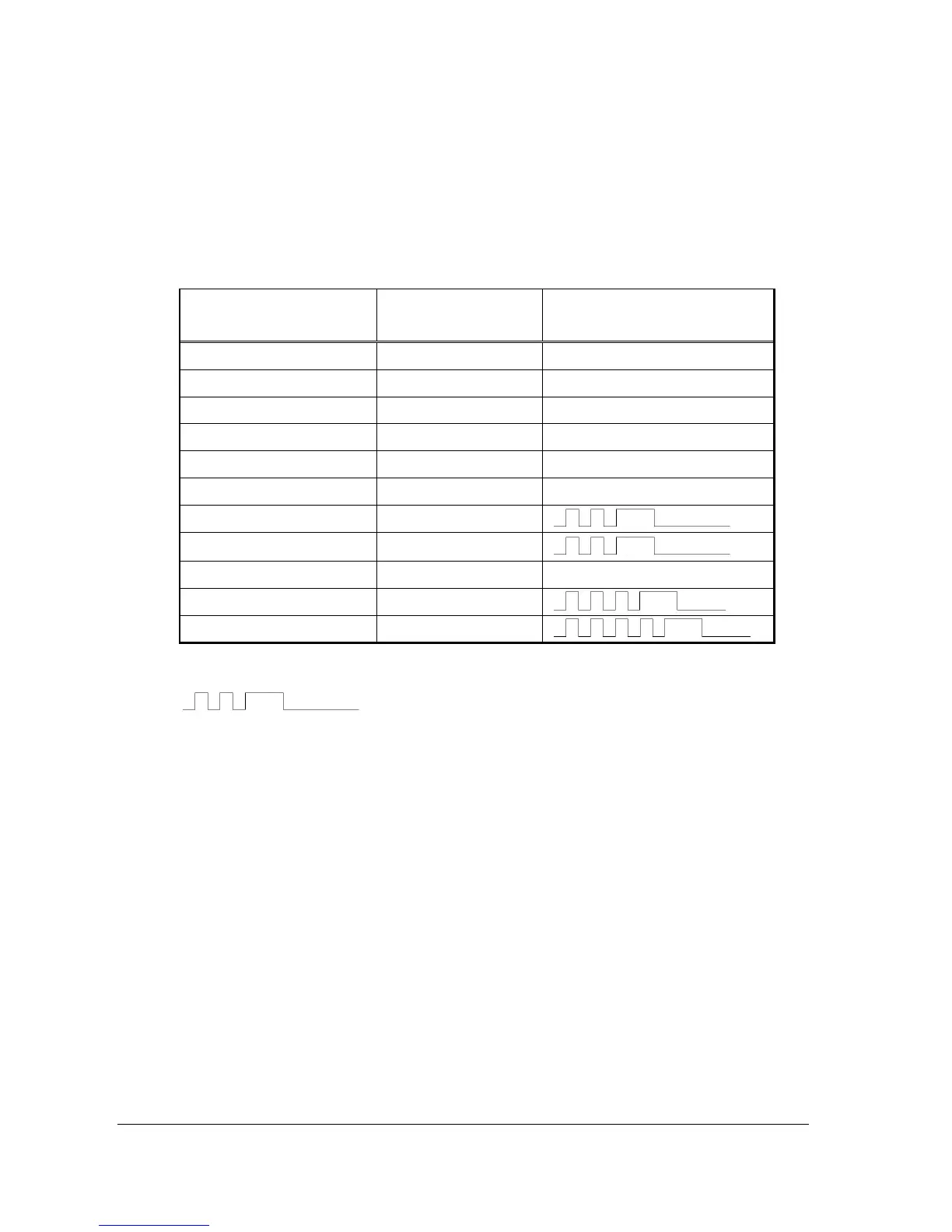
Table 3-1 Power light and Error light for detected symptoms
ERROR Light Status
Paper end
ON
ON
Paper near end ON ON
Front door open ON ON
Head up ON ON
Head up *1 ON Blinking
Head overheat ON
Slow blinking
Cutter lock ON
Memory check error*2
Quick blinking OFF
Low voltage error*2 ON
High voltage error*2 *3 ON
*1 Head up while the printer is printing.
Indicates two short blinks and a long blink
*2 Requires power cycle to clear error.
*3 High voltage or excessive current. This error indicates electrical problem, head jammed or
head too cold. Most commonly seen at install/startup during very cold conditions.
_____________________________________________________________________________________9
P/N 000-920921- Rev 0D 04/2015


 To Next Page