
 Need help?
Do you have a question about the Webasto BlueCool V-Series and is the answer not in the manual?
Details essential safety measures and warnings for operating the system.
Explains direct control of air handlers and system behavior in automatic mode.
Describes fan operation and its control mechanism relative to temperature.
Step-by-step guide for powering on the system and initial startup sequence.
Instructions on how to properly shut down the air-conditioning system.
Details automatic selection of heating or cooling based on system configuration.
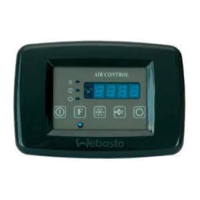
Procedure for adjusting the desired temperature using the control panel buttons.
Explanation of how the control element enters and exits standby mode.
Guide to engaging Eco mode for reduced power consumption.
Instructions for manually or automatically adjusting the fan speed.
Information regarding access codes for technician-specific settings.
Emphasizes professional handling of system issues and safety during troubleshooting.
Explains how fault codes appear and the system's response to recurring errors.
Table listing display codes, their descriptions, possible causes, and corrections.
Addresses system issues that do not trigger specific fault codes on the display.
 General
| Brand | Webasto |
|---|---|
| Model | BlueCool V-Series |
| Category | Air Conditioner |
| Language | English |

 To Next Page