7
3.5 Selecting cooling mode/heating mode
The system selects cooling or heating operating mode depending on the required
temperature. The prerequisite is that the system has been configured for automa-
tic switch-over between cooling and heating. For information on configuring the
operating modes please contact your authorised Webasto Marine dealer.
3.6 Setting setpoint temperature
•
Set the setpoint temperature in accordance with your own preferences.
•
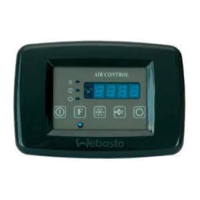
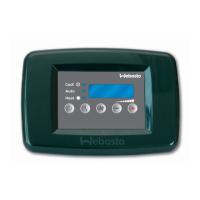
Press the Plus button
(2) or Minus button (3).
The setpoint temperature is displayed.
•
Press the Plus
button (2) or Minus button (3) to change the setpoint
temperature.
•
Confirm the entry by pressing the “On/Off” button
(6) or wait at least 5se-
conds so that the entered value is automatically adopted.
3.7 Standby mode
The control element will assume standby mode if no button is pressed for
5minutes. The corresponding operating mode LED will then flash discretely every
20seconds. Press any button to return to the normal display.
3.8 Activating Eco mode
With the Eco mode function it is possible to continuously operate the BlueCool
V-Series under modulating partial load, thus limiting the current consumption of
the system. This makes it possible to operate the system with a lower generator
output, parallel with other large electrical loads such as hot water boiler or with
weak on-shore power supply.

 To Next Page
 Loading...