Power ON/OFF
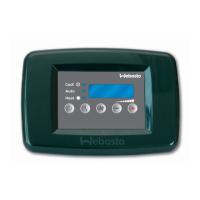
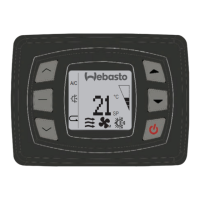
• Press ON/OFF button to turn the unit display on. Press the ON/OFF button a second time to select
mode and start operation.
• While the display is active press the ON/OFF button once to turn the unit OFF. Press the ON/OFF
button a second time if the display has already entered sleep mode to turn the unit OFF.
Sleep Mode of the digital display
The ambient temperature display will automatically enter a sleep status within 5 minutes of inactivity. Press any
button on the display or the remote controller to wake the display.
Note: Normal unit operation will continue while in sleep mode, it’s only the digital display that turns off.
FAN Control
• Press the FAN button, the fan speed will change in the following order:
→ HIGH →MID → LOW → AUTO →
• In “DEHUMIDIFY” mode, the fan will work at low speed automatically
Temperature Setting
• Press temperature setting key
▲To increase in 1
o
increments
▼ To decrease in 1
o
increments
• The setting range of temperature in each mode:
COOL 61°F 86°F or 16°C 30°C
DEHUMIDIFY 61°F 86°F or 16°C 30°C
HEAT 61°F 86°F or 16°C 30°C
FAN In this mode, temperature cannot be changed.
AUTO In this mode, temperature cannot be changed.
Mode Setting
• Press this key to change the operation mode in order of
→ COOL → DEHUMIDIFY → FAN → HEAT → AUTO →
COOL Mode Operation
• In “COOL” mode, the LED next to the
icon will illuminate when mode is selected on the digital
display.
● If room temperature is higher than set temperature, the unit runs in COOL mode.
● If set temperature is higher than room temperature then only the fan will run.




 To Next Page