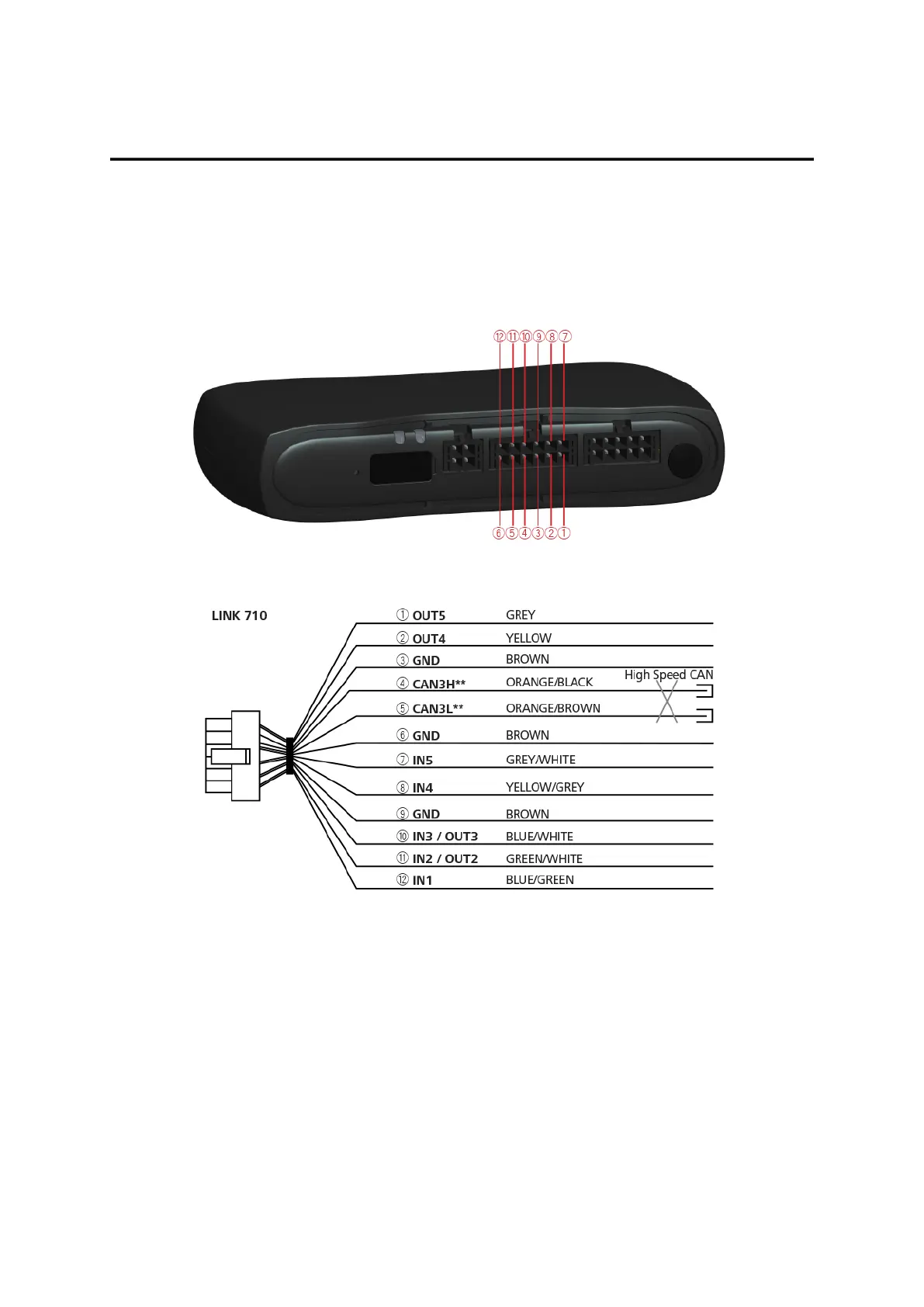
Appendix: Using the I/O connector
Using the 12 pin I/O cable, you can connect to a digital tachograph, as well as use configurable digital in-
puts and outputs to connect accessories and 3rd-party devices.
For example, you can record inputs, for keeping a digital logbook with the help of a switch, reporting times
the vehicle is idling etc. You can connect the 12 pin I/O cable from Webfleet Solutions to the 12 pin I/O ca-
ble connector of the LINK 740.
** Twisted pair. Loose ends of CAN L/CAN H wires must be protected against short circuits. Separate by us-
ing a heat shrink tube.
Wiring digital inputs
The digital inputs of the LINK 740 operate according to the principle of a voltage detector. Voltages below
2 Volts are definitively interpreted as being low and voltages higher than 3 Volts are definitively interpreted
as being high. The maximum permissible input voltage is 30 Volts. Low/high switching (increasing input volt-
age) typically occurs at 2.8 Volts. High/low switching (decreasing input voltage) typically occurs at 2.1 Volts.
The hysteresis of 0.7 Volts is to avoid rapid switching.
Interference voltages at the digital inputs must remain below 2 Volts. In order to guarantee this, the input
wire of the connecting cable should never remain unconnected. If a digital input is not being used, the in-
put wire must be connected to ground (GND). To evaluate a switch, this switch needs to be designed as a
28



 To Next Page