3
Supplied accessories
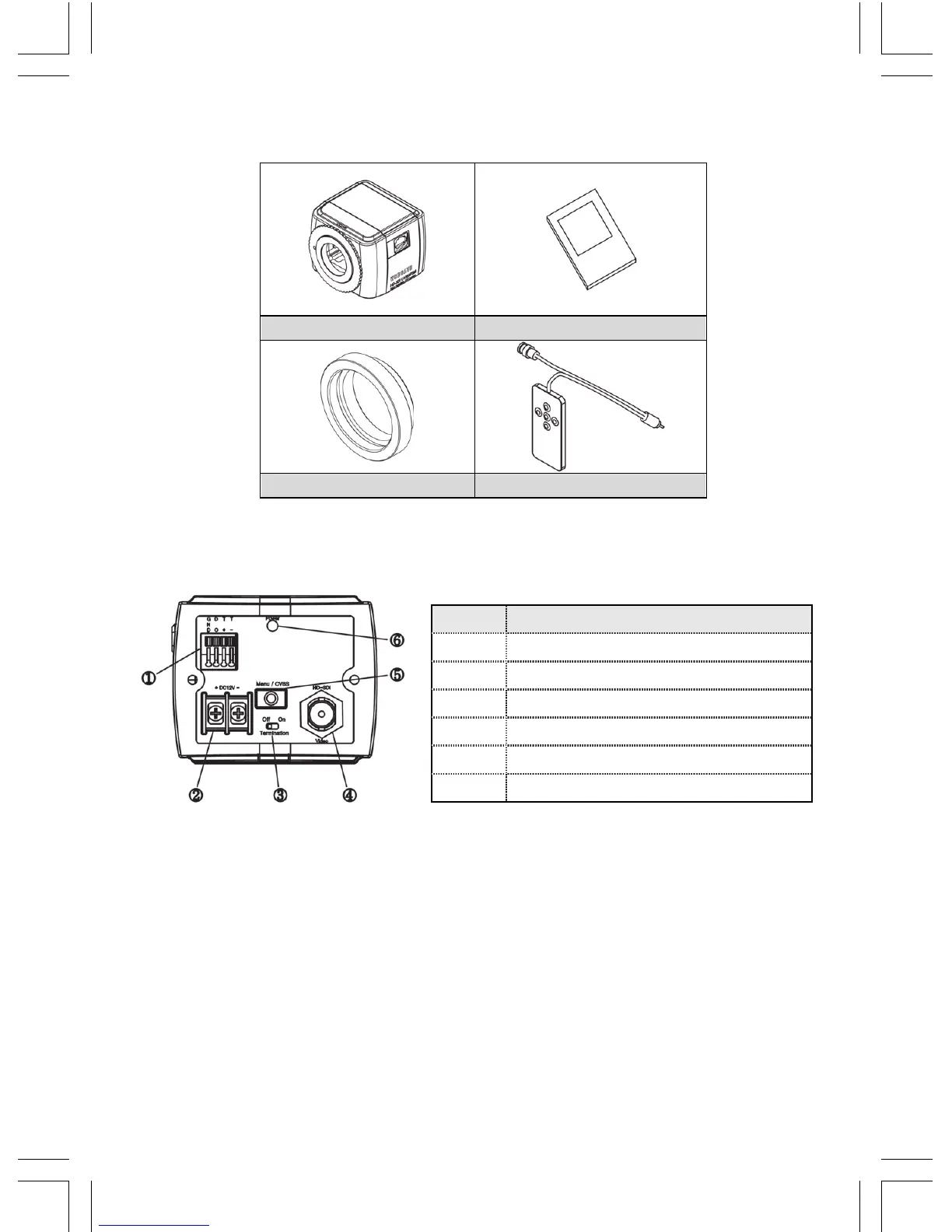
Please check if all the supplied accessories are included.
C1080PBM Install and User’s Manual
C Mount Adapter Camera Remote Controller
Product description
Camera installation
Mount Lens
1. Remove C mount adaptor ring to use CS mount lens.
- Connect C mount adaptor ring to use C mount lens.
2. You may need to loosen the lens locking ring and its adjustment when you cannot get
the focus.
※ Please pay special attention to the bottom of lens not to touch with the surface of
CMOS sensor.
No Name
1 RS-232/RS-485/Digital Output port
2 Power input port
3 RS485 Termination
4 Video Out(PoC,CoC)
5 Menu, CVBS Output
6 Power lamp


 To Next Page