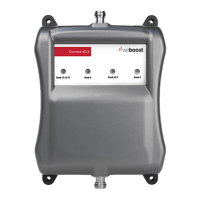
CONNECT 4G-X CELL PHONE SIGNAL BOOSTER
3
ENGLISH
Dial *3001#12345#* then press Call.
1 Hold down power button until you see 'Slide to
Power O '.
2 Then release the power button.
3 Hold the Home button until your main screen appears.
If you want to check 3G/1x but your iPhone is picking up 4G/
LTE signal, go to Settings>Cellular>Cellular Data Options>En-
able LTE>Select O
Settings > About Phone > Status or Network > Signal Strength
or Network Type and Strength (exact options/wording
depends on phone model).
______
Step 2: Find The dBm
Reading On Your Phone
All Other Phones & Alternate Methods
• https://www.weboost.com/test-mode-instructions/
All Phones:
• Keep track of the network (3G or 4G) phone is connected to.
• Any signal readings you take are valid for that phone’s carrier. To get readings
from other carriers, you’ll need phones from each carrier.
• When system is set-up, you can easily revert back to the “bar display” by dialing
*3001#12345#* press Call, press the signal strength at the top left of screen to
toggle between numbers and bars, then press the Home button to exit Field
Test mode.
iPhone®
Android™
NEED HELP?
support.weboost.com 866.294.1660
iPhone is aregistered trademark of Apple Inc. Android is a trademark of Google Inc.





 To Next Page