Note:
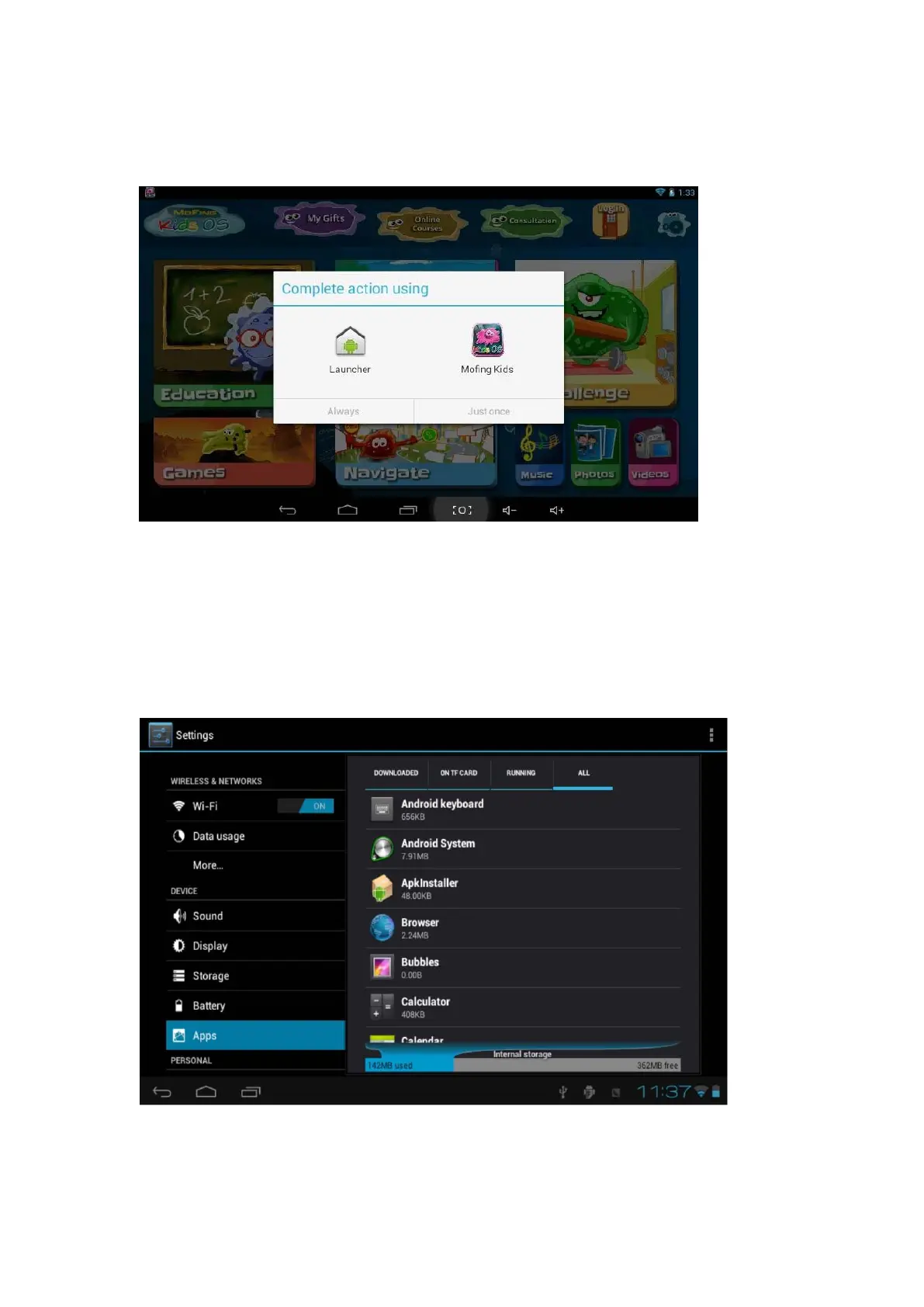
There are 2 system in this tablet, when you turn on the unit, you can select either
Launcher for Android or Mofing Kids for kids software. You can also click the block
to set default system as below:
In case you click the block to set the default system, you can only see either launcher
or mofing system when you press the home button. how to find the other system back
?
if you want to find the mofing system back, please click setting - apps - launcher
- clear default
If you want to find the android system back, please click parent setting--setting -
apps -mofing kids - clear default



 To Next Page