12
Charge your phone, tablet and other
portable devices with your Weego 70. Weego
70 comes equipped with Detect-o-Matic™
USB Fast Charging.
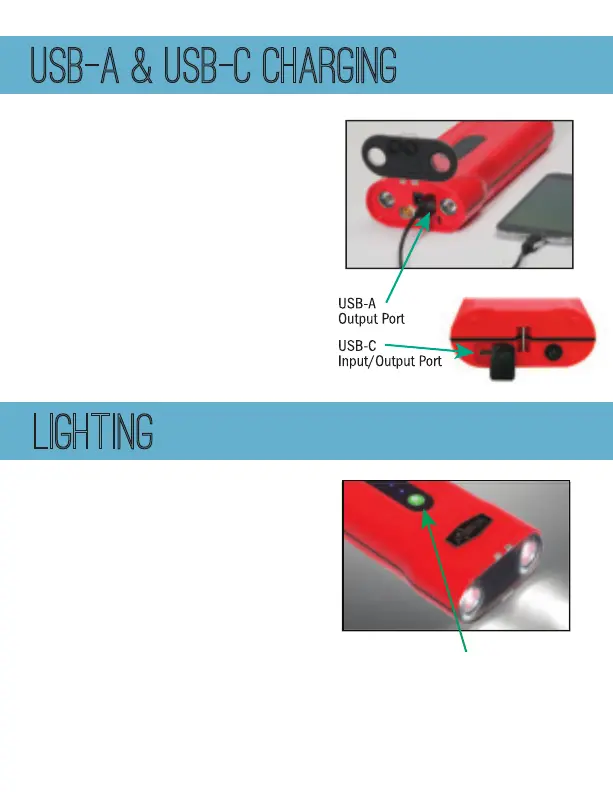
You can charge your USB-A devices by
plugging in your USB-A cord into your
Weego 70 USB-A port OR by plugging your
own USB-C to USB-C cord into your Weego
70 USB-C input/output port. Connect to
your device, power on Weego 70 and
start charging!
USB-A & USB-C CHARGING
LIGHTING
Your Weego 70 comes with a 600 lumen LED
flashlight. Power on your Weego 70, then
briefly press and release the flashlight button
to initiate the following sequences:
• 1
st
click: Normal • 2
nd
click: Strobe
• 3
rd
click: SOS • 4
th
click: OFF
Your Weego 70 will give you up to 15 hours of
flashlight time and up to 30 hours of strobe
& SOS light on a full charge.
Flashlight Button



 To Next Page