15
FR
EN
DE
NL
IT
ES
PT
FR
EN
DE
NL
IT
ES
PT
Install the “Weenect - GPS” app
4
Activate the notications
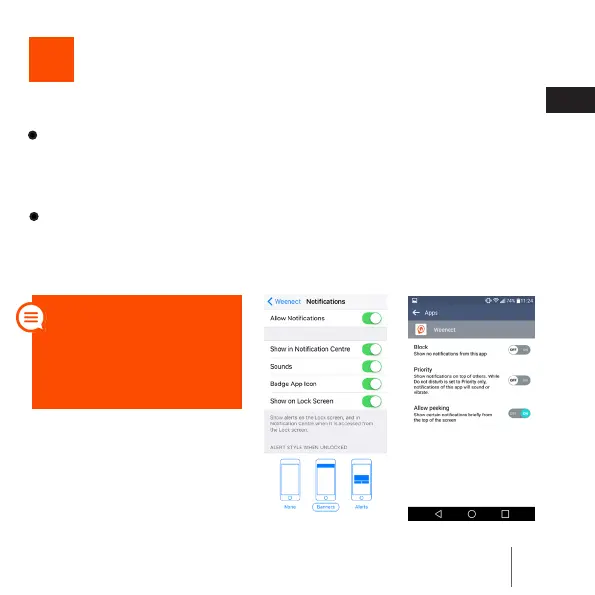
Activate the notications on your mobile or your tablet.
- If you use iOS, you can do this by going to Parameters > Notica-
tions > Weenect > Notication Style. Important: select the “Alerts”
style to make the notications appear.
iOS Android
- If you use Android, go to Applications > Weenect.
Tip: you do not need to
keep the app open to re-
ceive the notications.
Simply connect once to
make them work.



 To Next Page