www.weg.net
WECM / Emerald eZA Manual | 11
6.5. WEG EC MOTOR SPEED CONTROLLER (OPTIONAL)
The running speed and the maximum speed adjust can be done using the external WEG EC Motor Speed Controller.
WEG EC MOTOR SPEED CONTROLLER
Operation mode:
Running speed adjust
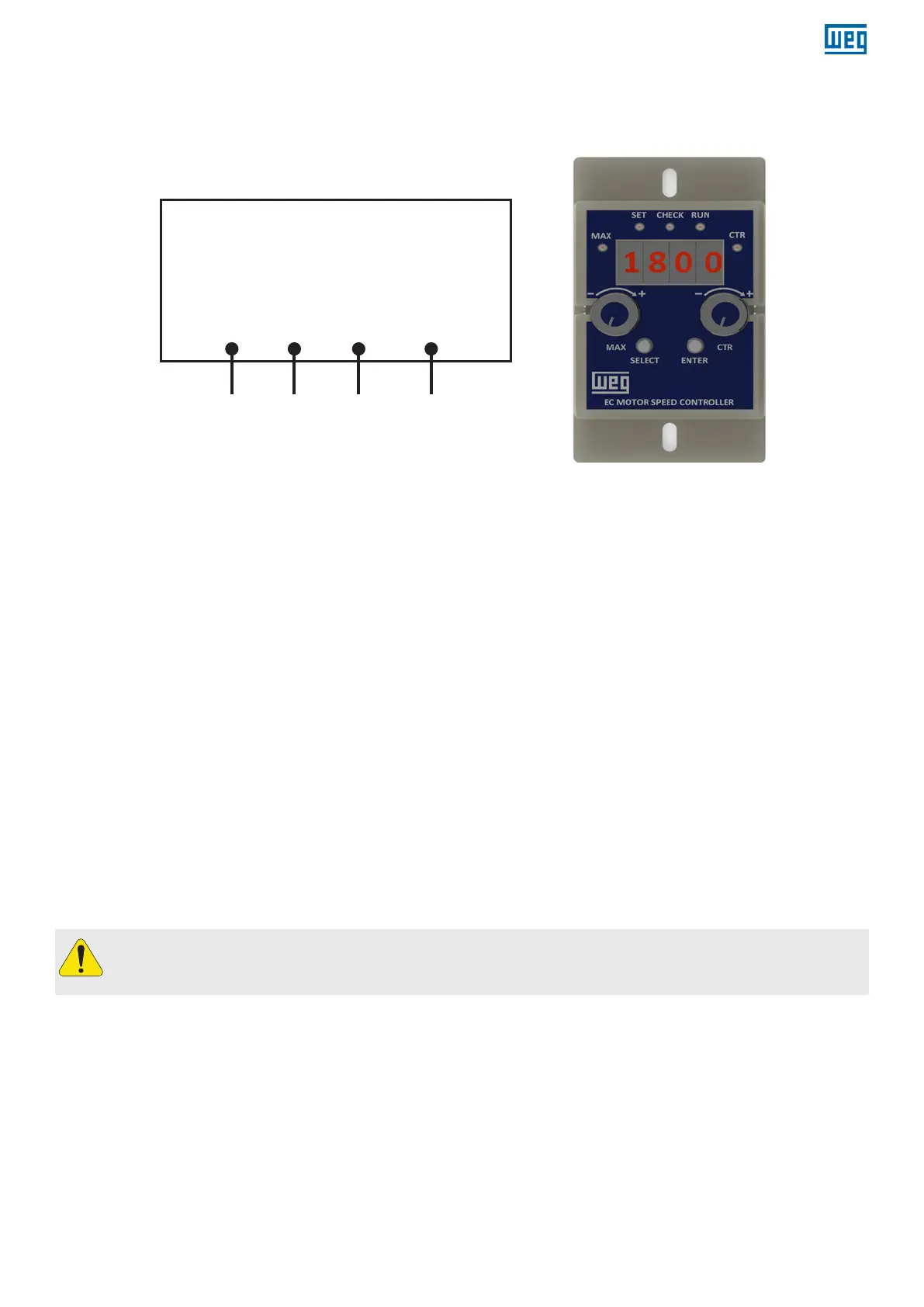
1 2 3 4
CTR GND BACK +10 V
PWM
[10-95%]
COM -
Common
REF - Speed
reference
10V - 10 VDC
source
Figure 8 - The diagram of controller
Figure 9 - WEG EC Motor speed controller
Fed the EC motor following the instructions of the item 5.2;
Running speed adjust
Remove the lid from the back side of the drive cover;
Connect the control signals (item 5.2) to the external speed controller according to Figure 8;
Rotate CTR in clockwise direction (CW) to increase the running speed;
Rotate CTR in counter-clockwise direction (CCW) to reduce the running speed;
During the adjust, the running speed can be verified in the display;
Reinstall the lid to the back side of drive cover after the connections are done;
Maximum speed adjust
Remove the lid from the back side of the drive cover;
Connect the external controller to the EC motor using the cable supplied with the external controller and the connector
inside the EC motor back opening;
Rotate MAX in clockwise direction (CW) to increase the maximum speed;
Rotate MAX in counter-clockwise direction (CCW) to reduce the maximum speed;
During the adjust, the maximum speed can be verified in the display;
Push the button “Enter” to set the maximum speed;
Disconnect the cable from the EC motor back opening connector;
Reinstall the lid to the back side of drive cover after the adjust;
If the maximum speed set is lower than the running speed, the motor will decelerate until reaching the new maximum
speed set.
If the maximum speed set is lower than the running speed, the motor will decelerate until reaching the new maximum
speed set.
ATTENTION!
After remove and reinstall, make sure that the lid from the back side of the drive cover is securely closed to
guarantee the protection degree.


 To Next Page