Front Panel Controls and Indicators
The iPump562 can be controlled via Compel network control, local terminal, and On-Screen-Display. Normally, Compel is the
primary method of controlling the iPump562.
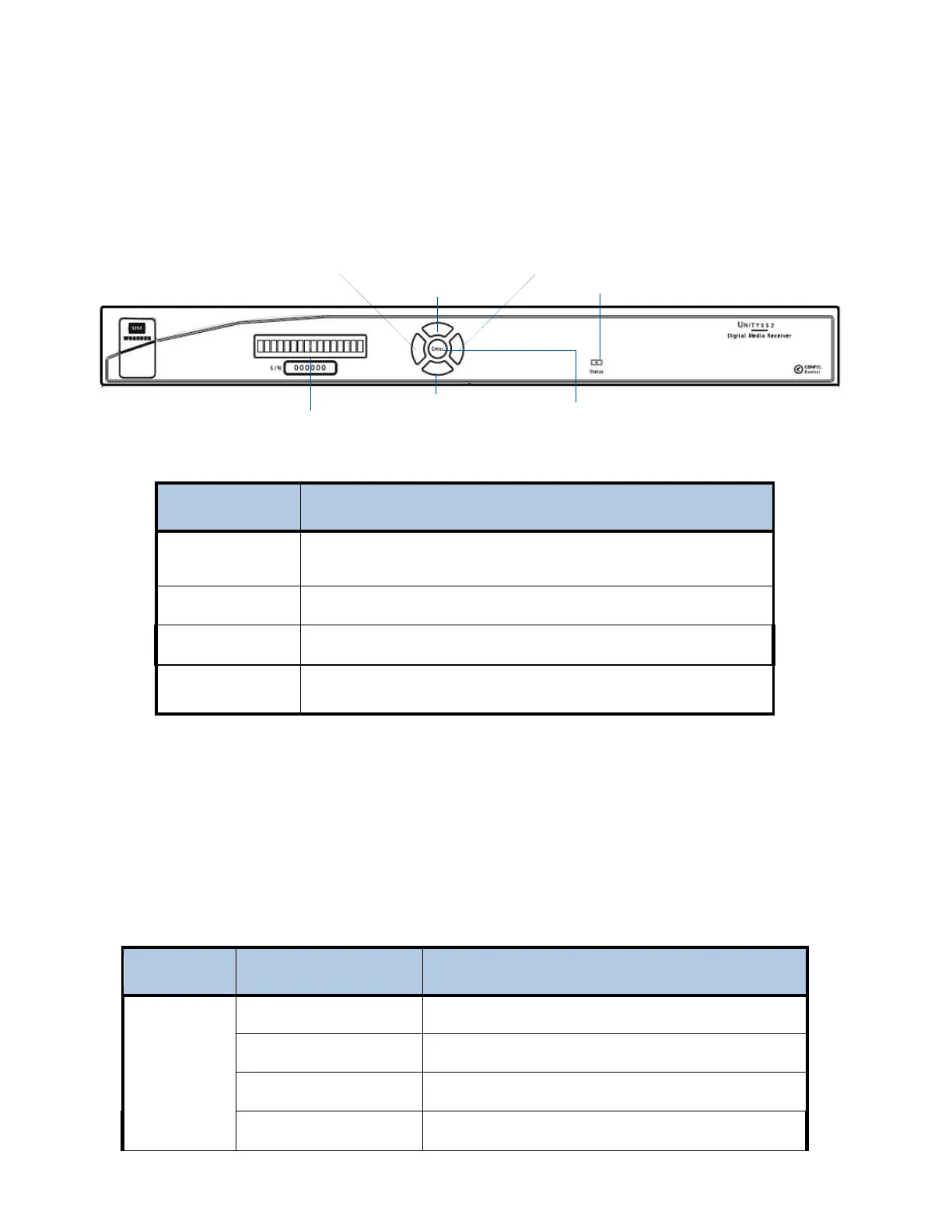
iPump 562 Front Panel
iPump 562 Front Panel Controls
Item Description
LCD
Displays unit label and current status unless OSD activated, in which case
it displays the active OSD line.
Arrow buttons
Arrow buttons activate OSD and navigate through the menus.
ENTER
Selects next menu level or item selected on OSD.
LED
Indicates status: green for OK, flashing red for alarm, flashing amber for
warning.
www.wegener.com 800092-02 Rev. C 5
LED Indications
The iPump562 supplies an operational status using the LED. A steady Green LED indicates that there are no warning or
alarm conditions. The LED will flash when receiving commands from Compel or when downloading files.
If there is a problem, the LED flashes Red for alarm conditions or Amber for warning conditions. In general, alarms indicate
that the unit cannot produce output, while Warnings indicate that, although output is being produced, there is a problem that
could require attention.
iPump 562 Front Panel Status LED Alarm and Warning Indications
Mode LED Status Condition
Alarm
Red blink = 2 No carrier
Red blink = 4 In recovery
Red blink = 5 Eb/No alarm
Red blink = 11 Not authorized
LCD screen
bottom arrow button
le
t arrow button
right arrow button
top arrow button
LED
Enter button



 To Next Page