EasyManua.ls Logo

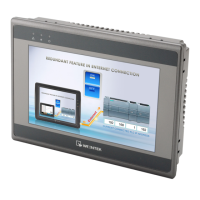
weintek MT6051iP Series - User Manual

weintek MT6051iP Series
2 pages
Print Icon
To Next Page IconTo Next Page
Loading...
Installation and Startup Guide
This document covers the installation of MT6051/8051iP Series HMI, for the detailed specifications and
operation, please refer to Brochure and EasyBuilder Pro User Manual.
Install Environment:
NEMA Rating
MT6051/8051iP Series HMI is NEMA 4 rated (Indoor Only).
Electrical
Environment
MT6051/8051iP Series has been tested to conform to European CE
requirements. This means that the circuitry is designed to resist the effects of
electrical noise. This does not guarantee noise immunity in severe cases. Proper
wire routing and grounding will insure proper operation.
Environmental
Considerations
(1) Make sure that the displays are installed correctly and that the operating
limits are followed. Avoid installing units in environments where severe
mechanical vibration or shocks are present.
(2) Do not operate the unit in areas subject to explosion hazards due to
flammable gases, vapors or dusts.
(3) Do not install the unit where acid gas, such as SO2 exists.
(4) This device should be mounted in the vertical position and for use on the flat
surface enclosure.
(5) Conform to UL508 (ISBN 0-7629-0404-6) machine safety for use in
Pollution Degree 2 Environment.
(6) Relative Humidity: 10% ~ 90% (non-condensing)
Unpacking the Unit
Unpack and check the delivery. If damage is found, notify the supplier.
NOTE: Place the operator panel on a stable surface during installation. Dropping it or letting it fall
may cause damage.
(1) Installation Instruction, 2-sided A4 *1
(2) Human Machine Interface *1
(3) Power Connector *1
(4) Brackets & Screws *1 pack
Installation Instructions
Secure the operator panel in position, using all
the fastening holes and the provided brackets
and screws. Screw Torque: 2.6 ~ 3.9 lbf.in.
(For reaching waterproof effect and preventing
the panel from being deformed.) Panel Cutout:
119 mm x 93 mm
Power Connections
NOTE:
1. Connect positive DC line to the ‘+’ terminal and
the DC ground to the ‘- terminal.
2. When downloading project using a USB cable,
do not connect HMI with PLC and PC
simultaneously, for electric potential difference
may result in damage to HMI or PC.
System Settings
When HMI is powered up and displays image,
click the system setting button.
(Default System Password: 111111)
It is necessary to connect the HMI to
your network through a RJ-45 cable.
(N/A for MT6051iP)
EasyBuilder Pro Software Settings
Launch EasyBuilder Pro software, select your project file, press F7 shortcut key to open the download
dialog box:
For MT6051iP, select USB cable /
For MT8051iP, select Ethernet > IP tab > Enter your HMI IP > Click Download to download this project file
to HMI.
Using screensaver and backlight saver is recommended in order to avoid image persistence caused by
displaying the same image on HMI for a long time.
(Please refer to EasyBuilder Pro User Manual for software operation details.)
MT6051iP MT8051iP series
Installation Instruction
3
5
4
Go to the Network tab, you may choose
to auto get DHCP IP, or designate your
own IP.

6
1
2
Question and Answer IconNeed help?

Do you have a question about the weintek MT6051iP Series and is the answer not in the manual?

Summary

Installation and Startup Guide

Install Environment

Details NEMA rating, electrical, and environmental factors for installation.

Unpacking the Unit

Instructions for unpacking, checking for damage, and listing contents.

Installation Instructions

Steps for securing the operator panel, screw torque, and panel cutout.

Power Connections

System Settings

EasyBuilder Pro Software Settings

Communication Connections

Jumper Settings

Battery Replacement

General Safety and Electrical Precautions

Hardware and Programming Considerations

Overview

This document describes the MT6051iP and MT8051iP series Human Machine Interface (HMI) devices, providing installation, setup, and maintenance guidelines.

Function Description

The MT6051iP and MT8051iP series HMIs are designed to serve as an interface between human operators and control systems. They allow users to monitor and control industrial processes through a graphical user interface. These devices are rated for indoor use and are designed to resist electrical noise, conforming to European CE requirements. They support project downloads via USB or Ethernet (for MT8051iP), and offer system settings for network configuration and display management.

Important Technical Specifications

  • NEMA Rating: NEMA 4 (Indoor Only) for both MT6051iP and MT8051iP series.
  • Electrical Environment: Tested to conform to European CE requirements, designed to resist electrical noise. Proper wire routing and grounding are crucial for optimal operation.
  • Power Supply: DC power only, with a voltage range of 10.5V to 28VDC. The power conditioning circuitry uses a switching power supply. The peak starting current can be as high as 2A.
  • Fusing: An internal fuse protects against damage from incorrect DC power polarity.
  • Communication Ports:
    • COM1: Supports RS485 (4-wire and 2-wire) and RS232. COM1 RS-485 2W supports MPI 187.5K.
    • COM3: Supports RS485.
  • Panel Cutout: 119 mm x 93 mm.
  • Relative Humidity: 10% ~ 90% (non-condensing).
  • Operating Limits: Designed for installation in environments free from severe mechanical vibration, shocks, explosion hazards (flammable gases, vapors, dusts), and corrosive acid gases (e.g., SO2).
  • Mounting: Designed for vertical mounting on a flat surface enclosure.
  • Safety Standards: Conforms to UL508 (ISBN 0-7629-0404-6) for use in Pollution Degree 2 Environment.

Usage Features

  • Installation: The HMI should be placed on a stable surface during installation. It is secured using provided brackets and screws, with a recommended screw torque of 2.6 ~ 3.9 lbf.in to ensure waterproof effect and prevent panel deformation.
  • Power Connection: Connect the positive DC line to the '+' terminal and the DC ground to the '-' terminal.
  • Project Download:
    • For MT6051iP: Use a USB cable.
    • For MT8051iP: Use Ethernet (IP tab) by entering the HMI's IP address in EasyBuilder Pro software.
    • Caution: When downloading projects via USB, do not connect the HMI with PLC and PC simultaneously to avoid damage due to potential electrical differences.
  • System Settings: Accessible via a system setting button upon power-up (default password: 111111).
  • Network Configuration: Allows users to choose between DHCP IP or designate a static IP address. Requires an RJ-45 cable connection for MT8051iP (N/A for MT6051iP).
  • Jumper Settings: Jumper caps are used to set modes:
    • Short 1-2, Open 3-4: Touch Screen Calibration Mode.
    • Open 1-2, Short 3-4: Boot Loader Mode.
    • Open 1-2, Open 3-4: Normal Mode.
    • Alternatively, touch screen calibration mode can be entered by pressing and holding anywhere on the screen for more than 2 seconds when the HMI starts.
  • Display Management: The use of screensaver and backlight saver is recommended to prevent image persistence caused by displaying the same image for extended periods.
  • Safety Recommendations:
    • A hard-wired EMERGENCY STOP should be fitted in any system using an HMI.
    • Avoid powering the HMI and inductive DC loads or input circuitry to the controller with the same power supply.
    • Minimize power wire length (Max: 500m shielded, 300m unshielded) and use twisted pair cables for power and signal wires.
    • Implement surge suppression devices if wiring is exposed to lightning or surges.
    • Separate AC, high energy, and rapidly switching DC power wiring from signal wires.
    • Add a resistor and capacitor in parallel connection between the ungrounded DC power supply and the frame ground for static and high-frequency dissipation (typical values: 1M Ohm and 4700pF).
    • System designers should be aware of potential failures in controller systems and electrical interference, which could lead to unsafe conditions.
    • Programmable control systems requiring an operator should incorporate appropriate precautions.
    • Controller programming should include limit checks for writable registers controlling critical plant parts, with out-of-limit safe shutdown procedures.

Maintenance Features

  • Unpacking and Inspection: Upon delivery, unpack the unit and check for any damage. Report damage to the supplier immediately.
  • Battery Replacement: Battery replacement must be performed by qualified personnel only. Care must be taken when handling lithium batteries. Further information on battery replacement and disposal is available via a provided link.
  • Limited Warranty: The product is warranted against defects in design and manufacture for 12 months from the manufacturing month. Defective products will be repaired or replaced at Weintek's discretion. The warranty does not cover damage from Force Majeure, accident, negligence, improper installation, misuse, repairs by unauthorized technicians, or products with removed/damaged identification markings.

weintek MT6051iP Series Specifications

General IconGeneral
Brandweintek
ModelMT6051iP Series
CategoryTouch Panel
LanguageEnglish

Related product manuals