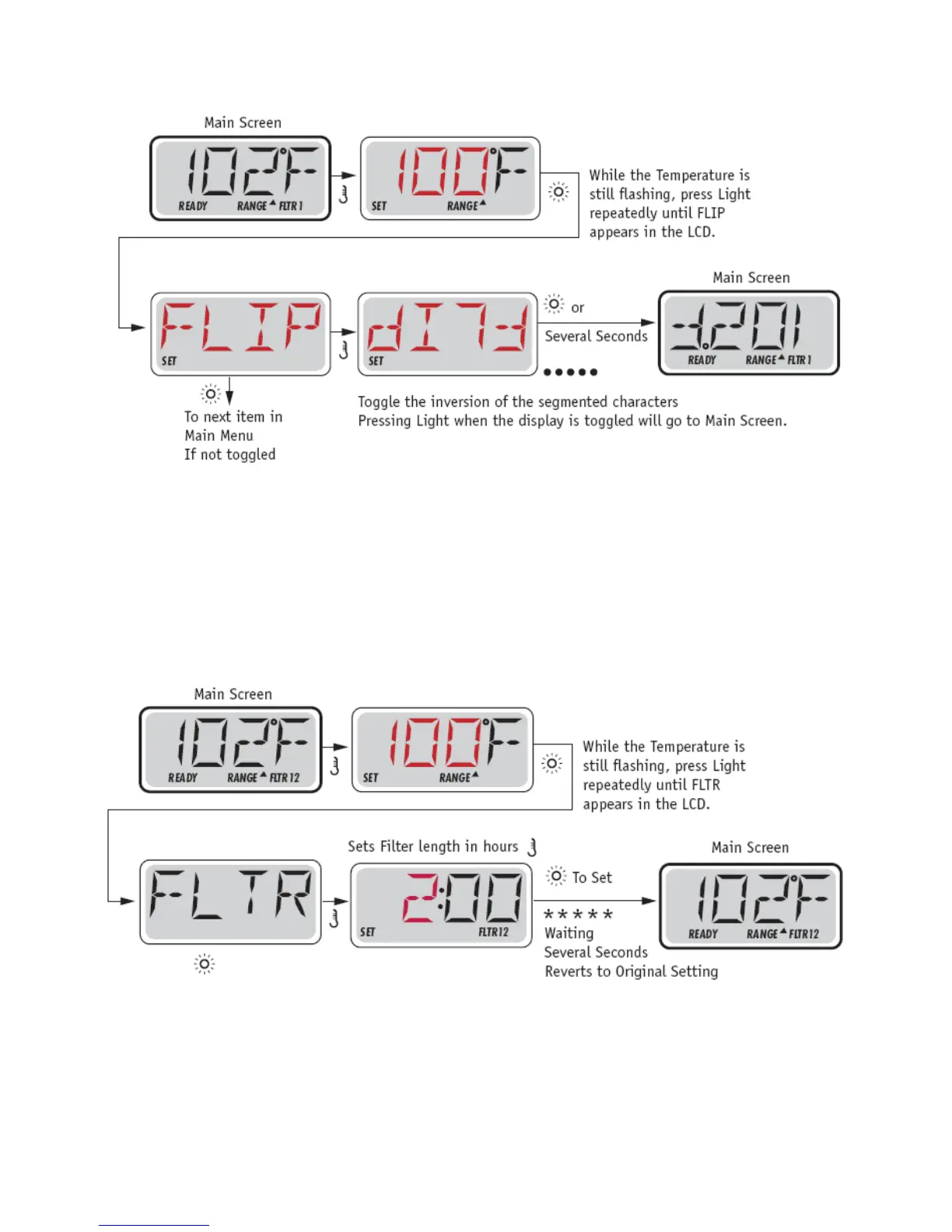
FLIP (INVERT DISPLAY)
Note: Some panels may have a dedicated FLIP button, which allows the user to flip the display with a
single button-press. The FLIP menu/functionality depends on Manufacturer configuration and may not
be available. (Menu Style 1)
MAIN FILTRATION
Filter cycles are set using a duration. Each setting can be adjusted in 1-hour increments. Filter Cycle 1
and Filter Cycle 2 (if enabled) are set to the same duration.
If Filter Cycle 2 is enabled, Filter 12 will appear in the LCD. If Filter is disabled, Filter 1 will appear.
PURGE CYCLES
In order to maintain sanitary conditions, secondary Pumps and/or a Blower will purge water from their
respective plumbing by running briefly at the beginning of each filter cycle.


 To Next Page