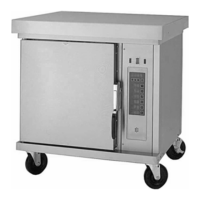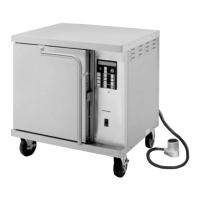
EasyManua.ls Logo

Wells M4200 - User Manual

Wells M4200
36 pages
Print Icon
To Next Page IconTo Next Page
Loading...
IMPORTANT: DO NOT DISCARD THIS MANUAL
This manual is considered to be part of the appliance and is to be given to the OWNER or
MANAGER of the restaurant, or to the person responsible for TRAINING OPERATORS of
this appliance. Additional manuals are available from your WELLS DEALER.
THIS MANUAL MUST BE READ AND UNDERSTOOD BY ALL PERSONS USING OR
INSTALLING THIS APPLIANCE. Contact your WELLS DEALER if you have any
questions concerning installation, operation or maintenance of this equipment.
OWNERS MANUAL
MODEL
M4200
VENTED
CONVECTION
OVEN
Includes
OPERATING
INSTRUCTIONS
MAINTENANCE
INSTRUCTIONS
PARTS LIST
PROGRAMMING
INSTRUCTIONS
903
p/n 304618 Rev. B ECN-12746 M903 040914 cps
M4200 Convection Oven
Place this chapter in the OVEN category section of the equipment manual.
PRINTED IN UNITED STATES OF AMERICA

Questions and Answers

  • S
    Sharon SteeleAug 1, 2025
    Why is my Wells Convection Oven not heating up?
    • J
      Jeremy RiceAug 1, 2025
      If your Wells Convection Oven isn't heating, several factors could be at play. First, ensure the circuit breaker hasn't tripped; if it has, reset it. Next, verify the power cord is securely plugged in and undamaged; plug it in or repair it if needed. Also, check the power fuses; replace any that are blown after correcting the issue that caused them to blow. Make sure the power switch is turned ON and the oven door is fully closed and latched. If the oven overheated, allow it to cool down to reset the hi-limit control. If none of these steps work, the controller may be damaged, and you should contact an authorized Wells service agency for repairs.
  • P
    Patricia MontgomeryAug 8, 2025
    What to do if the blower fan will not run in my Wells Convection Oven?
    • J
      Jessica CollinsAug 8, 2025
      If the blower fan in your Wells Convection Oven isn't running, start by ensuring that the oven door is completely closed and latched. If the door is properly closed and the fan still isn't working, it could indicate damage to internal components. In this case, it's best to contact an authorized Wells service agency for repairs.
  • M
    Matthew WilliamsAug 15, 2025
    How to fix a Wells M4200 door that pops open?
    • P
      Pamela RyanAug 15, 2025
      If your Wells Convection Oven door pops open during the cook cycle, the latch may be out of adjustment. Try adjusting the latch to resolve this issue.
  • K
    Kelly TurnerAug 23, 2025
    Why is my product not baking properly in my Wells M4200?
    • M
      Matthew AllenAug 23, 2025
      If your product isn't baking properly in your Wells Convection Oven (either too light or too dark), it could be due to a temperature calibration issue. Follow the procedures to calibrate the temperature. Also, verify that the correct programming is set for the menu item you're preparing. Check the menu item programming to ensure it's properly configured.

Summary

Introduction to the Convection Oven Manual

General Information and Specifications

Agency Listing Information

Details on agency certifications and compliance standards for the appliance.

Warranty Statement

Information regarding the manufacturer's warranty terms, conditions, and coverage.

Precautions and General Information

Important safety guidelines, usage restrictions, and general operating principles.

Appliance Specifications

Technical details including dimensions, electrical requirements, and performance data.

Installation Procedures

Procedures and requirements for the proper setup and installation of the convection oven.

Oven Operation and Controls

Features and Operating Controls Overview

Description of the oven's various parts, controls, and user interface elements.

Oven Features

Highlights specific features and capabilities of the convection oven model.

Smart Controller Guide

Explanation of the smart controller's functions, display, and button operations.

Quick-Glance Operating Guide

Concise instructions for basic startup and shutdown procedures for quick reference.

Daily Set-Up Procedures

Step-by-step guide for preparing the oven for daily operation and initial warm-up.

Cook Cycle Operation

Detailed instructions on how to initiate, manage, and complete cooking cycles.

Oven Programming Instructions

Enter Programming Mode

Procedure to access and navigate the oven's programming settings for customization.

Change Programmed Settings

Instructions on how to modify existing cooking programs, names, and times.

Enable Scratch Biscuit Button (#6)

Steps to activate and configure the dedicated button for scratch biscuit preparation.

Change Cookie Settings

Guide for adjusting default cookie recipes, bake times, and temperatures.

Install Operating Systems Software

Procedure for updating or installing the oven's control system software via a card.

Transfer Menus from Card to Oven

Process for loading new menu settings from a smart card into the oven controller.

Transfer Menus from Oven to Card

Process for saving current menu settings from the oven controller onto a smart card.

Default Settings

Information on restoring the oven to its original factory default configuration settings.

Maintenance and Troubleshooting

Cleaning Instructions

Detailed procedures for daily and monthly cleaning to maintain hygiene and performance.

Troubleshooting Suggestions

Common problems, their possible causes, and suggested solutions for diagnosing issues.

Preventative Maintenance

Scheduled maintenance tasks to ensure optimal performance and prevent future issues.

Temperature Calibration

Procedure for calibrating the oven's temperature to ensure accuracy and consistent baking.

Hinge Adjustment

Instructions for adjusting the oven door hinges to ensure proper alignment and sealing.

Service and Parts Information

Exploded View and Parts List

Diagrams showing the oven's components and a list of available replacement parts.

Wiring Diagram

Schematic illustrating the electrical connections and components of the oven's system.

Parts and Service

Information on ordering replacement parts and obtaining factory-authorized service.

Customer Service Data Form

Form for recording essential equipment details for service calls and warranty claims.

Wells M4200 Specifications

General IconGeneral
BrandWells
ModelM4200
CategoryConvection Oven
LanguageEnglish

Related product manuals