2
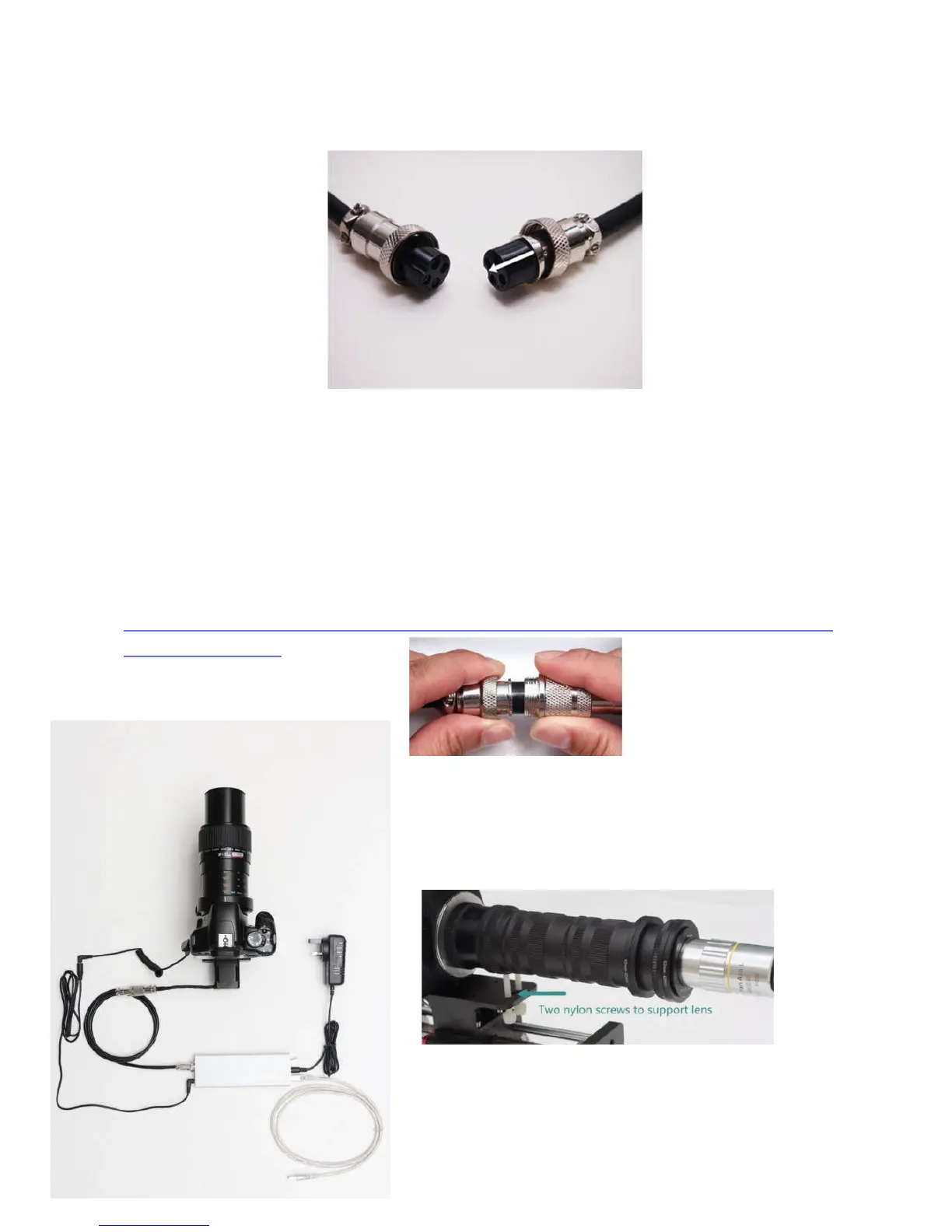
4, Connect the USB cable with computer and control box. Connect the stepper motor cable with
control box and the rail. Be careful of the direction of the cable’s notch.
The computer will notify that the system find a new hardware. Please install the driver first, please
find it in WeMacro download page http://www.wemacro.com/?p=509
These threaded holes can install other device, such as 11 inch magic arm to set flash light or diffuser.
Notice:Please avoid running the platform to both rail’s edge. If it jams at the edge, turn off the
power first, then rotate the coupling by hand (counter-clockwise at motor side, clockwise at
front side, look from motor side).
The cable on the motor can not be bent or pull hard. Please unplug the connector by
holding connector.
Diagram of cable connection (USB cable connect to
PC if it‘s controlled by computer.)
How to use two nylon bolts to support lens (only for high
magnification over 5X with continuous light )
Nylon bolts is lite version of ring support, if you need better, please
consider the ring support.


 To Next Page