4
(OS has two methods to control :Bluetooth 4.0 or USB. The program is different,please download corresponding one.
Bluetooth: You can check whether your Mac has this function. About this mac—>system report—> HCI version at least 0X6)
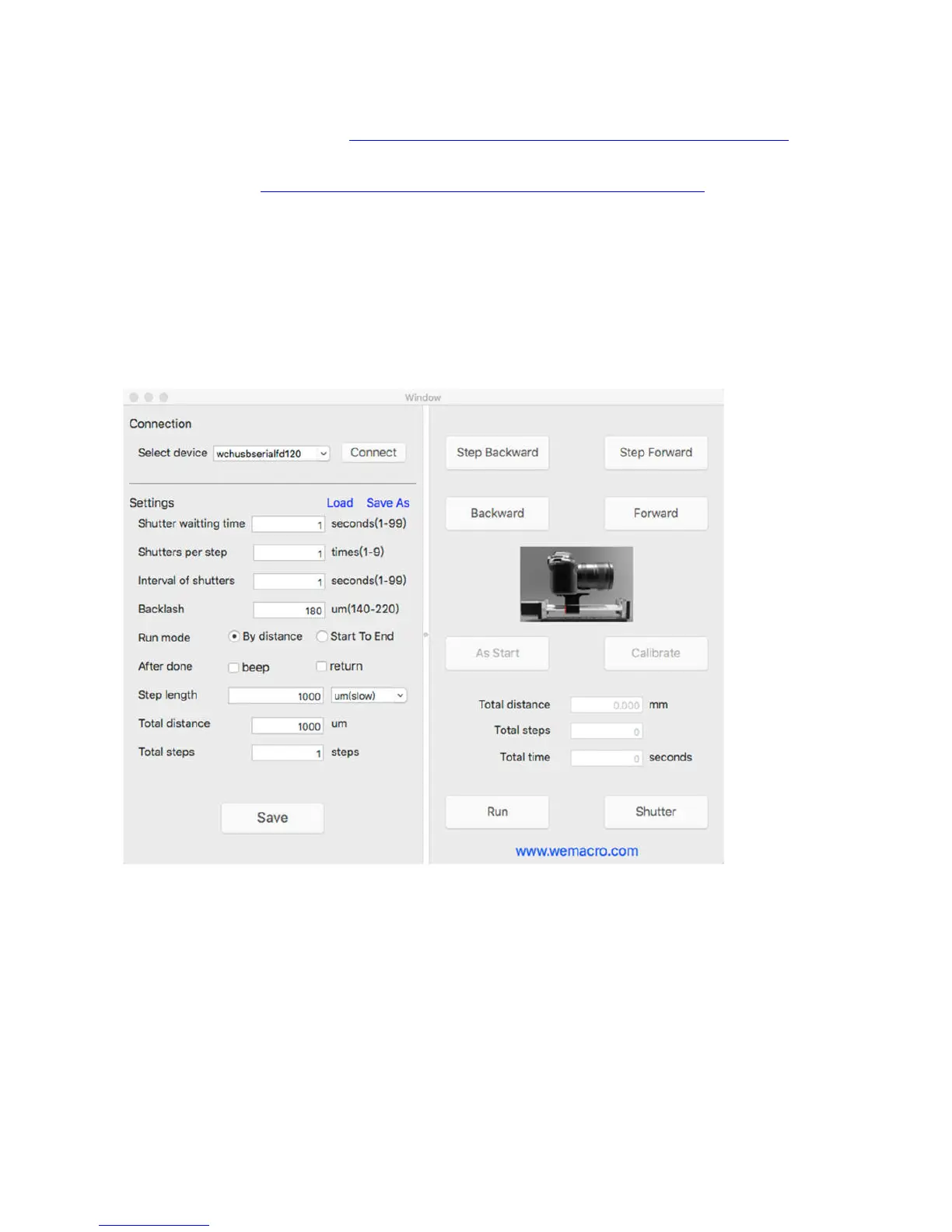
Select “HC-08” press “connect”. Then Press “Save” to set parameters.
(The program for Mac’s Bluetooth 4.0. http://www.wemacro.com/wp/wp-content/uploads/WeMacroOS.dmg
USB: Please install the driver first , please visit the download page and select the driver for your system.
USB control program http://www.wemacro.com/wp/wp-content/uploads/WeMacrousb.dmg
Select device then press “connect” , Then press “Save” take effect.
Notice: Please turn off the control box first if you want to change the control method. Especially,such as via windows
usb to iphone Bluetooth.
Mac’s interface
Some Mac OS will reboot after press “connect” in using USB version control software. It is caused by
the compatibility of driver CH340.Please refer the download page of our website. There are two
driver files for Mac OS. Please select the version for your Mac system. If you update the system of
Mac, please reinstall the driver for your system.
Two working mode
1, Distance mode


 To Next Page