Need help?
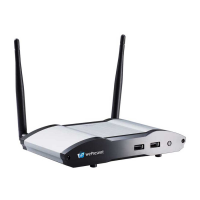
Do you have a question about the WePresent WiCS-2100 and is the answer not in the manual?
Describes the main button, user list button, and toolbar functions in the standby mode.
Guides users on accessing and navigating the WiCS-2100 web interface homepage.
Guides on accessing and logging into the Admin page for system configuration.
Details on launching the MirrorOp application and connecting to the WiCS-2100.
Explains the main interface elements of the MirrorOp (Sender) application.
Details on setting up SidePad functionality on the PC/Mac sender device.
 General
| Product Type | Wireless Presentation System |
|---|---|
| Frame Rate | 30 fps |
| Number of Users | Up to 4 |
| Connections | HDMI, USB |
| Power | 5V/2A |
| Output Resolution | 1080p |
| Compatibility | Windows, macOS, iOS, Android |
| Network Protocols | TCP/IP |
| Wireless Frequency | 2.4GHz, 5GHz |
| Security | WPA2 |
| Audio | 3.5mm audio output |
| Operating Range | Up to 30 meters |

 To Next Page