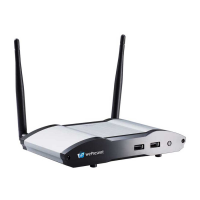
• Projector/display with HDMI interface
(Required)
• Ethernet cable (Required if you want to
disable the WiFi of the WiCS-2100)
• Windows or Mac computer
• Apple iPhone, iPad or iPod touch
• Android phone or tablet
5 Hardware Installation
1) Connect the WiCS-2100 to the projector/display through the HDMI port and turn
on the projector/display power.
2) Connect the power adapter to the WiCS-2100 to turn on the device. The system is
ready when the LED indicator turns blue.
• The default standby screen as shown below will be displayed when the system is
ready.
3) If you disable the WiFi of the WiCS-2100, you need to connect the device to an
existing IT network through an Ethernet cable.
4) Insert the speaker cable to the WiCS-2100 audio jack for enhanced audio output.
5) Attach the USB mouse/keyboard/touch screen to the WiCS-2100 front/rear USB
port for OSD (On-Screen Display) control or remote control.


 To Next Page