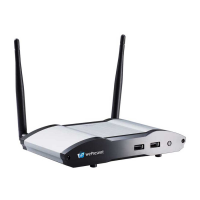
Basic Features:
WiFi 802.11 a/b/g/n/ac (switchable dual-band; 2.4GHz or 5GHz)
Power over Ethernet
Wireless screen/audio projection
Remote control
Support Windows 7/8/10
Support macOS 10.9 and above
Support up to 32 concurrent login users
UMT (Universal Multi-Touch) support (for USB HID touch devices compatible
with Windows 7/8/10)
Extended desktop support for both Windows and Mac
Web management (including the software download and device settings)
Customizable standby screen: replace the entire standby screen image with
any image of your choice)
Provide session security login and WiFi WPA PSK/WPA2 PSK to protect
presentation contents and maintain office network security
HDMI video output
Support the AP (Access Point)/Station/AP & Station mode
You can create your own USB Plug & Show token
(USB drive). Just plug the token into your PC/Mac,
and a presentation can be started in seconds (no
software installation is required).


 To Next Page