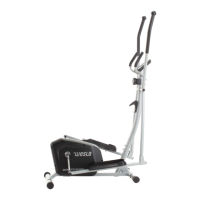
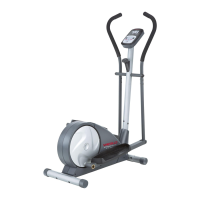
This document is the user's manual for the Weslo Pro 13.8E elliptical exerciser, Model No. 30875.0. It provides comprehensive instructions for assembly, operation, maintenance, and troubleshooting, ensuring users can effectively and safely utilize the equipment for their fitness goals.
Function Description
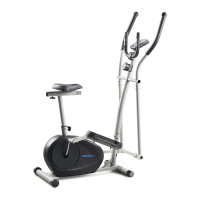
The Weslo Pro 13.8E elliptical exerciser is designed for home use to provide an effective and enjoyable cardiovascular workout. It allows users to engage both their upper and lower body, offering a full-body exercise experience. The elliptical motion is designed to be low-impact, reducing stress on joints compared to other forms of exercise. The device features a console that provides continuous exercise feedback, including calories burned, distance pedaled, elapsed time, pedaling pace (RPM), and resistance level. It also includes a handgrip pulse sensor to monitor heart rate trends during workouts. The elliptical offers various workout modes, including manual mode, smart workouts, and heart rate workouts, to cater to different fitness levels and objectives. The resistance of the pedals can be adjusted to increase or decrease workout intensity. The stride length can also be adjusted to customize the exercise experience.
Usage Features
The elliptical exerciser is designed for ease of use and offers several features to enhance the workout experience:
- Mounting and Dismounting: To mount, users hold the handgrip pulse sensor and step onto the lower pedal, then the other pedal. Pedals can be pushed to move in either direction, though a recommended direction is indicated. To dismount, users wait for the pedals to stop, then step off the higher pedal first, followed by the lower pedal. The elliptical does not have a free wheel, meaning pedals continue to move until the flywheel stops.
- Upper Body Arms: The upper body arms are integrated to provide an upper-body workout, engaging arms, shoulders, and back. Users can push and pull these arms during exercise. For lower-body only workouts, users can hold the handgrip pulse sensor instead.
- Stride Adjustment: The elliptical allows for stride adjustment. Users pull an adjustment knob, pivot the adjustment bracket to align with one of the holes in the crank arm, and then release the knob. This customization helps users find a comfortable and effective stride length.
- Console Operation:
- Turning On: The console turns on by pressing any button or by beginning to pedal.
- Manual Mode: In manual mode, users can manually adjust pedal resistance using dedicated increase/decrease buttons. The console displays various metrics like calories, distance, time, RPM, and resistance level, cycling through them every few seconds.
- Smart Workouts: The console offers four smart workouts with pre-programmed resistance and pace settings. A workout profile scrolls across the display, showing progress and indicating resistance levels. A target pace guide (Go Slower, Target, Go Faster) helps users maintain the programmed pace. Resistance levels can be manually overridden, but the system will revert to programmed settings at the end of each segment.
- Heart Rate Workouts: Two heart rate workouts are available. In heart rate workout 1, a single target heart rate is programmed for all segments, which can be adjusted by the user. In heart rate workout 2, a maximum target heart rate is set, and the intensity level of the workout changes accordingly. The console automatically adjusts pedal resistance to keep the user's heart rate near the target zone. Users need to hold the handgrip pulse sensor frequently for these workouts to function properly.
- Backlight Options: The console has "On," "Auto," and "Off" backlight settings, allowing users to control display illumination.
- Fan: An integrated fan offers high, low, and auto speed settings. In auto mode, the fan speed adjusts with pedaling speed. The fan can be pivoted to direct airflow.
- Heart Rate Monitoring: The handgrip pulse sensor provides heart rate readings. Users should hold the metal contacts with palms resting against them for at least 15 seconds for accurate readings, avoiding tight gripping or excessive hand movement.
- Automatic Shut-off: The console automatically turns off after a few minutes of inactivity.
Maintenance Features
The manual outlines several maintenance procedures to ensure the longevity and optimal performance of the elliptical exerciser:
- Regular Inspection and Tightening: Users are advised to regularly inspect and properly tighten all parts of the elliptical exerciser. Any worn parts should be replaced immediately to prevent further damage or safety hazards.
- Cleaning: The elliptical exerciser should be cleaned with a damp cloth and a small amount of mild soap. It is crucial to keep liquids away from the console and to protect it from direct sunlight to prevent damage.
- Battery Replacement: If the console displays become dim, it indicates that the batteries need replacement. The manual directs users to assembly step 5 for detailed instructions on how to remove the battery cover, insert new D batteries (alkaline recommended), and reattach the cover. It also warns against inserting batteries when the console has been exposed to cold temperatures, as this could damage the displays or electronic components.
- Leveling: After moving the elliptical exerciser, users should ensure that the ends of both stabilizers are touching the floor. If the exerciser rocks during use, one or both of the leveling feet under the front stabilizer can be turned until the rocking motion is eliminated, ensuring stability.
- Handgrip Pulse Sensor Maintenance: To ensure accurate heart rate readings, users are instructed to keep the metal contacts of the handgrip pulse sensor clean. A soft cloth should be used for cleaning, and alcohol, abrasives, or chemicals should be avoided. Users are also reminded to remove any clear plastic sheets from the metal contacts before use.

 Need help?
 General


 To Next Page