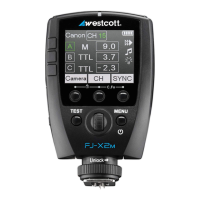
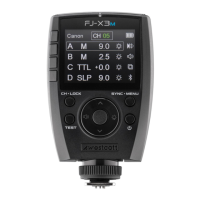
FJ-X3: Warnings
● Use only with the Westcott FJ-X3 Lithium Polymer Battery.
● Keep away from fire, water, and moisture. Do not submerge in water.
● Avoid drastic temperature changes before, during, and/or after use.
● Do not overtighten the shoe lock wheel when mounting to the camera.
● Always confirm proper installation, locking, and unlocking when adding or removing from the
camera hot shoe. (NOTE: Failure to completely rotate the dial to lock and unlock could
permanently damage the locking pin.)
● Never force the battery into the battery bay.
● Always remove the FJ-X3 Lithium Polymer Battery from the trigger during travel/storage to avoid
accidental operation.
● Surrounding RF interference may affect the communication performance of the FJ-X3.
● Do not attempt to modify any Westcott products. Contact Westcott for assistance.
● The operating temperature range is 14-104°F (-10-40°C).
FJ-X3: Firmware Updates
The FJ-X3 Wireless Transmitter is designed with a USB-C port to allow for firmware updates only. Future
firmware updates will result in performance enhancements, modified menu options, and improved menu
layouts. Please visit https://www.westcott.com/firmware to confirm your FJ-X3 has the latest firmware
before using it.
FJ-X3: Preparing Your Camera
An FJ-X3 Wireless Trigger is compatible with various brands of cameras to communicate with FJ Wireless
devices, including the FJ400, FJ200, FJ80II, FJ80, and FJ-XR. Each camera manufacturer has developed
a unique approach to how their cameras interact with off-camera lights. Therefore, a few adjustments to
your camera settings are required for the FJ-X3 to properly communicate with your camera. Below are a
few settings to check out first. We recommend referring to your camera’s user manual for details specific
to your camera brand and model.
● Set Silent Shutter to Off.
● Set E-Front Curtain to Off.
● Set Wireless Mode to On or Off (camera brand/model dependent; Canon “ON” & Sony “OFF”).
● Set Red-Eye Reduction to Off (camera brand/model dependent).
● Set Exposure Compensation to 0 (zero) in-camera.
● Set White Balance to Daylight, 5500K, or Custom at 5500K (not Auto).
● Various camera models require you to set the Sync type (Front Curtain, Rear Curtain, HSS)
manually in the camera’s Flash Menu before the FJ-X3 Sync can be adjusted.


 To Next Page