Need help?
Do you have a question about the Westcott FJ400 and is the answer not in the manual?
Lists the items included with the Westcott FJ400 Strobe package.
Guidance on checking and updating the FJ400 strobe's firmware for performance improvements.
Explains Flash Exposure Compensation (FEC) settings for FJ400 and FJ-X2m.
Details on using the FJ400 strobe with Canon cameras in continuous shooting mode.
Details on Channel, Group, and Canon RT ID settings for wireless control.
Details on Audible Beep, Optical Sensor, and Modeling Lamp settings.
Details on Mask Function settings within the menu.
Step-by-step guide for installing new firmware on the FJ400 strobe.
Instructions for charging and operating the FJ400 strobe using its battery.
Steps for operating the FJ400 strobe using the AC adapter and power outlet.
Steps for operating the FJ400 strobe using the internal battery.
Detailed steps to securely mount the FJ400 strobe on a light stand.
Guide to attaching and removing Bowens speedring and umbrella-based light modifiers.
Steps to enable and use TTL mode with compatible triggers on the FJ400 strobe.
Steps to enable and use Manual mode on the FJ400 strobe.
Details on Normal, High-speed Sync (HSS), and Freeze sync modes for the FJ400 strobe.
Lists flash duration times for Freeze Sync mode at t0.1 and t0.5.
Guide to using the Mask Function for creating cutouts in image editing.
Details on Mode, Sync, and Wireless connection protocols in Menu Screen 1.
Details on Channel, Group, and Canon RT ID settings in Menu Screen 2.
Details on Audible Beep, Optical Sensor, and Modeling Lamp settings in Menu Screen 3.
Details on Mask Function and related settings in Menu Screen 4.
Details on Strobe Master Lock and Delay settings in Menu Screen 5.
Details on SET and SELECT menu options for customization in Menu Screen 6.
Details on battery life, auto-off, and sleep modes for the FJ400 strobe.
Explanation of the LED indicators for battery charge level on the FJ400.
Information on battery charging time, lifespan, and storage recommendations.
The Westcott FJ400 Strobe is a compact, portable 400 watt-second AC/DC strobe designed for professional photographers, offering a versatile lighting solution for various shooting scenarios. It is engineered to deliver high performance with rapid recycling times and consistent color temperature across its entire output range.
The FJ400 Strobe serves as a powerful and adaptable light source for photography, capable of operating on both AC power and a lithium polymer battery, making it suitable for both studio and on-location shoots. Its primary function is to provide controlled bursts of light for still photography, with advanced features that cater to a wide range of creative needs.
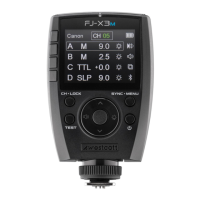
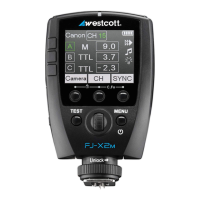
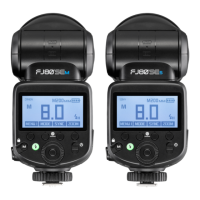
When paired with the FJ-X2m Wireless Flash Trigger (sold separately) or other compatible triggers like the FJ80 Speedlight, the FJ400 offers multi-brand compatibility, eliminating the need for multiple brand-specific triggers. This allows photographers to achieve lighting success with various camera systems.
The strobe supports multiple exposure modes, including TTL (Through The Lens) and Manual, providing flexibility for different shooting styles and lighting conditions. In TTL mode, the strobe automatically adjusts its output based on the camera's metering, while Manual mode allows for precise control over flash power.
Advanced sync functions are a core capability of the FJ400. It supports 'Normal' Sync for standard shooting, 'HSS (High-speed Sync)' for achieving flash sync speeds up to 1/8000s, which is ideal for balancing flash with ambient light in bright conditions or achieving shallow depth of field. Additionally, it features 'Freeze Sync' (available in Manual Mode only), which is designed to freeze fast-moving objects with extremely short flash durations, ranging from 1/800s to 1/19000s (t0.5).
The FJ400 also incorporates specialized functions like 'Mask Function' and 'Delay Function'. The Mask Function is particularly useful for in-camera cutout masks of foreground objects, simplifying background replacement and compositing in post-production. This feature requires a minimum of two FJ400 strobes and is available in Manual Mode. The Delay Function allows users to add a custom set amount of time before the FJ400 fires, offering creative control over flash timing.
For continuous shooting, the FJ400 boasts incredibly fast recycling times, enabling it to fire up to 20 frames per second (camera model dependent), making it suitable for capturing dynamic action sequences.
The FJ400 is designed for ease of use with a clear LCD display and intuitive menu navigation. The display provides essential information such as wireless channel and group, flash mode (M, TTL, SLP), power output value, sync function (Normal, HSS, Freeze), and battery indicator.
Mounting the strobe is straightforward, with a tilter bracket that allows for secure attachment to a light stand via a 5/8"-16 mm receptacle. The tilter bracket's handle and tension knob facilitate easy adjustment of the strobe's angle.
Attaching and removing modifiers is made simple with the Bowens mount, which allows for quick connection of speedrings and other Bowens-compatible accessories. The strobe also includes an umbrella receptacle with a tension screw for securing umbrella-based modifiers. Users are cautioned to ensure the strobe is off and cooled before handling modifiers and to avoid forcing entry or removal to prevent damage.
The FJ400's wireless control capabilities are central to its operation. Users can select wireless channels (AU, 01-31) and groups (A-J) to integrate the strobe into a multi-light setup. The "AU" automatic channel mode helps locate the most reliable 2.4GHz channel. Canon RT ID values (00-99) allow for synchronization with Canon Radio Triggers and speedlites.
The menu system offers extensive customization. Menu Screen #1 allows selection of exposure modes (TTL/Manual) and sync functions (Normal/HSS/Freeze), as well as wireless connection protocols (TTL-ALL for FJ-X2m communication or OFF to disable wireless communication). Menu Screen #2 handles channel, group, and Canon RT ID selection. Menu Screen #3 provides options for audible beep notifications, optical sensor activation (for triggering with other flash-based light sources), and modeling lamp control (Off, Auto, or specific brightness levels). Menu Screen #4 is dedicated to the Mask Function settings, allowing users to define the number of exposures and the firing sequence for individual strobes. Menu Screen #5 includes the Strobe Master Lock, which disables on-strobe settings changes via the trigger, and the Delay Function. Menu Screen #6, accessible by long-pressing Button 1, allows for customization of default strobe settings, including screen brightness, auto-off duration, M/TTL display, and factory reset options.
The FJ400 features a 20W LED modeling lamp (5600K) to assist with lighting setup and preview. The modeling lamp can be controlled via the menu, offering flexibility in its use.
The FJ400 is equipped with a dual-stage heat protection system, including self-monitoring cooling fans to ensure safe operation. In the event of overheating, the screen will display "OH" (overheat), and the unit will automatically shut off until it cools down. This feature helps prevent damage and ensures longevity of the device.
Firmware updates are facilitated via a USB-C port, allowing users to enhance performance, modify menu options, and improve layouts as new updates become available. The process involves downloading firmware files from the manufacturer's website, connecting the strobe to a computer, and transferring the update file. Important instructions regarding battery removal, proper ejection from the computer, and power levels during updates are provided to ensure a smooth and safe update process.
The FJ400 AC/DC Lithium Polymer Battery (14.8V 65Wh, 4400mAh) is designed for durability, capable of at least 300 complete charge cycles. Battery status is indicated by LED lights, showing charge levels from 100% down to 0%. The battery can be charged separately or while attached to the strobe using the included AC Power Adapter. The adapter's LED indicator changes color (red for charging, green for fully charged) to provide clear status updates.
For optimal battery life, it is recommended to store the battery at approximately 40% capacity in a dry environment and recharge it every 3 months when not in use. Operating and charging the battery within the specified temperature range (32-104°F / 0-40°C) is crucial for maintaining its performance and the strobe's overall efficiency.
Safety warnings emphasize the importance of using only the Westcott FJ400 AC/DC Lithium Polymer Battery and/or AC Power Adapter and Cord. Users are advised to avoid touching hot components like the flash tube and LED modeling lamp after use, keep the device away from fire, water, and moisture, and never submerge it. It is also important to remove the battery during travel/storage to prevent accidental operation and potential overheating. The manual also cautions against overtightening the tilter bracket and umbrella tension screw, and against modifying any Westcott products.
 General
| Power | 400Ws |
|---|---|
| Battery | Lithium Polymer |
| Color Temperature | 5500K ±150K |
| Modeling Light Type | LED |
| Modeling Light Power | 20W |
| Fan Cooled | Yes |
| Mount | Bowens S-Type |
| Wireless Range | 100 meters |
| Operating Voltage | 100-240V AC |
| Flashes per Charge | 480+ full-power flashes |
| Compatibility | Canon, Nikon, Sony, Fuji, Panasonic, Olympus |

 To Next Page