FJ400 Strobe: Advanced Functions
Mask Function
Ideal for creating in-camera cutout masks of foreground objects for use with image editing software for
easy background replacement and compositing.
NOTE: Available in Manual Mode Only. See section “Enabling ‘Manual’ Mode Operation”.
NOTE: Optical Triggering is disabled in Mask Function.
IMPORTANT: A minimum of two FJ400 Strobes is required.
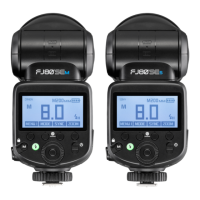
1. After setting Manual Mode on the FJ400 in MENU 1, press Button 1 repeatedly until MENU 4
appears in the cyan square at the top right of the screen.
2. Press Button 2 (Mask) to activate mask functionality which will turn Button Icons 3 and 4 from
disabled (gray) to enabled (black).
3. Press Button 3 (All) to highlight the total number of exposures to be taken in the masking
sequence (2-6). Rotate the control dial to the desired number and press the center button and/or
wait three seconds to engage your selection.
4. Press Button 4 (SEQ#) to highlight where in the sequence of exposures this individual strobe will
fire. Rotate the Control Dial to the desired number and press the center button and/or wait three
seconds to engage your selection.
a. NOTE: Your selection choices (1-6) will be limited to the number of exposures you set in
the “All” menu plus the number 1 for the first strobe(s) to fire in the exposure sequence of
2 or more. You can assign up to 20 individually programmed FJ400 strobes to a
sequence order number (1-6).
Here’s a method to create a simple mask to isolate an image from the background:
1. In Menu 4, Set Button 3 (All) to 2 on every strobe being used to create the two (2) masking
images.
2. Set Button 4 (SEQ#) on any strobe that’s lighting the foreground subject to the number 1 as they
will light the first exposure.
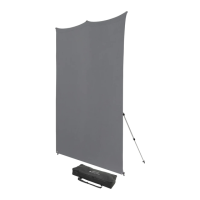
3. Set Button 4 (SEQ#) to number 2 on any strobe that’s lighting your white background. These
strobes will fire with your second exposure. Light from the strobe(s) that is set on No. 2 should
not spill onto the foreground subject to ensure a crisp mask.
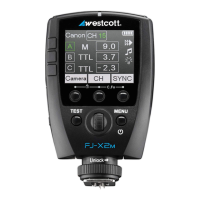
NOTE: Optimal Mask Function results are achieved utilizing a tripod and the FJ-X2m Wireless Radio
Trigger.


 To Next Page