EasyManua.ls Logo

Westcott FJ-X2m - User Manual

Westcott FJ-X2m
19 pages
Print Icon
To Next Page IconTo Next Page
Loading...
FJ-X2m Wireless Trigger
User Manual
V1.1.0
7/01/2021
PLEASE READ THE INFORMATION ON PAGE 4 BEFORE USING FJ WIRELESS EQUIPMENT

Table of Contents

Other manuals for Westcott FJ-X2m

Question and Answer IconNeed help?

Do you have a question about the Westcott FJ-X2m and is the answer not in the manual?

Summary

Introduction and Included Components

FJ-X2 m Universal Wireless Trigger Components

Lists components included with the FJ-X2m trigger.

FJ-X2 m with Sony Adapter Components

Lists components included with the FJ-X2m trigger and Sony adapter.

Important Information Before Use

Reviewing Firmware Files

Instructions on checking and preparing firmware files for updates.

TTL Flash Exposure Compensation

Details on ±3 TTL Flash Exposure Compensation for FJ400 & FJ-X2m.

Canon Continuous Mode Handling

How Canon Continuous Mode affects FJ Wireless System functionality.

Manual Mode Full-Stop Increments

Method for achieving full-stop adjustments in Manual Mode.

FJ-X2 m Wireless Trigger Overview

Device Components and Ports

Identifies key physical components and connection ports on the FJ-X2m.

FJ-X2 m LCD Display and Settings

Display Screen Labels and Icons

Explains various icons and labels visible on the FJ-X2m LCD screen.

RT ID and Auto-Off Settings

Configuration options for RT ID and automatic power-off.

Bluetooth and SYNC-X Options

Settings for Bluetooth connectivity and SYNC-X mode.

Screen Brightness and Power Settings

Adjusting screen brightness and transmitter power levels.

Channel Recommendations

Guidance on selecting communication channels.

FJ-X2 m Warnings and Firmware Updates

General Safety and Environmental Warnings

Key precautions for safe operation and handling of the FJ-X2m.

Firmware Update Process

Step-by-step guide for installing firmware updates.

Preparing Your Camera for FJ-X2 m

Recommended Camera Settings

Essential camera settings adjustments for optimal FJ-X2m performance.

Camera Contact and Seating Checks

Ensuring proper physical connection between camera and trigger.

FJ-X2 m Getting Started and Mounting

Charging the FJ-X2 m Unit

Instructions on how to charge the FJ-X2m wireless trigger.

Attaching to Camera Hot Shoe

Step-by-step guide for mounting the FJ-X2m onto a camera's hot shoe.

Detaching from Camera Hot Shoe

Procedures for safely removing the FJ-X2m from the hot shoe.

2.5 mm PC Port Connection

Information on using the 2.5mm port for wired synchronization.

Mounting the Sony Adapter

Instructions for attaching the FJ-X2m to the Sony Adapter.

Powering, Testing, Locking, and Controls

Powering On and Off

How to turn the FJ-X2m trigger on and off.

Performing a Test Fire

Procedure for testing the trigger's functionality.

Locking Trigger Settings

How to lock and unlock trigger settings to prevent changes.

Group Control Operations

Managing groups of strobes via the trigger interface and app.

Changing Exposure Mode

How to select and adjust the exposure mode for groups.

Adjusting TTL Exposure Compensation

Steps to modify TTL exposure compensation for selected groups.

Manual Exposure, Channels, and Syncing

Manual Exposure Power Output (Individual Group)

Adjusting manual power output for a single strobe group.

Manual Exposure Power Output (All Groups)

Adjusting manual power output for all selected groups simultaneously.

Channel Control Operations

Managing communication channels for reliable trigger-strobe interaction.

Changing Communication Channels

Steps to select and set communication channels [AU, 01-31].

Sync Functions

Available Sync Function Types

Overview of Front Curtain, HSS, and Rear Curtain Sync options.

Changing Sync Function Mode

How to select and switch between different sync functions.

Normal Sync Speed by Camera

Lists native sync speeds for various camera brands.

High-Speed Sync (HSS) Speeds

Lists HSS sync speeds for various camera brands.

SYNC-X Mode Functionality

Description of the single-pin SYNC-X mode for non-compatible cameras.

FJ80 Remote ZOOM Control and Options

Single Group ZOOM Adjustment

Remotely adjusting ZOOM functionality for a single group.

All Groups ZOOM Adjustment

Remotely adjusting ZOOM functionality for all groups.

Accessing the Settings Menu

Guide on how to enter and navigate the main settings menu.

Settings Menu Configuration Options

Details on various configurable options within the settings menu.

Menu Configuration and Screens

Menu Button Selection Control

Customizing the functionality of menu selection buttons.

Menu Screen 1 Options

Explains the options and controls available on Screen 1.

Mobile Application Setup and Bluetooth

Menu Screen 2 Options

Explains the options and controls available on Screen 2.

Initial Mobile App Setup

Steps for initial setup before pairing with mobile devices.

Enabling Bluetooth on FJ-X2 m

Guide to turning on Bluetooth functionality on the FJ-X2m.

Mobile Connectivity and Camera Preparation

Connecting FJ-X2 m to Mobile Device (iOS & Android)

Instructions for connecting the FJ-X2m to iOS and Android devices.

Sony Mirrorless Camera Settings

Specific settings for Sony Mirrorless cameras.

Camera Settings, Warranty, and Legal Information

Canon DSLR Camera Settings

Specific settings for Canon DSLR cameras.

Product Warranty Terms

Details regarding the product's limited warranty period and coverage.

Warranty Exclusions and Disclaimer

Information on what is not covered by the warranty and customer liability.

Service, Legal, and Manufacturing Details

Repair Service and RMA Process

Instructions for obtaining repair service and Return Authorization Numbers.

Product Compliance and Modifications

Information on product compliance, safety regulations, and modifications.

Manufacturing and Rights Information

Details about product manufacturing location and intellectual property rights.

Summary

Introduction and Included Components

FJ-X2 m Universal Wireless Trigger Components

Lists components included with the FJ-X2m trigger.

FJ-X2 m with Sony Adapter Components

Lists components included with the FJ-X2m trigger and Sony adapter.

Important Information Before Use

Reviewing Firmware Files

Instructions on checking and preparing firmware files for updates.

TTL Flash Exposure Compensation

Details on ±3 TTL Flash Exposure Compensation for FJ400 & FJ-X2m.

Canon Continuous Mode Handling

How Canon Continuous Mode affects FJ Wireless System functionality.

Manual Mode Full-Stop Increments

Method for achieving full-stop adjustments in Manual Mode.

FJ-X2 m Wireless Trigger Overview

Device Components and Ports

Identifies key physical components and connection ports on the FJ-X2m.

FJ-X2 m LCD Display and Settings

Display Screen Labels and Icons

Explains various icons and labels visible on the FJ-X2m LCD screen.

RT ID and Auto-Off Settings

Configuration options for RT ID and automatic power-off.

Bluetooth and SYNC-X Options

Settings for Bluetooth connectivity and SYNC-X mode.

Screen Brightness and Power Settings

Adjusting screen brightness and transmitter power levels.

Channel Recommendations

Guidance on selecting communication channels.

FJ-X2 m Warnings and Firmware Updates

General Safety and Environmental Warnings

Key precautions for safe operation and handling of the FJ-X2m.

Firmware Update Process

Step-by-step guide for installing firmware updates.

Preparing Your Camera for FJ-X2 m

Recommended Camera Settings

Essential camera settings adjustments for optimal FJ-X2m performance.

Camera Contact and Seating Checks

Ensuring proper physical connection between camera and trigger.

FJ-X2 m Getting Started and Mounting

Charging the FJ-X2 m Unit

Instructions on how to charge the FJ-X2m wireless trigger.

Attaching to Camera Hot Shoe

Step-by-step guide for mounting the FJ-X2m onto a camera's hot shoe.

Detaching from Camera Hot Shoe

Procedures for safely removing the FJ-X2m from the hot shoe.

2.5 mm PC Port Connection

Information on using the 2.5mm port for wired synchronization.

Mounting the Sony Adapter

Instructions for attaching the FJ-X2m to the Sony Adapter.

Powering, Testing, Locking, and Controls

Powering On and Off

How to turn the FJ-X2m trigger on and off.

Performing a Test Fire

Procedure for testing the trigger's functionality.

Locking Trigger Settings

How to lock and unlock trigger settings to prevent changes.

Group Control Operations

Managing groups of strobes via the trigger interface and app.

Changing Exposure Mode

How to select and adjust the exposure mode for groups.

Adjusting TTL Exposure Compensation

Steps to modify TTL exposure compensation for selected groups.

Manual Exposure, Channels, and Syncing

Manual Exposure Power Output (Individual Group)

Adjusting manual power output for a single strobe group.

Manual Exposure Power Output (All Groups)

Adjusting manual power output for all selected groups simultaneously.

Channel Control Operations

Managing communication channels for reliable trigger-strobe interaction.

Changing Communication Channels

Steps to select and set communication channels [AU, 01-31].

Sync Functions

Available Sync Function Types

Overview of Front Curtain, HSS, and Rear Curtain Sync options.

Changing Sync Function Mode

How to select and switch between different sync functions.

Normal Sync Speed by Camera

Lists native sync speeds for various camera brands.

High-Speed Sync (HSS) Speeds

Lists HSS sync speeds for various camera brands.

SYNC-X Mode Functionality

Description of the single-pin SYNC-X mode for non-compatible cameras.

FJ80 Remote ZOOM Control and Options

Single Group ZOOM Adjustment

Remotely adjusting ZOOM functionality for a single group.

All Groups ZOOM Adjustment

Remotely adjusting ZOOM functionality for all groups.

Accessing the Settings Menu

Guide on how to enter and navigate the main settings menu.

Settings Menu Configuration Options

Details on various configurable options within the settings menu.

Menu Configuration and Screens

Menu Button Selection Control

Customizing the functionality of menu selection buttons.

Menu Screen 1 Options

Explains the options and controls available on Screen 1.

Mobile Application Setup and Bluetooth

Menu Screen 2 Options

Explains the options and controls available on Screen 2.

Initial Mobile App Setup

Steps for initial setup before pairing with mobile devices.

Enabling Bluetooth on FJ-X2 m

Guide to turning on Bluetooth functionality on the FJ-X2m.

Mobile Connectivity and Camera Preparation

Connecting FJ-X2 m to Mobile Device (iOS & Android)

Instructions for connecting the FJ-X2m to iOS and Android devices.

Sony Mirrorless Camera Settings

Specific settings for Sony Mirrorless cameras.

Camera Settings, Warranty, and Legal Information

Canon DSLR Camera Settings

Specific settings for Canon DSLR cameras.

Product Warranty Terms

Details regarding the product's limited warranty period and coverage.

Warranty Exclusions and Disclaimer

Information on what is not covered by the warranty and customer liability.

Service, Legal, and Manufacturing Details

Repair Service and RMA Process

Instructions for obtaining repair service and Return Authorization Numbers.

Product Compliance and Modifications

Information on product compliance, safety regulations, and modifications.

Manufacturing and Rights Information

Details about product manufacturing location and intellectual property rights.

Overview

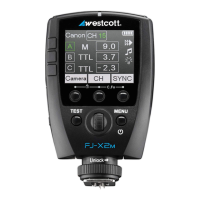
The FJ-X2m Wireless Trigger is a versatile and compact flash trigger designed to work seamlessly with the Westcott FJ400 strobe and other compatible flash systems, offering multi-brand compatibility for professional photographers. It operates on a 2.4GHz radio frequency, providing reliable communication over distances up to 985 feet (300m) unobstructed. The trigger supports various advanced lighting functions including TTL (Through-The-Lens), HSS (High-Speed Sync), Continuous Capture, and Freeze Function, making it suitable for a wide range of photographic scenarios.

Function Description:

The FJ-X2m serves as a central control unit for Westcott FJ series strobes, particularly the FJ400. It mounts onto a camera's hot shoe (or via a Sony adapter for Sony mirrorless cameras) and allows photographers to remotely adjust flash settings such as exposure mode (TTL, Manual), power output, and sync functions. It features a clear LCD display for easy navigation and setting adjustments. The trigger also offers group control, enabling users to manage up to 6 groups (A-F) directly from the device, with expanded control for up to 10 groups (A-J) via a mobile application. Firmware updates are supported via a USB-C port, ensuring ongoing performance enhancements and feature additions.

Important Technical Specifications:

  • Wireless Frequency: 2.4GHz
  • Communication Range: Up to 985' (300m) unobstructed
  • Exposure Modes: TTL, Manual (M), Slave (SLP)
  • Flash Exposure Compensation (FEC): ±3 stops (independent of FJ400 FEC)
  • Manual Power Output Range: 1.0 to 9.0 (adjustable in full-stop increments with long press)
  • Channels: 32 available channels (AU, 01-31), with Automatic Channel Selection (AU)
  • Groups: 6 groups (A-F) controllable from trigger, 10 groups (A-J) via mobile app
  • Sync Functions: Front Curtain Sync, Rear Curtain Sync, High-Speed Sync (HSS), SYNC-X Mode (single-pin triggering for non-compatible cameras)
  • Normal Sync Speed (Camera Dependent): Canon: 1/250s, Nikon: 1/320s, Sony: 1/250s, Fuji: 1/250s, Olympus: 1/250s, Panasonic Lumix: 1/250s
  • HSS Sync Speed (Camera Dependent): Canon: 1/8000s, Nikon: 1/8000s, Sony: 1/8000s, Fuji: 1/8000s, Olympus: 1/8000s, Panasonic Lumix: 1/8000s
  • Connectivity: USB-C port for charging and firmware updates, 2.5mm PC Port (output only) for wired synchronization
  • Bluetooth®: On/Off functionality for mobile app connection
  • Auto-Off Settings: 05, 15, 30 minutes
  • Screen Brightness: Min, Mid, Max
  • FJ-X2m Transmitting Power: Min, Nor, Max
  • RT ID #: 00-99
  • Charging Time: Approximately 2 hours (via 5V power source)
  • Operating Temperature Range: 32-104°F (0-40°C)
  • Included Components (Product #4705): FJ-X2m Wireless Trigger, USB-A to USB-C Cable
  • Included Components (Product #4706): FJ-X2m Wireless Trigger, FJ-X2m Sony Adapter, USB-A to USB-C Cable

Usage Features:

  • Intuitive Controls: The FJ-X2m features dedicated Group Selection Buttons, a Selection Wheel for adjustments, and Menu Selection Buttons for navigating settings.
  • Hot Shoe Mounting: Securely mounts to a camera's hot shoe with a Shoe Lock dial. A Sony Adapter (Product #4711) is available for Sony mirrorless cameras.
  • Power On/Off: Long press the Power | Menu button for 3 seconds. The wireless signal indicator flashes green when powered on.
  • Test Fire: A dedicated Test Button allows for quick test firing of connected strobes.
  • Trigger Settings Lock: Menu Selection buttons 1 and 2 can be pressed simultaneously to lock/unlock current trigger settings, preventing accidental changes.
  • Exposure Mode Control: Easily switch between Slave (SLP), TTL, and Manual (M) modes for individual groups using the corresponding Group Selection Button.
  • TTL Exposure Compensation: Adjust FEC between -3.0 and 3.0 stops for TTL groups.
  • Manual Power Output: Adjust manual power from 1.0 to 9.0. A long press on the scroll wheel allows for full-stop adjustments.
  • All Manual Groups Control: A unique feature allows adjusting the manual exposure for all groups operating in Manual Mode simultaneously by long-pressing the middle Menu Selection Button [CH].
  • Channel Selection: Select from 32 channels (AU, 01-31) to avoid interference. Automatic Channel Selection (AU) is available.
  • Sync Function Selection: Cycle through Front Curtain, Rear Curtain, and HSS sync functions using the third Menu Selection Button.
  • FJ80 Remote ZOOM Control: Firmware Version 1.0.3 and later enables remote control of the FJ80 Speedlight's ZOOM functionality (0-5) for single or all groups.
  • Settings Menu: Access advanced options like RT ID, Auto-Off duration, Bluetooth® On/Off, SYNC-X mode, Screen Brightness, Connectivity Power, and Channel Recommendations.
  • Camera Brand Selection: The trigger supports various camera brands including Canon, Nikon, Sony (with adapter), Fujifilm, RT (Canon), Olympus, and Lumix (Panasonic).
  • Modeling Lamp & Audible Beep Control: Screen 2 of the menu allows for turning the modeling lamp and audible beep on/off for individual groups.
  • TTL to Manual Exposure Conversion: Long press Menu Button 3 (Group A only) to convert the last shot's TTL strobe output to an equivalent Manual Exposure.
  • Mobile Application Integration (iOS & Android): The Westcott FJ400 mobile app allows for remote control of FJ400 settings, creation, and saving of custom scenes. Bluetooth® must be enabled on the FJ-X2m for app connectivity.
  • Camera Preparation: Specific camera settings (e.g., Silent Shutter Off, E-Front Curtain Off, Flash Mode Fill Flash, Wireless Flash Off, HSS Enabled) are recommended for optimal performance with various camera brands (Sony Mirrorless, Canon DSLR).

Maintenance Features:

  • Firmware Updates: The FJ-X2m is designed for user-installable firmware updates via its USB-C port. Users are advised to regularly check the Westcott product page (fjwestcott.com/4705) for the latest firmware and accompanying documentation. The update process involves downloading a ZIP file, connecting the trigger to a computer while holding the 3rd Menu Selection button, dragging the .BIN file to the device, and safely ejecting before restarting the trigger.
  • Charging: The device is charged via its USB-C port using a standard USB-A to USB-C cable connected to any 5V power source.
  • Cleaning: Ensure camera contacts are clean for proper communication.
  • Warnings: Users are cautioned to keep the device away from fire, water, and moisture, avoid drastic temperature changes, not overtighten the shoe lock wheel, securely mount the device, not modify Westcott products, and be aware of potential RF interference. The operating temperature range is specified.
  • Troubleshooting Firmware: Instructions are provided for scenarios where the device doesn't display as an external device or copying issues occur, including restarting the computer and ensuring sufficient power levels (≥ 25%) during updates.
  • Warranty Information: Westcott provides a one-year limited warranty against defects in materials and workmanship under normal use. The warranty covers repair or exchange with new or refurbished parts. It does not cover damage from accident, abuse, misuse, external causes, operation outside intended uses, unauthorized modifications, or cosmetic damage. Users must obtain a Return Authorization Number (RMA) from Westcott's Repair Department before sending items for service.

Westcott FJ-X2m Specifications

General IconGeneral
BrandWestcott
ModelFJ-X2m
CategoryCamera Accessories
LanguageEnglish

Related product manuals