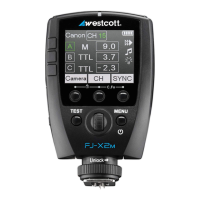
Sync Functions
Available Sync Functions:
● Front Curtain Sync [icon] – Standard flash operation with shutter speed limitations native to the
camera model. See Sync (Normal) section.
● High-Speed Sync (HSS) [icon] – Flash operation allowing higher shutter speed synchronization up
to 1/8000s. See Sync (HSS) section.
● Rear Curtain Sync [icon] – Flash operation for achieving trailing effects and shutter drag.
Change Sync Function
1. Ensure the icon above the third Menu Selection Button reads [SYNC]. If not, press the Power |
MENU button once.
2. Press the third Menu Selection Button repeatedly to select the desired Sync Function. [NOTE:
Available sync options may vary depending on your camera model’s internal menu settings. See
section FJ-X2m: Preparing Your Camera.]
Sync (Normal)
● Canon: 1/250s
● Nikon: 1/320s
● Sony: 1/250s
● Fuji: 1/250s
● Olympus: 1/250s
● Panasonic Lumix: 1/250s
Sync (HSS)
● Canon: 1/8000s
● Nikon: 1/8000s
● Sony: 1/8000s
● Fuji: 1/8000s
● Olympus: 1/8000s
● Panasonic Lumix: 1/8000s
SYNC-X Mode
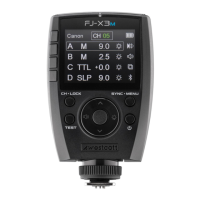
The FJ-X2m Wireless Trigger also has a single-pin mode that allows the basic triggering of
non-compatible camera models with the FJ-X2m.
NOTE: Normal Sync Speed is determined by the camera manufacturer and subject to change based
upon the camera model.
NOTE: Native and HSS speeds may vary depending on various camera models.


 To Next Page