● If FJ devices don’t display as an external device after being connected to the computer, please
disconnect the USB cable from both devices, restart the computer, and restart the firmware
installation process.
● Only attempt the firmware update installation process when the connected computer’s power
level is ≥ 25%. Loss of power of any type during this process could render the FJ-X2m inoperable
and require professional repair.
● Removing the USB cable from the FJ-X2m without properly ejecting the device from your
computer could render the trigger inoperable and require professional repair.
● Depending on the operating system and the applications running, copying the firmware from your
computer to the FJ-X2m may take a few minutes and/or halt the copying process. Should this
happen, close the copy progress window and try again. Further copying issues may require the
computer to be restarted.
FJ-X2m: Preparing Your Camera
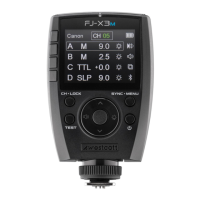
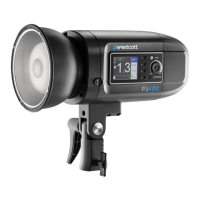
An FJ-X2m Wireless Trigger is compatible with various brands of cameras to operate the FJ400 strobe.
Each camera manufacturer chooses a different approach to how their cameras interact with off-camera
lights. A few adjustments to your camera settings are required for the FJ-X2m and FJ400 to properly
perform with your camera. Below are a few settings to check out first. We recommend referring to your
camera’s user manual for details specific to your camera brand and model.
● Set Silent Shutter to Off.
● Set E-Front Curtain to Off.
● Set Wireless Mode to On or Off (camera brand/model dependent).
● Set Red-Eye Reduction to On or Off (camera brand/model dependent).
● Set Exposure Compensation to 0 (zero) in-camera.
● Set White Balance to Daylight, 5500K, or Custom at 5500K (not Auto).
● Various camera models require you to set the Sync type (Front Curtain, Rear Curtain, HSS)
manually in the camera’s Flash Menu before the FJ-X2m Sync can be adjusted.
● Various camera models automatically adjust the Sync setting to HSS when HSS is enabled in the
camera settings, and the native sync speed has been exceeded.
● Ensure the camera’s battery level is above 25%.
● Ensure the camera contacts are clean and the FJ-X2m is seated correctly and aligned.
NOTE: Please find additional brand-specific camera preparation on Page 14.


 To Next Page