Method and Procedure
Field Operations Support MP-2009-12-004/ Issue 11/Date: 2/9/2011
Process Owner: Centralized Operations - Field Operations Support
Information contained in this document is proprietary
Unauthorized disclosure outside CenturyLink Corporation is prohibited
33
DSL GATEWAY CONFIGURATION – WIRELESS
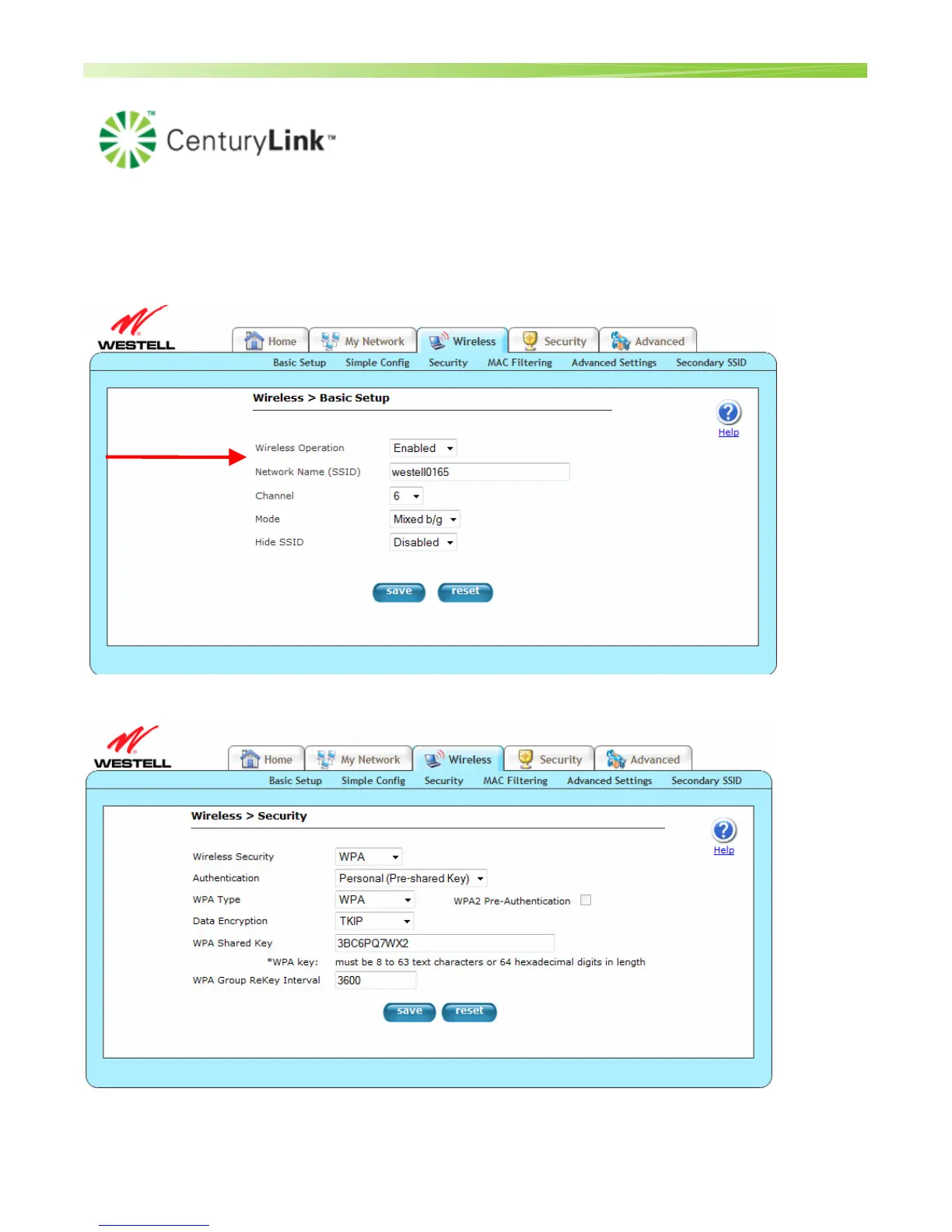
The wireless option for the Westell 7500 gateway is enabled by default. This section outlines the
necessary screens to adjust wireless functionality for these devices. Click the Wireless tab.
1. Verify Wireless Operation is set to Enabled.
2. To enable Security, click the Security link
3. Click the dropdown box from Wireless Security and set to “WPA”


 To Next Page