
 Need help?
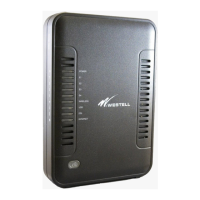
Do you have a question about the Westell Technologies 7500 and is the answer not in the manual?
Lists workgroups responsible for implementing the Method and Procedure.
Details default WAN ADSL settings including encapsulation, multiplexing, VPI, VCI, and IP address acquisition.
Instructions for configuring the gateway for PPPoE connections, including modifying account information.
Instructions for configuring the gateway to connect through DHCP, following the advanced WAN and VCs options.
Guides on configuring single and multiple static IP addresses for customers.
Steps to configure multiple static IP addresses on the gateway via the Advanced Tab, WAN, and VCs.
Instructions for changing the connection from DSL to FTTx, involving Advanced, WAN, and VersaPort settings.
Details on enabling and securing the wireless functionality of the Westell 7500 gateway, including SSID and WPA settings.
States that bridge mode is not supported and recommends an alternative device for bridge configuration.
 General
| Brand | Westell Technologies |
|---|---|
| Model | 7500 |
| Category | Gateway |
| Language | English |

 To Next Page
