ADVANCED SETTINGS
40
MY NET ROUTERS
USER MANUAL
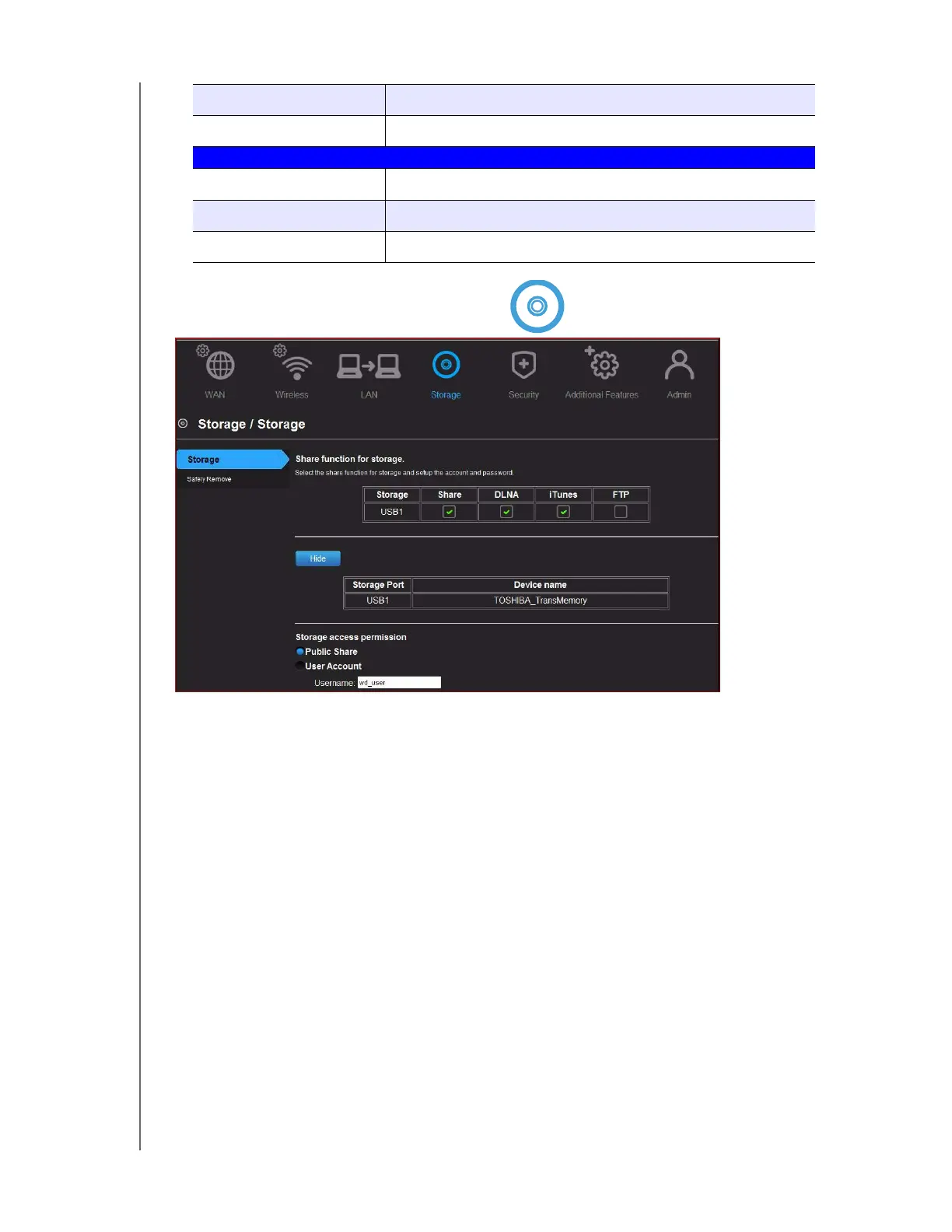
Advanced Storage Category
Screen Descriptions
Storage – You can update your user account and storage settings on this screen. (See
“Setting Up External Storage” on page 25.)
Safely Remove
– Use this screen to safely remove USB storage devices connected to the
router’s USB port(s).
Device Name Name of the device attached to your network.
Lease Time Amount of time remaining for the client’s IP address lease.
Manual Add Device
IP address IP address of the device being added on your network.
MAC Address Unique identifier of the device being added.
Device Name Name assigned to the device.


 To Next Page