EasyManua.ls Logo

Western Digital Sentinel DX4200 - User Manual

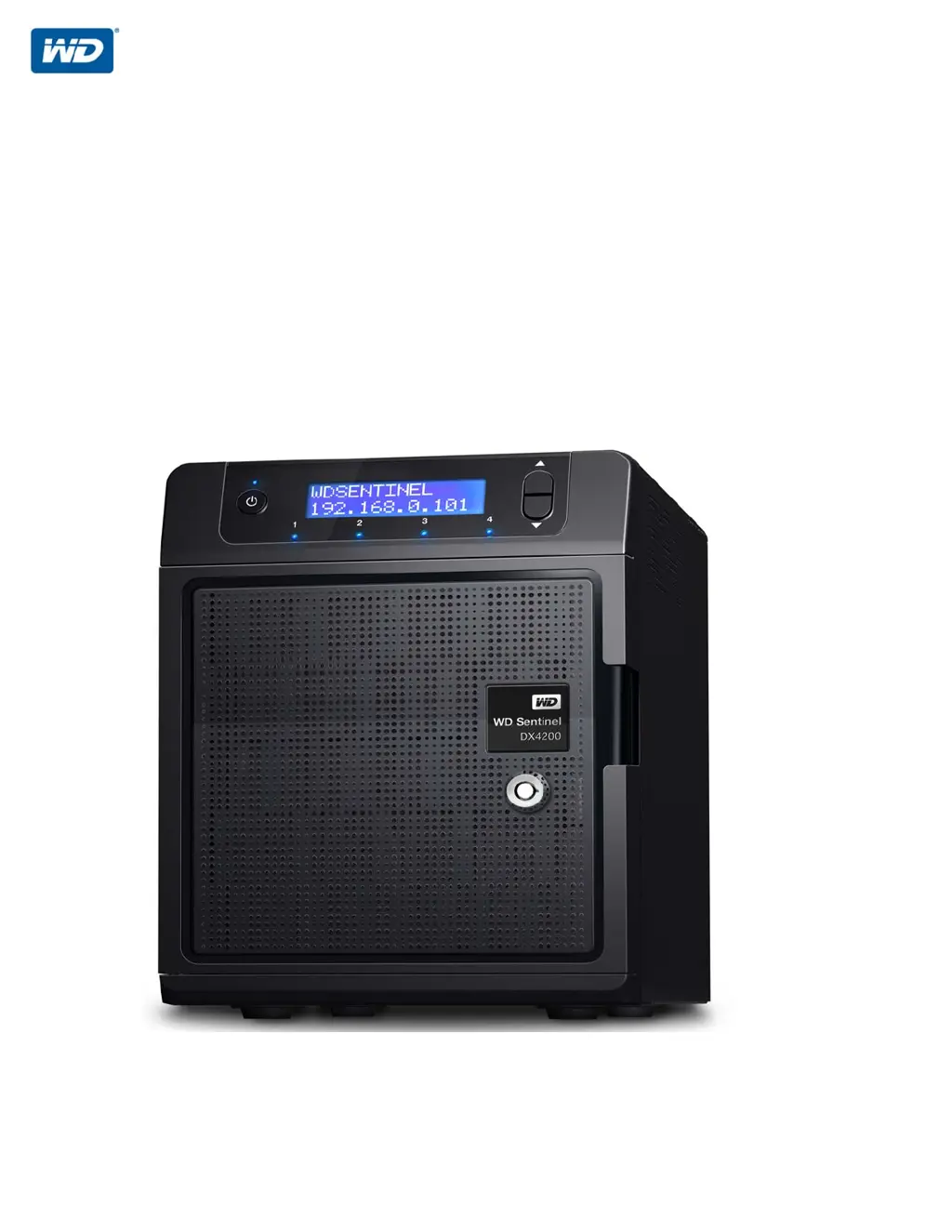
Western Digital Sentinel DX4200
60 pages
Print Icon
To Next Page IconTo Next Page
Loading...
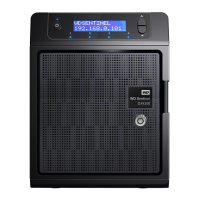
WD Sentinel DX4200
Storage Server
Administrator and Maintenance Guide

Table of Contents

Questions and Answers

  • G
    Gary PerezSep 10, 2025
    What does 'WD Software Update Failed' mean on my Western Digital Network Storage Server?
    • M
      Michael AguirreSep 10, 2025
      If your Western Digital Network Storage Server displays 'WD Software Update Failed', repeat the software update process again.
  • J
    Joseph KennedyAug 22, 2025
    What to do if my Western Digital Sentinel DX4200 Network Storage Server displays 'Drive Failed'?
    • G
      gonzaleznancyAug 22, 2025
      If your Western Digital Network Storage Server displays 'Drive Failed', it means one of the data drives has failed. Since your boot drive(s) is currently running in RAID protection mode, you should replace the failed drive.
  • J
    jaimegarzaAug 25, 2025
    What does 'Boot Volume Degraded' mean on my Western Digital Network Storage Server?
    • S
      Stacey HodgesAug 25, 2025
      If your Western Digital Network Storage Server displays 'Boot Volume Degraded', it means one of the operating system drives has failed, and the system will operate in a degraded state. Replace the identified boot drive.
  • A
    Angela BrownAug 27, 2025
    What does 'Drive Over Temp' mean on my Western Digital Sentinel DX4200 Network Storage Server?
    • J
      Jennifer SmithAug 27, 2025
      If your Western Digital Network Storage Server displays 'Drive Over Temp', it means the data drive has exceeded the normal operating temperature. Check the airflow around your device and the system fan operation.
  • D
    Dylan WolfeAug 27, 2025
    What does 'Imminent Drive Failure' mean on my Western Digital Sentinel DX4200 Network Storage Server?
    • C
      Caitlyn JonesAug 28, 2025
      If your Western Digital Network Storage Server displays 'Imminent Drive Failure', it means S.M.A.R.T early detection found a premature drive failure condition on one of the data drives. Replace the defective drive as soon as possible to prevent RAID from going into a degraded state.
  • J
    Juan TorresAug 29, 2025
    What does 'Boot Drive Over Temp' mean on my Western Digital Network Storage Server?
    • W
      woodsjohnathanAug 29, 2025
      If your Western Digital Network Storage Server displays 'Boot Drive Over Temp', the operating system boot drive has exceeded the normal operating temperature. You should check the airflow around your device and the system fan operation.
  • G
    Gary GonzalezSep 18, 2025
    How to fix IP address not displaying on Western Digital Network Storage Server?
    • J
      Jordan LoveSep 18, 2025
      If the IP address does not display on your Western Digital Network Storage Server, ensure that your device is connected by ethernet cable to your router.
  • D
    Donald RichardsSep 12, 2025
    What does 'BIOS Updated Reboot Required' mean on my Western Digital Sentinel DX4200?
    • G
      gsmithSep 12, 2025
      If your Western Digital Network Storage Server displays 'BIOS Updated Reboot Required', it means the primary BIOS has been updated. Reboot the system to allow the updated BIOS to take effect.
  • F
    fordjessicaSep 8, 2025
    What does 'Reboot Required' mean on my Western Digital Sentinel DX4200 Network Storage Server?
    • H
      Heather PerezSep 8, 2025
      If your Western Digital Network Storage Server displays 'Reboot Required', safely reboot the system.
  • J
    Jamie DiazSep 5, 2025
    What does 'Invalid Drive' mean on my Western Digital Sentinel DX4200?
    • D
      davisheatherSep 5, 2025
      If your Western Digital Network Storage Server displays 'Invalid Drive', it means the inserted drive is not compatible with the device. Replace the inserted drive with an approved drive.

Western Digital Sentinel DX4200 Specifications

General IconGeneral
ModelSentinel DX4200
CategoryNetwork Storage Server
Drive Bays4
Hard Drive InterfaceSATA
RAID SupportRAID 0, 1, 5, 10
Network InterfaceDual Gigabit Ethernet
Operating SystemWindows Storage Server 2012 R2 Essentials
Form FactorTower
RAM4 GB
Storage Capacity12 TB
Drive Compatibility3.5" SATA

Related product manuals