WD SERIAL ATA RAID CONTROLLER
INSTALLING THE SATA RAID CONTROLLER - 9
USER MANUAL
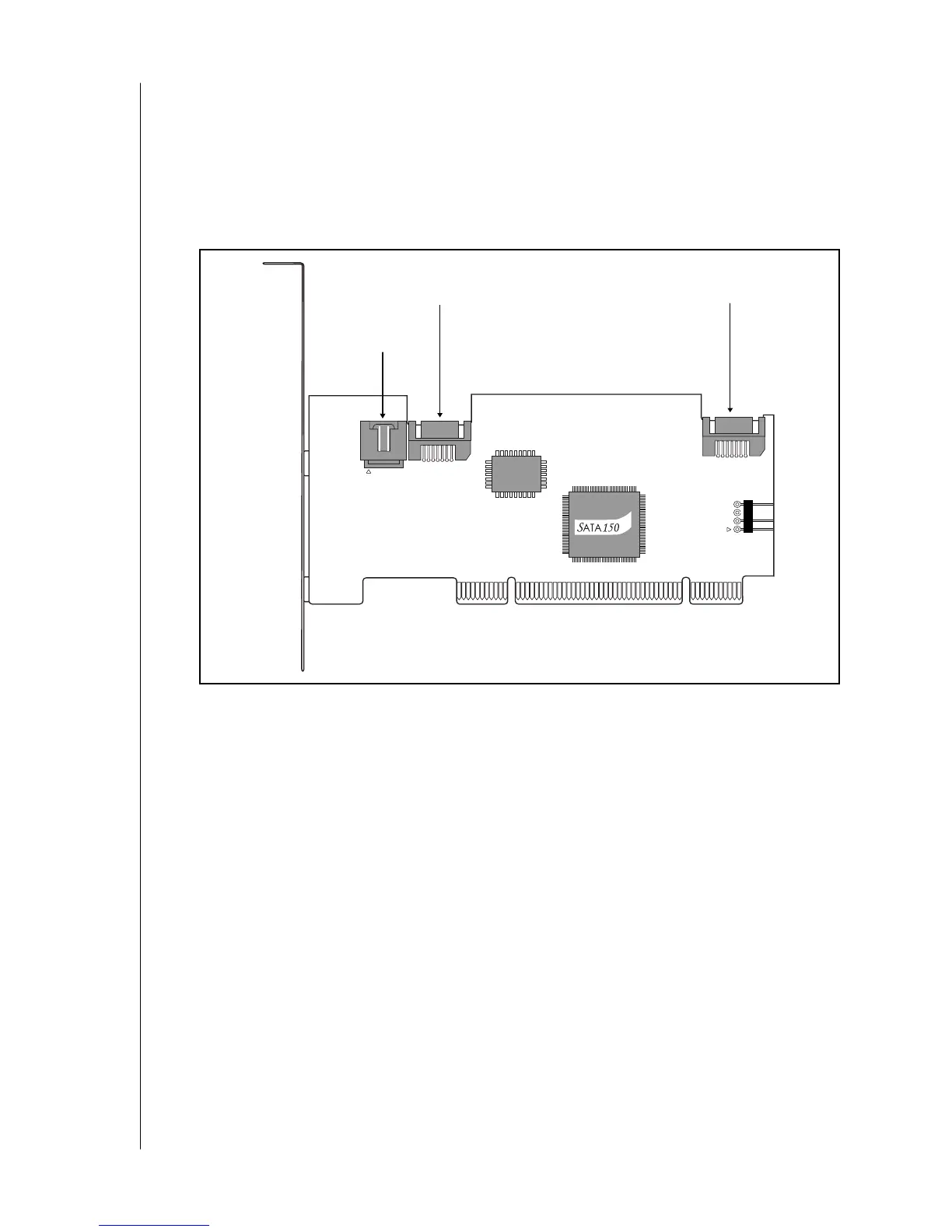
5. Connect your system case's 2- or 4-pin LED cable to the LED connector on the WD
SATA RAID Controller.
6. Attach one SATA data cable to each SATA hard drive. Then attach the other end(s) of the
cable(s) to the connector(s) on the WD SATA RAID Controller.
Note: The WD SATA RAID Controller is a PCI Plug-n-Play (PnP) device. No changes
are necessary in the Motherboard CMOS Setup for resources or drive types in most
applications..
Figure 2. WD SATA RAID Controller Connectors
After completing the physical installation process above, you must create an array before
installing an operating system on the drive(s) or using an existing operating system on a drive.
Proceed to “Creating a Disk Array” on page 10.
Management
connector
Port 2
(Serial)
Port 1
(Serial)



 To Next Page