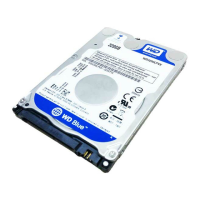
WD SERIAL ATA RAID CONTROLLER
CREATING A DISK ARRAY - 10
USER MANUAL
Creating a Disk Array
The WD SATA RAID Controller allows the creation of one or two drives in a striped array,
or two drives in a mirrored array. You can also install a single, non-RAID drive and connect it
to the WD SATA RAID Controller.
Use the onboard EasyBuild™ BIOS utility to create a RAID disk array using the attached
drives. There are five different ways to create this array:
! Single (non-RAID)
! Performance (RAID 0)
! Security, using two new SATA hard drives (RAID 1, recommended)
! Security, using an existing SATA hard drive and a new SATA drive (RAID 1)
! Security, using Quick Initialization (RAID 1)
Follow the first three steps below prior to executing the steps for each of the different setup
options above.
1. Boot your system. If this is the first time you have booted with the WD SATA RAID
Controller and drives installed, the WD onboard BIOS will display the following screen.
2. Press CNTL+F or CNTL+A (depending on the BIOS screen displayed by your controller) to
display the EasyBuild Utility Main Menu.
3. To begin the process of creating an array, do the following:
- To create a single SATA drive non-RAID array, press 3.
- To create all other types of RAID arrays, press 1 to display the Auto Setup Options
Menu (see screen below). This is the fastest and easiest method for creating your first
RAID array.
WD SATA RAID controller
(c)2003 Western Digital Technologies, Inc. All Rights
Reserved
No array defined . . .
Press <Ctrl-F> to enter EasyBuild (tm) Utility
Or press <ESC> key to continue booting the system
EasyBuild(tm) Utility 2.xx (c)2003 Western Digital
Technologies, Inc.
[Main Menu]
Auto Setup . . . . . . . . . . . . [1]
View Drive Assignments . . . . . . [2]
Define Array . . . . . . . . . . . [3]
Delete Array . . . . . . . . . . . [4]
Rebuild Array . . . . . . . . . . [5]
[Keys Available]
Press 1...5 to Select Option [ESC] Exit
EasyBuild(tm) Utility 2.xx (c)2003 Western Digital
Technologies, Inc.
[Auto Setup Options Menu]
Optimize Array for: Performance
[Auto Setup Configuration]
Mode . . . . . . . . . . . . Stripe
Spare Drive . . . . . . . . . . . . 0
Drives used in Array . . . . . . . 2
Array Disk Capacity . . . . . 160048
[Keys Available]
4



 To Next Page