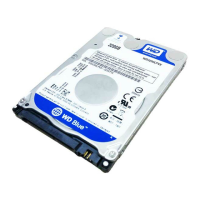
WD SERIAL ATA RAID CONTROLLER
EASYBUILD OPTIONS AND FEATURES - 21
USER MANUAL
Rebuilding a Mirrored Array
If you receive an error message when booting your system from the WD SATA RAID
Controller's BIOS, this may mean that one of the drives attached to the controller may be
malfunctioning, or the array may have become unstable. Immediately test the drives to
determine which drive is causing the error and replace if necessary. Once the drive is replaced
or the drives are deemed correct and free of defect, use the steps listed in this section to
rebuild the Drive Array.
1. On bootup, the WD SATA RAID controller's BIOS will display an error message
identifying which drive has failed. Please take note of this drive and document for future
use.
2. Press CTRL+A to enter the EasyBuild Main Menu.
3. Press 3 to select Define Array.
4. Select the failed array and identify the Channel and ID of the failed drive.
5. Power off the computer and physically remove the failed hard drive.
6. Replace the drive with an identical model.
Note: If you have tested the drive and it is deemed error free, you will not need to replace
the drive. Simply install the drive back onto the RAID Controller exactly how it was
before and continue with the steps that follow.
7. Reboot the system and enter the EasyBuild Main Menu by pressing CTRL+A.
8. Press 5 to select Rebuild Array.
9. Highlight the array in which the utility is displaying the status as Critical by using the up
or down
ARROW keys.
EasyBuild(tm) Utility 2.xx (c)2003 Western Digital
Technologies, Inc.
[Main Menu]
Auto Setup . . . . . . . . . . . . [1]
View Drive Assignments . . . . . . [2]
Define Array . . . . . . . . . . . [3]
Delete Array . . . . . . . . . . . [4]
Rebuild Array . . . . . . . . . . [5]
[Keys Available]
Press 1...5 to Select Option [ESC] Exit
EasyBuild(tm) Utility 2.xx (c)2003 Western Digital Technologies, Inc.
[Rebuild Array Menu]
Array No RAID Mode Total Drv Capacity(MB) Status
Array 1 Mirror 2 148050 Critical
Array 2 ———— ———— ———— ————
Array 3 ———— ———— ———— ————
Array 4 ———— ———— ———— ————
[Keys Available]
[
↑] Up [↓] Down [ESC] Exit [Enter] Select



 To Next Page