EasyManua.ls Logo

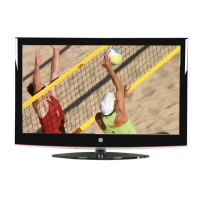
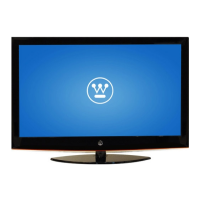
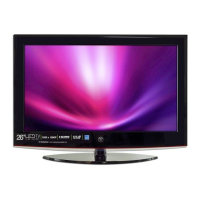
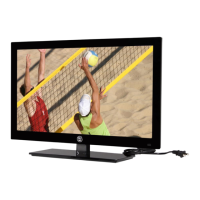
Westinghouse LD-3235 - User Manual

Westinghouse LD-3235
66 pages
Print Icon
To Next Page IconTo Next Page
Loading...
TABLE OF CONTENTS
i
English
TABLE OF CONTENTS
TABLE OF CONTENTS.................................................... i
DIGITAL TELEVISION TRANSITION NOTICE .................. 1
IMPORTANT INFORMATION .......................................... 2
Warnings.................................................................... 2
NOTICES ................................................................... 3
FCC COMPLIANCE STATEMENT ............................... 4
IMPORTANT SAFETY INSTRUCTIONS ....................... 5
Circuit Overload ......................................................... 6
Power Cord Protection ................................................ 6
Ventilation .................................................................. 6
WARNINGS AND PRECAUTIONS ............................... 7
ANTENNA INSTALLATION SAFETY ............................ 8
Lightning .................................................................... 8
Power lines ................................................................ 8
CLEANING THE LED TV ............................................. 9
Dolby-Digital Notice .................................................... 9
SRS Trademark Information: ....................................... 9
PACKAGE CONTENTS ................................................. 10
CONTROL PANEL ........................................................ 11
TERMINALS ................................................................. 12
REMOTE CONTROL..................................................... 13
REMOTE CONTROL OPERATION ................................ 14
INSTALLING THE REMOTE CONTROL BATTERIES.. 14
REMOTE CONTROL TRANSMISSION RANGE .......... 14
LED TV BASE .............................................................. 15
INSTALLING THE LED TV BASE .............................. 15
REMOVING THE LED TV BASE ................................ 16
ANTENNA CONNECTION ............................................. 17
OUTDOOR ANTENNA CONNECTION ....................... 17
CABLE TV (CTV/DTV) CONNECTION ....................... 17
EXTERNAL DEVICE CONNECTIONS ............................ 18
POWER CONNECTION ................................................ 20

Questions and Answers

  • C
    Christina HicksAug 14, 2025
    What to do if my Westinghouse LED TV has no power?
    • Z
      Zachary DeckerAug 14, 2025
      If your Westinghouse LED TV isn't powering on, first, check if the power indicator is illuminated blue. Then, ensure the power cord is securely connected to the AC-in jack and plugged into a working AC outlet. To verify the outlet is functional, try plugging in another electrical device.
  • D
    David SmithAug 17, 2025
    How to fix no sound on Westinghouse LED TV?
    • K
      Kenneth CarpenterAug 17, 2025
      If there is no sound on your Westinghouse LED TV, first, ensure the audio input cable is properly connected to the correct terminal and the correct input mode is enabled. The volume may be muted, so press the Vol+ key to turn on the volume. You can also adjust the Bass, Treble, and Balance settings in the Audio menu. If you are using the TV speakers, make sure the TV Speakers option is set to On in the Audio menu. If you are using an external audio device, press and select Audio to ensure the TV Speakers option is set to Off in the Audio menu.
  • G
    Gerald JohnsonAug 20, 2025
    What to do if Westinghouse LD-3235 LED TV remote control does not work?
    • S
      sarahkimAug 20, 2025
      If your Westinghouse LED TV remote isn't working, make sure you are pressing only one button at a time. Check that the batteries are properly inserted and replace them with new ones if they are drained.
  • M
    Michelle GarciaAug 23, 2025
    How to troubleshoot no picture on Westinghouse LD-3235 LED TV?
    • P
      Patricia HutchinsonAug 23, 2025
      If your Westinghouse LED TV has no picture, ensure the video input cable is properly connected to the correct terminal and the correct input mode is enabled. Verify that the antenna is properly connected and the preferred channel is enabled in the channel list. You may also need to adjust the display settings.
  • B
    Brandon DavisAug 27, 2025
    How to fix a cut-off picture on Westinghouse LED TV?
    • A
      Ashley ClarkAug 27, 2025
      If the picture on your Westinghouse LED TV is cut off or appears in a sidebar screen, press to adjust the Aspect ratio.
  • J
    Jeff KingAug 30, 2025
    How to reset a forgotten PIN on Westinghouse LED TV?
    • X
      xbrowningAug 30, 2025
      To reset a forgotten PIN on your Westinghouse LED TV, use the Reset All option in the Settings menu to reset your password.
  • R
    Rodney WilliamsSep 3, 2025
    How to improve poor image quality on Westinghouse LD-3235?
    • J
      julie87Sep 3, 2025
      To improve poor image quality on your Westinghouse LED TV, check your antenna connection and rotate the antenna, waiting up to ten seconds for a signal if necessary. Reduce signal splitters and excessively long cables, and replace poor antenna cables or connectors. Press to adjust the Aspect ratio. Adjust the Noise Reduction setting in the Picture menu. In HDMI mode, ensure the external device is compatible with the LED TV.
  • S
    Steven GonzalezSep 6, 2025
    Why are colors wrong on my Westinghouse LD-3235 LED TV?
    • J
      Jerry CastroSep 6, 2025
      If the colors on your Westinghouse LED TV are wrong, abnormal, or missing, check the video cable to ensure it is securely connected. Loose or broken pins in the cable connector could cause an improper connection. Adjust the Hue, Saturation, and Color Temperature settings in the Picture menu. Connect the TV to another computer to check if the problem is with the computer screen.
  • W
    williamscottSep 9, 2025
    What to do if no picture or 'No Signal' appears when a VGA cable is connected to my Westinghouse LED TV?
    • K
      Keith BenjaminSep 9, 2025
      If you see no picture or a 'No Signal' message when a VGA cable is connected to your Westinghouse LED TV, ensure the VGA cable is properly connected to the LED TV’s VGA port. Decrease the video resolution setting on the computer and try again. You might also need to adjust the display settings.

Summary

Digital Television Transition Notice

Important Information

Warnings

Safety precautions for fire and electric shock risks.

Notices (Power Cord Selection)

Guidelines for selecting the correct power cord for the LED TV.

FCC Compliance Statement

Statement on FCC compliance and measures to address interference.

Important Safety Instructions

Detailed safety instructions for operating and handling the TV.

Circuit Overload

Warning against overloading electrical outlets and power strips.

Power Cord Protection

Guidance on routing and inspecting power supply cords.

Ventilation

Importance of not blocking ventilation openings for overheating prevention.

Warnings and Precautions

Comprehensive list of warnings and precautions for TV usage.

Antenna Installation Safety

Outdoor Antenna Grounding

Information on grounding outdoor antennas according to electrical codes.

Lightning

Safety advice for lightning storms and unplugging the TV.

Power Lines

Warning about locating antennas near power lines.

Cleaning the LED TV

To Clean the Screen

Instructions for cleaning the TV screen.

To Clean the Case

Instructions for cleaning the TV case.

Dolby-Digital Notice

Manufactured under license from Dolby Laboratories.

SRS Trademark Information

Information on SRS trademarks and technology.

Open Source License

Package Contents

Control Panel

Terminals

Remote Control

Remote Control Operation

Installing the Remote Control Batteries

Step-by-step instructions for inserting batteries into the remote.

Remote Control Transmission Range

Information on the effective range of the remote control.

LED TV Base

Installing the LED TV Base

Detailed steps for attaching the TV stand to the unit.

Removing the LED TV Base

Instructions for detaching the TV stand for wall mounting or storage.

Antenna Connection

Outdoor Antenna Connection

Diagram and explanation for connecting an outdoor antenna.

Cable TV (CTV;DTV) Connection

Instructions for connecting cable TV signals to the unit.

External Device Connections

Power Connection

Connecting AC Power

How to connect the AC adapter and power cord to the TV and outlet.

Initial Setup

Steps to turn on the TV and begin the initial setup process.

Westinghouse HDTV Setup

Select Language

How to select the display language for menus.

Time Zone

How to set the local time zone for the TV.

Setup Wizard

Guide to using the setup wizard for scanning channels.

Channel Scan - Antenna

Steps for scanning over-the-air ATSC channels.

Obtain Tuner Activation Code

Instructions to obtain an activation code for ATSC tuner.

Enter Activation Code

How to enter the activation code using the remote.

Channel Scan in Progress

What to expect during the channel scanning process.

Westinghouse HDTV Setup - Through Cable;Satellite Box

Select Language

How to select the display language for menus.

Time Zone

How to set the local time zone for the TV.

Setup Wizard

Guide to using the setup wizard for scanning channels.

Channel Scan - Cable;Satellite

Steps for scanning cable/satellite ATSC channels.

Cable;Satellite Select

Choosing whether to use a cable/satellite box.

Cable;Satellite Box Input

Selecting the connection type for the cable/satellite box.

RF Warning

Warning against using RF connection due to poor signal quality.

Obtain Tuner Activation Code

Instructions to obtain an activation code for ATSC tuner.

Westinghouse HDTV Setup - Not Through Cable; Satellite Box

Select Language

How to select the display language for menus.

Time Zone

How to set the local time zone for the TV.

Setup Wizard

Guide to using the setup wizard for scanning channels.

Channel Scan - Cable;Satellite

Steps for scanning cable/satellite ATSC channels.

Cable;Satellite Select

Choosing whether to use a cable/satellite box.

Obtain Tuner Activation Code

Instructions to obtain an activation code for ATSC tuner.

Enter Activation Code

How to enter the activation code using the remote.

Channel Scan in Progress

What to expect during the channel scanning process.

Basic Operations

Turning the Power On and Off

How to turn the LED TV on and off using the control panel or remote.

Adjusting the Volume

Instructions for adjusting volume and using the mute function.

Changing Channels

Methods for changing TV channels using different remote keys.

Selecting the Input Source

How to switch between different video input sources.

Adjusting the Display Format

Options for changing the picture aspect ratio.

Adjusting the LED Backlight

How to adjust the screen's backlight for viewing conditions.

Setup Menus

Setup Menu Operation

How to navigate and use the TV's setup menu system.

Picture

Sub-menus for configuring display quality settings.

Brightness

How to adjust the TV's brightness level.

Contrast

How to adjust the TV's contrast ratio.

Saturation

How to adjust the color intensity of the picture.

Video Presets

Selecting preset picture modes for different viewing conditions.

Adjusting Video Presets

Instructions for selecting desired video preset options.

Sharpness

How to adjust the sharpness or softness of the display.

Color Temperature

Adjusting the white balance of the display.

Adjusting Color Temperature

Steps to select and adjust color temperature settings.

Hue

How to adjust the balance of red, green, and blue colors.

Reset

Option to reset all display-related settings.

Audio

Sub-menus for configuring audio quality settings.

Bass

How to calibrate low-pitched sounds.

Treble

How to calibrate high-pitched sounds.

Balance

Adjusting sound balance between left and right speakers.

DRC

Toggling between DRC Line mode and RF mode.

Audio Presets

Selecting preset audio options for different conditions.

TruSurround HD

Turning the TruSurround HD feature on or off.

Adjusting TruSurround HD

Steps to select ON or OFF for TruSurround HD.

Reset

Option to reset all audio-related settings.

View Mode

Sub-menus for selecting the display's aspect ratio.

Standard

Picture displayed in its original size.

Fill

Picture displayed to cover the entire screen.

Overscan

Picture scaled down to fit the display area.

1:1 Mode

Matches resolution to pixels without scaling.

Adjusting View Mode

Instructions for selecting desired view mode options.

View Mode (VGA)

Adjusting display settings specifically for VGA input.

Aspect Ratio

Selecting the display's aspect ratio.

H. Position

Adjusting the horizontal position of the display.

V. Position

Adjusting the vertical position of the display.

Fine Tune

Fine-tuning the display's picture.

Auto Sync

Synchronizing the display automatically.

TV Program

Managing channel list, sound, and scanning for channels.

Skip List

Selecting channels to skip in the channel list.

Adding Channels to Skip List

Steps to add channels to the skip list.

Channel Edit

Assigning a name to a TV channel.

Editing Channel Names

Detailed steps for editing channel names.

MTS

Selecting multichannel television sound options.

Adjusting MTS

Steps to select desired MTS options.

Auto Search

Scanning for available TV channels automatically.

Manual Add

Manually adding channels to the TV.

Adding Channels Manually

Steps for manually adding a channel.

Settings

Configuring operational settings and viewing firmware version.

Date and Time

Adjusting the current date and time settings.

Adjusting Auto Calibration

Enabling or disabling auto calibration for time settings.

Adjusting Time Zone

Selecting the correct time zone.

Adjusting Date and Time

Detailed steps for adjusting date and time segments.

Adjusting Daylight Saving

Enabling or disabling daylight saving time adjustments.

Closed Captions

Configuring settings for closed captioning.

Adjusting Closed Captions Settings

Modifying closed caption display options.

Parental Control

Setting up parental controls and changing the password.

Rating

Selecting ON/OFF to show or hide submenus for ratings.

Block Unrated

Blocking or unblocking unrated programs.

TV Rating

Customizing US TV rating programs.

Adjusting TV Rating

Selecting and blocking/unblocking desired TV ratings.

MPAA Rating

Selecting allowable movie ratings (G, PG, etc.).

Adjusting MPAA Rating

Steps to select and block/unblock MPAA ratings.

Canada English

Selecting Canadian TV program classification categories.

Adjusting Canada English Rating

Steps to select Canadian English ratings.

Canada French

Selecting French Canadian TV program classification categories.

Adjusting Canada French Rating

Steps to select Canadian French ratings.

Channel Block

Blocking specific channels from being viewed.

Adjusting Channel Block

Steps to block or unblock channels.

Change Password

Changing the system PIN for parental control.

Changing Password

Detailed steps to change the system password.

OSD Timeout

Adjusting the duration the OSD menu stays on screen.

Adjusting OSD Timeout

Steps to select OSD duration.

OSD Language

Selecting the display language for menus.

Adjusting OSD Language

Steps to select the OSD language.

Power Settings

Configuring power-related settings like backlight.

Adjusting Power Settings

Steps to adjust power settings.

Reset All

Resetting all operational settings to default.

Version

Viewing the LED TV's serial number and firmware version.

Wall Mount Option

Wall Mount Installation Reminders

Important reminders before mounting the TV on a wall.

Troubleshooting

Westinghouse LD-3235 Specifications

General IconGeneral
Screen Size32 inches
Resolution1366 x 768
Display TypeLED
HDMI Ports3
USB Ports1
Refresh Rate60 Hz
Aspect Ratio16:9
InputsComposite, Component
Sound Output2 x 5W
Dimensions (W x H x D)29.1 x 18.1 x 3.2 inches

Related product manuals