SETUP MENUS
34
English
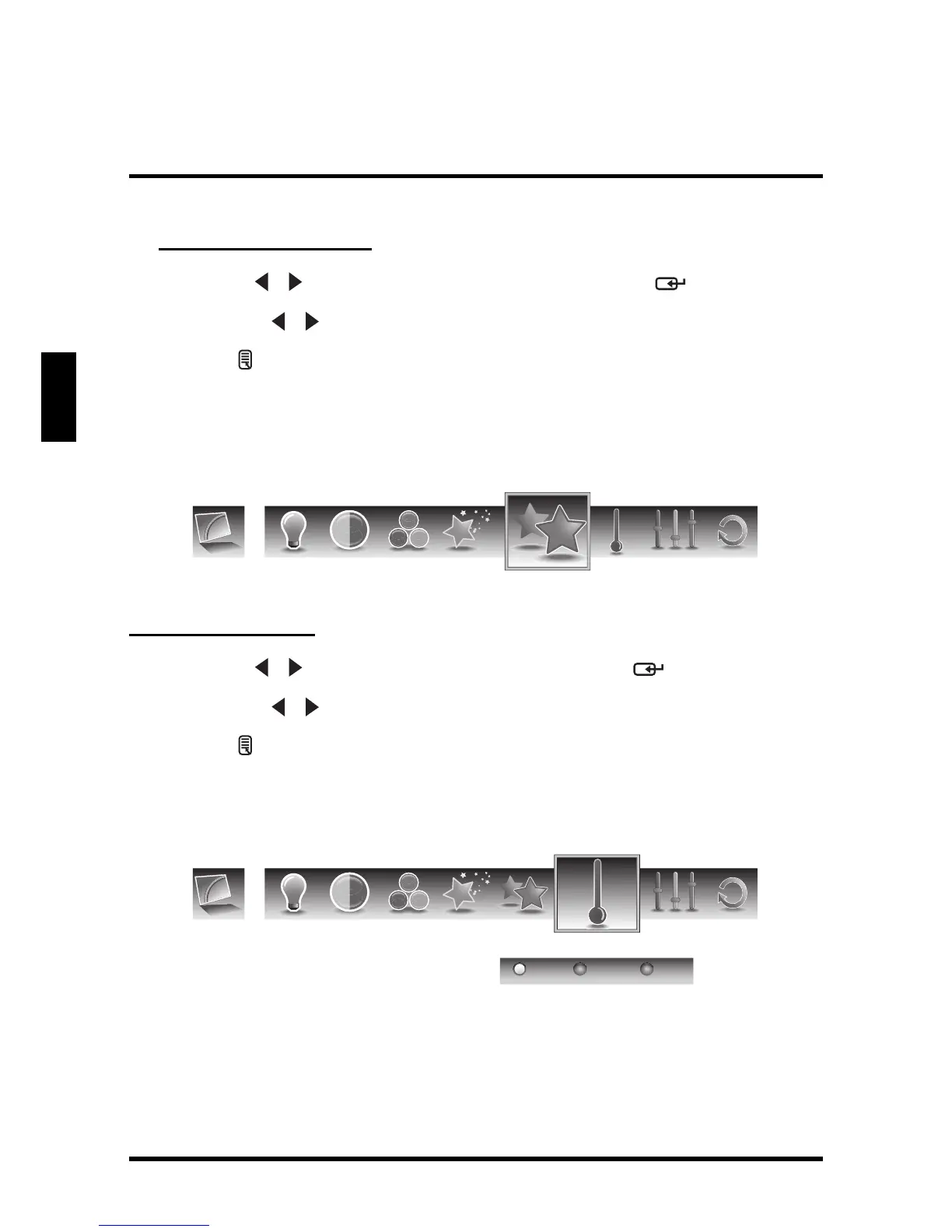
Adjusting Video Presets
1
Use the
/
keys to select
Video Presets
and press .
2 Press the / keys on the remote control to select the desired option.
3 Press to save and exit the screen.
Sharpness
Use Sharpness to adjust the sharpness or softness of the display.
Adjusting Sharpness
1
Use the
/ keys to select Sharpness and press .
2 Press the / keys on the remote control to adjust the sharpness level.
3 Press to save and exit the screen.
Color Temperature
Use Color temperature to adjust the level of white balance in the display.
Three settings are available:
• Warm: Pictures appear more reddish.
• Neutral: Pictures appear more white.
• Cool: Pictures appear with a bluish tint.


 To Next Page