EasyManua.ls Logo

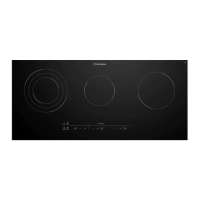
Westinghouse WHC933BD - User Manual

Westinghouse WHC933BD
11 pages
Print Icon
To Next Page IconTo Next Page
Loading...
USER MANUAL
CERAMIC COOKTOPS
WHC633BD, WHC643BD,
WHC933BD, WHC943BD

Questions and Answers

  • E
    Eileen HenryAug 14, 2025
    What to do if the Westinghouse Cooktop cooking zones won't switch on?
    • C
      Catherine BrockAug 14, 2025
      If the cooking zones on your Westinghouse Cooktop are not functioning, there might be several reasons. Ensure that no more than 10 seconds have passed since you switched on the appliance, and try switching it on again. Check if the child safety device or the lock is activated and deactivate them if necessary, referring to the relevant sections in the manual. Also, make sure you are only touching one sensor field at a time. If any objects are lying on the control panel, remove them and try switching the appliance on again. The automatic switch off may have been triggered.
  • L
    loristokesAug 17, 2025
    How to clean stains on Westinghouse Cooktop ceramic glass surface?
    • K
      Kelly NelsonAug 17, 2025
      If you notice red rings, limescale, water rings, discoloration, scratches, shadows, bubbles or other marks on your Westinghouse Cooktop's ceramic glass surface, it's likely due to improper cleaning. Use a ceramic glass cleaner such as Cerapol to address this issue.
  • C
    Charles EricksonAug 20, 2025
    What does it mean if number are displayed on Westinghouse Cooktop?
    • J
      James CollierAug 20, 2025
      If and a number are displayed on your Westinghouse Cooktop, it indicates an electronics fault. Disconnect the appliance from the electrical supply for a few minutes by removing the fuse. If the issue persists after reconnecting, contact customer service.
  • R
    Rebecca WilsonAug 25, 2025
    What to do if Westinghouse Cooktop sounds acoustic signal and switches on and off?
    • K
      Kristen HowardAug 25, 2025
      If your Westinghouse Cooktop is emitting an acoustic signal, switching itself on and off, and then emitting another acoustic signal after 5 seconds, it's likely that the On/Off sensor field is covered. Ensure that no objects, such as cloths, are placed on the control panel.
  • A
    Alex RodriguezAug 27, 2025
    Why is my Westinghouse Cooktop ceramic glass surface pitting?
    • A
      Annette YorkAug 27, 2025
      Pitting on the ceramic glass surface of your Westinghouse Cooktop is likely caused by spillovers of liquid with high sugar content. These spills must be removed immediately with a special scraper for glass. Failure to do so can result in permanent damage to the cooktop glass, which is not covered under warranty.
  • L
    Lisa HorneAug 30, 2025
    What does it mean if the light is lit on Westinghouse WHC933BD?
    • B
      Belinda PerezAug 30, 2025
      If the light is lit on your Westinghouse Cooktop, it indicates that either the overheating protection for the cooking zone has been triggered, or the automatic switch off has been activated. To resolve this, switch off the cooking zone and then switch it back on again.
  • N
    Nicole PatelSep 3, 2025
    Why isn't the automatic warm up function working on my Westinghouse WHC933BD Cooktop?
    • T
      Tiffany RandolphSep 3, 2025
      If the automatic warm up function on your Westinghouse Cooktop isn't activating, it could be due to several reasons. First, check if there's residual heat on the cooking zone; if so, allow it to cool down. Also, the function may not work if the highest heat setting is selected, as it provides the same power. If the heat setting was set using the sensor field, switch off the cooking zone and reset it using the sensor field.
  • M
    Mallory DudleySep 6, 2025
    Why does my Westinghouse WHC933BD make noise when switched off?
    • C
      Crystal HerreraSep 6, 2025
      If your Westinghouse Cooktop emits an acoustic signal when switched off, it's likely that the control panel is covered by objects. Remove any items from the control panel to stop the signal.
  • C
    Charles MillerSep 9, 2025
    What to do if the residual heat indicator is not displaying on Westinghouse WHC933BD?
    • S
      Steven WhiteSep 9, 2025
      If the residual heat indicator on your Westinghouse Cooktop isn't displaying anything, it could be because the cooking zone was only on for a short period and hasn't become hot enough. If you believe the cooking zone should be hot, contact the Customer Service Department.

Summary

IMPORTANT SAFETY INSTRUCTIONS

General safety

General safety precautions for appliance use and installation.

Safety during use

Safety measures to prevent burns and fire hazards during operation.

Childrens safety

Safety guidelines to protect children from appliance hazards.

Correct operation

Guidelines for safe and proper operation of the appliance.

PRODUCT DESCRIPTION - COOKING SURFACE LAYOUT

Cooking surface layout

Visual representation of cooking zones and control panel for different models.

PRODUCT DESCRIPTION - CONTROL PANEL

Control panel layout - WHC633 BD

Detailed layout and function of the control panel for WHC633BD.

Control panel layout - WHC643 BD & WHC943 BD

Control panel layout for WHC643BD and WHC943BD models.

Control panel layout - WHC933 BD

Control panel layout for WHC933BD model.

Heat setting displays

Symbols and their meanings for heat setting indicators.

OptiHeat control (3 step residual heat indicator)

Explanation of residual heat indicators and safety warnings.

OPERATING INSTRUCTIONS - BASIC FUNCTIONS

Activation and deactivation

Instructions on how to turn the appliance on and off.

Setting the heat setting

How to adjust the cooking zone's heat level.

Switching the outside ring on and off

Instructions for activating/deactivating outer rings on multi-zone elements.

Locking;unlocking the control panel

How to lock the control panel to prevent accidental changes.

Using the automatic warm-up function

How the automatic warm-up feature works and its settings.

The child safety device

How to activate, deactivate, and override the child safety lock.

OPERATING INSTRUCTIONS - TIMER AND HOB2 HOOD

Using the timer function

Instructions for using the automatic cut-out and countdown timer.

Changing timer time

How to set and change timer durations.

Displaying timer remaining

How to view the countdown time for a cooking zone.

Switching off acoustic signals

Steps to turn off audible signals from the timer.

Automatic switch off

Conditions under which the appliance or zones switch off automatically.

Hob²Hood function

Explanation of the Hob²Hood function connecting hob and hood.

Activating hood light

How to set the hob to automatically activate the hood light.

HELPFUL HINTS AND TIPS

Hob²Hood function tips

Tips for optimal use of the Hob²Hood feature.

Manual fan speed control

How to manually control the fan speed of the connected hood.

Compatible rangehoods

Information on compatible rangehoods and their symbols.

TROUBLESHOOTING GUIDE

Surface stains and pitting

Addressing common surface issues like stains, limescale, and pitting.

Cooking zones not functioning

Troubleshooting steps when cooking zones fail to operate.

Acoustic signal issues

Diagnosing and resolving unexpected acoustic signals.

Residual heat indicator problems

Steps to take if the residual heat indicator is not functioning.

Automatic warm-up issues

Troubleshooting the automatic warm-up feature.

Appliance on;off errors

Resolving issues where the appliance switches on/off unexpectedly.

Electronics faults

What to do if an electronics fault is indicated.

TECHNICAL DATA AND ENERGY SAVING

Model specifications

Technical specifications for different cooktop models.

Environmental disposal

Guidelines for proper disposal of the product and packaging.

Energy saving tips

Recommendations for efficient energy usage.

INSTALLATION INSTRUCTIONS

General installation precautions

Safety and legal requirements for appliance installation.

Electrical connection

Detailed steps for connecting the appliance to the electrical supply.

Connection cable requirements

Requirements and specifications for the mains connection cable.

Applying sealing tape

Instructions for applying the sealing tape to the worktop.

ASSEMBLY DIAGRAMS

WHC633 BD & WHC643 BD assembly

Diagrams showing assembly dimensions for specific models.

WHC943 BD assembly

Diagrams showing assembly dimensions for the WHC943BD model.

ASSEMBLY AND WARRANTY INFORMATION

WHC933 BD assembly diagram

Diagrams showing assembly dimensions for the WHC933BD model.

Electrolux product warranty

Terms and conditions of the Westinghouse product warranty.

Westinghouse WHC933BD Specifications

General IconGeneral
BrandWestinghouse
ModelWHC933BD
CategoryCooktop
LanguageEnglish

Related product manuals