Command 94: Displays the last 10 power-offs
This command displays the last 10 periods in which the machine
has switched off.
Command 95: Enter user message
Makes it possible to enable and enter to editable messages
(See section 8 for details)
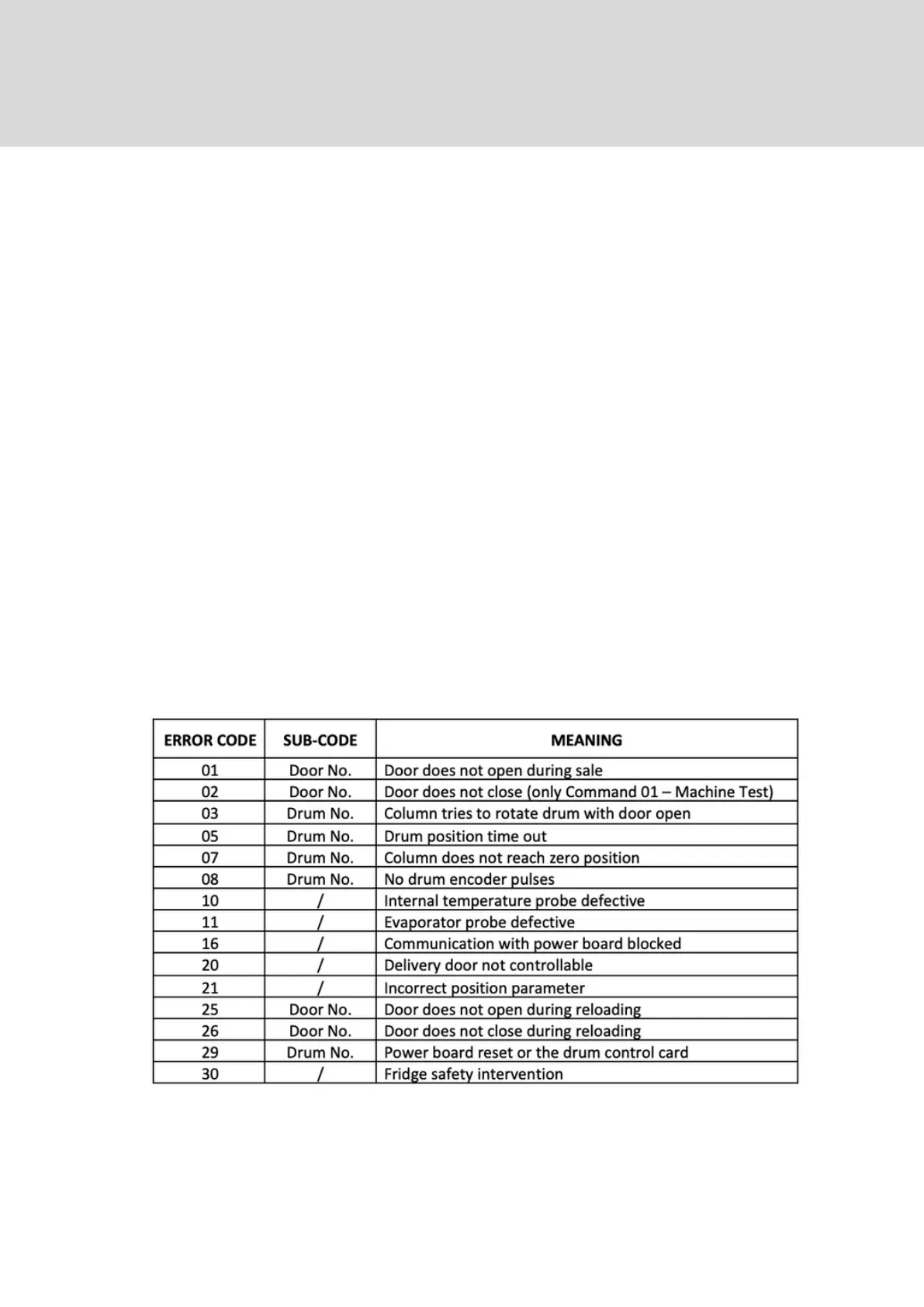
Command 99: View Error Events
This command displays the last 20 error events, press ENTER to
scroll through. When you reach the end of the list the machine
gives you the option clear all the records - ENTER to confirm/ESC
to leave data.
19. Command Codes EXPLANED



 To Next Page