3
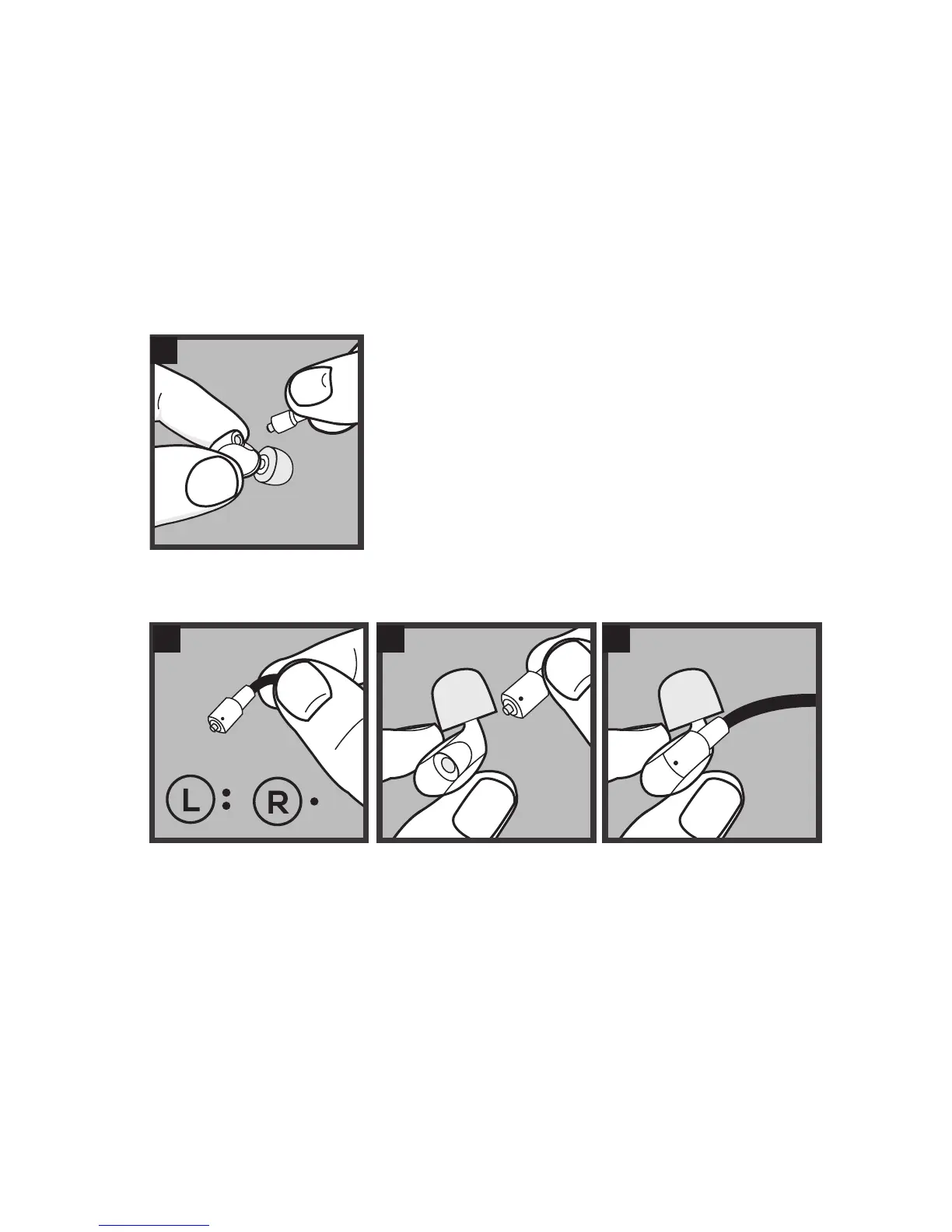
Cable Replacement
1 2 3
Cable Removal
HOLD FIRMLY & REMOVE AT STRAIGHT ANGLE
Hold the earpiece and cable rmly with each hand (close to
the connection) and remove the cable by pulling at a straight
angle from the socket. Do not pull from the wire!
INSERT
the cable into the monitor by
pushing directly into the socket
1
CHECK
if the cable is for the left or
right monitor
MATCH
the cable to appropriate
monitor



 To Next Page