EasyManua.ls Logo

WFCO WF-68100 - User Manual

WFCO WF-68100
3 pages
Print Icon
To Next Page IconTo Next Page
Loading...
2
OPERATIONAL FEATURES
Power Factor Corr
ection
This feature causes the unit to consume
cost or allows more AC devices to be used.
Reverse Battery Protection
This feature prevents permanent damage to the converter from an incorrect
battery connection. Replace only with “ATC-style” fuses.
Automatic Cooling Fan
The fan is variable speed and current controlled.
Electronic Current Limiting
Automatically shuts down power during overload or short-circuit conditions.
Automatically returns to normal operation after conditions are corrected.
If the unit shuts off from an overload condition, the user needs to reduce the
load below 50% in order for the unit to come back on.
Over-Temperature Protection
Unit will shut down if temperature is too high.
Battery Type Selection Switch
For increased battery life span, you can select battery type between
AGM/Lead-Acid and Gel-Cell type of batteries. Gel-Cell type of batteries
requires lower output voltage and there is no need for bulk mode. Default
setting is (up) AGM/Lead-Acid type of batteries.
Manual Bulk Charging Switch
For AGM/Lead-Acid type of batteries, with a push of a button on the front
cover you can manually bring the converter to bulk charge mode.
LED Indicators
Lights show operating status of the converter:
- Green LED: converter powered up
- Amber LED: On when unit is turned off and the connected battery is full,
flickering occurs when battery is approaching low voltage.
- Red LED: converter is overloaded
less power, which reduces electric
General Consumer Information
CAUTION and care must be taken when servicing this equipment.
To prevent severe shock or electrocution consult your servicing dealer.
No serviceable parts.
CAUTION
!
!
Operator Manual
For use with
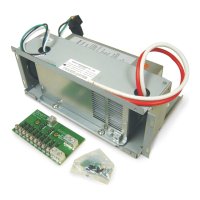
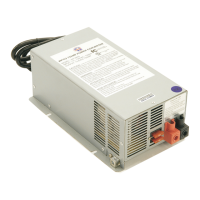
WFCO Deckmount Converter
WF-68100

Question and Answer IconNeed help?

Do you have a question about the WFCO WF-68100 and is the answer not in the manual?

Overview

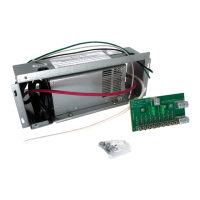
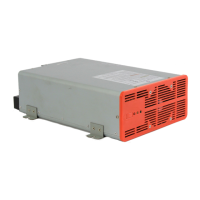
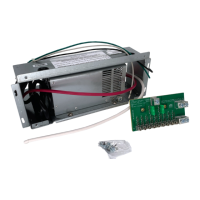
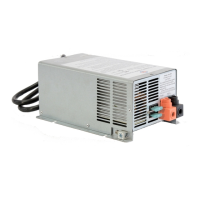
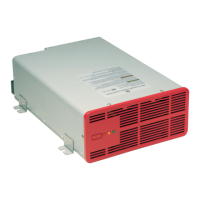
The WFCO WF-68100 is a deckmount converter designed for use in recreational vehicles (RVs). It functions as an automatic three-stage switching power supply, providing 12 Vdc power to RV appliances and charging the RV battery. The converter automatically senses the required operating mode by checking the RV system voltage.

Function Description:

The primary function of the WF-68100 is to convert 120 VAC shore power to 12 Vdc power for the RV's electrical system. It also charges the RV's battery. The converter operates in three distinct modes: Absorption, Bulk, and Float, to optimize battery charging and power delivery.

Important Technical Specifications:

  • Input: 120 VAC (shore power)
  • Output: 12 Vdc
  • Operating Modes:
    • Absorption Mode (Normal Operation): Output voltage in the 13.7 Vdc range. This mode provides nominal battery charge and supplies power to appliances. It's the standard operating mode for slow charging the battery and powering RV 12 Vdc appliances.
    • Bulk Mode (Charge Mode): Output voltage switches to 14.4 Vdc for a maximum of four hours (not applicable to Gel-Cell batteries). This mode provides fast battery charging and supplies power to appliances. If the converter frequently cycles between Absorption and Bulk mode, it may indicate a shorted battery cell or other issues.
    • Float Mode (Trickle Charge): Charges the battery with a trickle voltage in the 13.2 Vdc range. This mode is used for battery storage. When the converter senses a demand (e.g., turning on lights), it automatically returns to Absorption mode.
  • Safety Features:
    • Reverse Battery Protection: Prevents permanent damage to the converter from incorrect battery connections. This is achieved through "ATC-style" fuses (Littelfuse Type 257 automotive-style fuses) located on the back of the unit. If these fuses are blown, it indicates a reverse battery connection.
    • Electronic Current Limiting: Automatically shuts down power during overload or short-circuit conditions. It automatically returns to normal operation once conditions are corrected. If an overload occurs, the user must reduce the load below 50% for the unit to reset.
    • Over-Temperature Protection: The unit will shut down if its internal temperature becomes too high.
  • Compliance: UL-Listed, cUL-Listed (Canadian), and complies with FCC Class B requirements.

Usage Features:

  • Power Factor Correction: This feature reduces the unit's power consumption, leading to lower electric costs and allowing more AC devices to be used simultaneously.
  • Automatic Cooling Fan: The fan operates with variable speed and is current-controlled, ensuring efficient cooling based on the converter's workload.
  • Battery Type Selection Switch: Allows the user to select between AGM/Lead-Acid and Gel-Cell battery types for increased battery lifespan. Gel-Cell batteries require a lower output voltage and do not utilize bulk mode. The default setting (up) is for AGM/Lead-Acid batteries.
  • Manual Bulk Charging Switch: For AGM/Lead-Acid batteries, a button on the front cover allows the user to manually initiate bulk charge mode.
  • LED Indicators: These lights provide visual feedback on the converter's operating status:
    • Green LED: Indicates the converter is powered up.
    • Amber LED: Illuminates when the unit is turned off and the connected battery is full. It flickers when the battery is approaching low voltage.
    • Red LED: Indicates the converter is overloaded.

Maintenance Features:

  • Fuse Replacement: In case of reverse battery connection, the "ATC-style" fuses (Littelfuse Type 257 automotive-style) must be replaced with the same type and amp rating. These fuses are designed to protect the converter from damage.
  • Troubleshooting Steps (No DC Output):
    1. Check the reverse polarity fuses on the back of the WF-6800 Series deckmount converter. Visually inspect for breaks or use a continuity tester.
    2. If fuses are blown, reconnect the RV battery properly and replace the fuses.
  • Troubleshooting Steps (Converter Output Voltage Check):
    1. Disconnect battery output wires from the battery terminals and insulate them to prevent shorts.
    2. Plug the converter into a 120 VAC source.
    3. Use a voltmeter: Place the Positive + (red) probe in the POS + output (red) and the Negative - (black) test probe into the NEG - (black) output terminal of the converter. Ensure good connections.
    4. If the voltage reads in the 13.2 Vdc-14.4 Vdc range, the converter is functioning properly. Add more load to confirm the converter maintains this voltage range.
  • Troubleshooting Steps (Battery Not Charging, but Converter Output is Good):
    1. Check for an open inline fuse in the battery wire (if provided).
    2. Check for an open wire between the converter and the RV battery.
    3. Check for loose ground connections.
    4. Verify proper torques on connections.
  • Troubleshooting Steps (Converter Output Reads Zero Volts, Fuses and AC Voltage are Good):
    • If these conditions are met, the converter is not functioning properly and may require professional servicing.
  • No Serviceable Parts: The manual states, "No serviceable parts," implying that internal repairs by the user are not intended. For severe shock or electrocution concerns, users are advised to consult their servicing dealer.

WFCO WF-68100 Specifications

General IconGeneral
BrandWFCO
ModelWF-68100
CategoryMedia Converter
LanguageEnglish

Related product manuals