EasyManua.ls Logo

Whalen WH100-23C2D-RD - User Manual

Default Icon
12 pages
Print Icon
To Next Page IconTo Next Page
Loading...
THANK YOU
We appreciate the trust and confidence you have placed in Whalen Furniture through the purchase of this electric fireplace/heater. We strive to
continually create quality products designed to enhance your home. Visit us online to see our full line of products available for your home
improvement needs. Thank you for choosing Whalen Furniture Manufacturing!
Date: 2021-03-31 Rev 0001-C
LOT NUMBER:
DATE PURCHASED: / /
USE AND CARE GUIDE
COMBINATION ELECTRIC FIREPLACE/HEATER
Covered by one or more of the following US Patents: 10,451,235 / 10,371,333 / 10,520,149 / 10,731,810.
Additional US and International Patents Pending
Model # WH100-23C2D-RD / WH100-23C2D-RDB
# WH100-26C2D-RD / WH100-26C2D-RDB
# WH100-30C2D-RD / WH100-30C2D-RDB
IMPORTANT
If you have any questions regarding the use of this unit or find that your fireplace/heater unit needs service, please do not return
the unit to the store where you purchased it. Instead, please contact our Customer Service Department and have your instructions
and parts list ready to provide the model name, part name, or factory number.
Whalen Customer Service
1-866-942-5362
Pacific Standard Time: 8:30 a.m. - 4:30 p.m., Monday - Friday
Or visit our website www.whalenfurniture.com / www.whalenstyle.com
Or e-mail your request to: parts@whalenfurniture.com
THIS INSTRUCTION BOOKLET CONTAINS IMPORTANT SAFETY INFORMATION.
PLEASE READ AND KEEP FOR FUTURE REFERENCE.
Quantum Flame and the Quantum Flame logo are
registered trademarks of Living Style (B.V.I.) Limited.
All rights reserved.
HEATER DEFAULT SETTING:
The default factory setting for your thermostat is 82 degrees. If your room temperature is already 82 degrees
or above, then your heater will shut OFF after about 3 minutes. See thermostat directions for how to adjust
the temperature settings in order to keep your heater ON until your desired room temperature is reached.

Questions and Answers

Overview

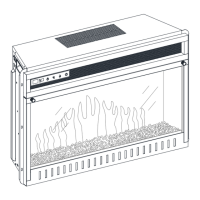
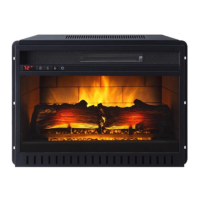
This document describes the Whalen Combination Electric Fireplace/Heater, a device designed to provide both aesthetic flame effects and supplemental heating. It is covered by US Patents 10,451,235, 10,371,333, 10,520,149, and 10,731,810, with additional US and International Patents Pending. The models covered include WH100-23C2D-RD/RDB, WH100-26C2D-RD/RDB, and WH100-30C2D-RD/RDB.

Function Description

The Whalen Electric Fireplace/Heater serves as a dual-purpose appliance, offering the visual appeal of a fireplace with adjustable flame brightness and the practical benefit of a heater with thermostat control. It operates using Quantum Flame® technology, a registered trademark of Living Style (B.V.I.) Limited. The device is intended for indoor use and should not be used in bathrooms, laundry areas, or similar indoor locations where it might fall into water. It is designed to be plugged into a properly grounded 120-volt, 60 Hz outlet with a 15-amp circuit.

Important Technical Specifications

  • Voltage: 120 V AC, 60 Hz
  • Watts: 1400 Watts
  • Default Thermostat Setting: 82°F (27°C)
  • Temperature Range: 82°F (27°C) down to 62°F (17°C), or Always OFF/ON.
  • Timer Intervals: 30 Minutes, 1 Hour, 2 Hours, 3 Hours, 4 Hours, 5 Hours, 6 Hours, or OFF.
  • Flame Brightness Levels: High (L4), Medium (L3), Low (L2), Flames Off (L1), All Off (None).
  • Log Glow Brightness Levels (Log Glow Mode): Brightest (L4), Medium (L3), Low (L2), Brightest (L1), Off (None).
  • Remote Control Batteries: 2x AAA batteries (not included for replacement).

Usage Features

The fireplace/heater can be controlled via a top-mounted control panel or a remote control.

Control Panel: The control panel, located on the top left, includes:

  1. Display Unit: Shows flame level, timer, and current temperature.
  2. Function Indicator: Three square LEDs (red for Fahrenheit heating, green for Celsius heating, blue for timer engaged) and an infrared receiver.
  3. Timer Function Button: Sets the operating time for both flames and heater.
  4. Heater Control Button: Turns the heater on/off, adjusts thermostat temperature, and converts between Fahrenheit and Celsius.
  5. Flames Control Button: Adjusts flame brightness and activates Log Glow Mode.
  6. Main Power Button: Turns the entire unit on/off.

Remote Control: The remote control replicates most functions of the control panel, including Main Power, Heater Up/Down, Heater Control, Flames Control, and Timer Control. However, the remote cannot lock/unlock the flame and heating functions, nor can it switch between Fahrenheit and Celsius.

Heater Operation:

  • Turning On/Off: Press the heater button (4) to turn heat on or off. The unit remembers the last temperature setting when powered off by the main power button (6).
  • Temperature Adjustment: The default thermostat setting is 82°F (27°C). If the room temperature is already at or above this, the heater will shut off after about 3 minutes. To keep the heater on, adjust the thermostat to a higher temperature. Pressing the heater button (4) multiple times cycles through settings from 82°F (27°C) down to 62°F (17°C), then Always OFF or Always ON.
  • Fahrenheit/Celsius Conversion: With the heater on, press and release button (4), then press and hold button (6) for five seconds. The LED indicator flashes red (Fahrenheit) then changes to green (Celsius). Repeat to convert back.
  • Heater Lock (Safety Feature): To lock the heating function in the OFF position, with the main power button on, press and hold the heater button (4) for ten seconds. The log lights flash several times. In this mode, only glowing logs and normal flame control operate. To unlock, repeat the process.
  • Turning OFF Heater while keeping Flames ON: Press the heater button until "OF" is shown on the display (1).

Flame Operation:

  • Adjusting Brightness: Press the flame button (5) to cycle through four levels of flame brightness (L4-High, L3-Medium, L2-Low, L1-Flames Off) and All Off (None).
  • Log Glow Mode: To activate, with the flame in L4 mode, press and hold the flame button (5) for five seconds. The log lights flash, and only glowing logs appear. Subsequent presses of the flame button cycle through log brightness levels (L4-Brightest, L3-Medium, L2-Low, L1-Brightest, None-Off).
  • Default Flame Setting: When powered off by the main power button (6), the flames will come on in L4 (High) mode when the unit is turned back on.

Timer Function:

  • Pressing the timer button (3) sets the operating duration for both flames and heater. The blue LED indicates the timer is engaged.
  • Available intervals: 30 Minutes, 1 Hour, 2 Hours, 3 Hours, 4 Hours, 5 Hours, 6 Hours, or OFF.

Main Power Button:

  • Press button (6) once to turn the unit on, press again to turn it off.

Demo Mode (For Retail Use):

  • A rocker switch on the back of the fireplace allows activation ("I" position) or deactivation ("O" position) of demo mode. In demo mode, the heater and all front control panel buttons (except flame control) are deactivated. The unit is shipped with demo mode off.

Battery Installation (Remote Control):

  • Slide back cover off the battery compartment. Insert two AAA batteries, ensuring correct polarity (negative ends against springs). Replace cover.
  • WARNING: Do not ingest batteries. Non-rechargeable batteries are not to be recharged. Insert batteries with correct polarity. Exhausted batteries must be removed. Purchase correct size and grade. Replace all batteries of a set at the same time. Clean contacts. Remove batteries if not used for extended periods.

Maintenance Features

  • Cleaning: Always disconnect from power supply before cleaning. Turn off main power and remove the electrical plug from the wall outlet.
  • Exterior: Use a soft, clean cloth for dusting. For the fireplace surface, use a clean soft cloth dampened with warm water; avoid household or abrasive cleaners.
  • Glass Viewing Screen: Use a non-abrasive damp cloth with liquid cleaner or soft soap. DO NOT use cleaning powders or abrasive substances, as they will scratch the glass.
  • Damaged Glass: Never operate the product with a broken or chipped glass panel. Do not strike or slam the glass.
  • Blower Motor and Flame Motor: These are pre-lubricated for durable use and do not require further lubrication or maintenance.
  • Fan Heater Outlet Grille: Use the soft brush attachment of a vacuum cleaner to remove dust and debris occasionally.
  • Water Damage: If any part of the fireplace insert has been under water, immediately call a qualified service technician to inspect the firebox and replace any damaged electrical system parts.
  • Stains/Damage: If the appliance is stained or damaged during use, professional repair is recommended.
  • Unplugging: When not in use, unplug the cord from the outlet to prevent damage or accidents.

Troubleshooting

  • Cannot adjust temperature: Turn on heater, press and hold heater button (4) for 5 seconds to enter Temperature Adjustment Mode. LED display will flash. Press heater button repeatedly to reach desired setting.
  • Cannot turn off heater with Heater Button: Press heater button repeatedly until "OF" is shown on display (1). Flames remain on, heater is disengaged.
  • Fireplace stopped heating (flames present): Set fireplace to a higher temperature or "always on." Check if room temperature is above 82°F (27°C) (default setting). Adjust thermostat to a higher setting. Note that temperature around fireplace may be a few degrees higher than other areas.
  • No heat, no power off (Flame button works, display shows "00"): Fireplace is in Demo Mode. Flip rocker switch to "O" position on the back.
  • Remote control not working: Change batteries. Operate remote slowly and gently. Avoid rapid button presses. Stand closer to fireplace. Remove obstructions.
  • No heat, Heater button causes logs to flash: Heater is locked (child safety mode). To unlock, turn on main power, then press and hold Heater button (4) for at least 10 seconds until logs flash.
  • Unit does not turn on: Check if fully plugged into a 120V outlet. Press Power button (6) on control panel.
  • Heater ON causes power circuit trip: Unplug other appliances from the same circuit/outlet. Connect fireplace to a properly grounded outlet with thicker cord. Replace with a qualified fuse-box with a heavy load.
  • Display shows error code "EE": Thermistor sensor is loose or cut off. Do not return to store. Email or call customer service for replacement insert.
  • Heater shut off, no actions from Heater button, display "88" and indicator flashing: Fireplace shut off due to overheating (alarm mode). Ensure no objects block air vents. Unplug unit for 5 minutes to reset.

Whalen WH100-23C2D-RD Specifications

General IconGeneral
Fuel TypeElectric
Remote ControlYes
Voltage120V
Wattage1500W
Heating Area400 sq ft

Related product manuals