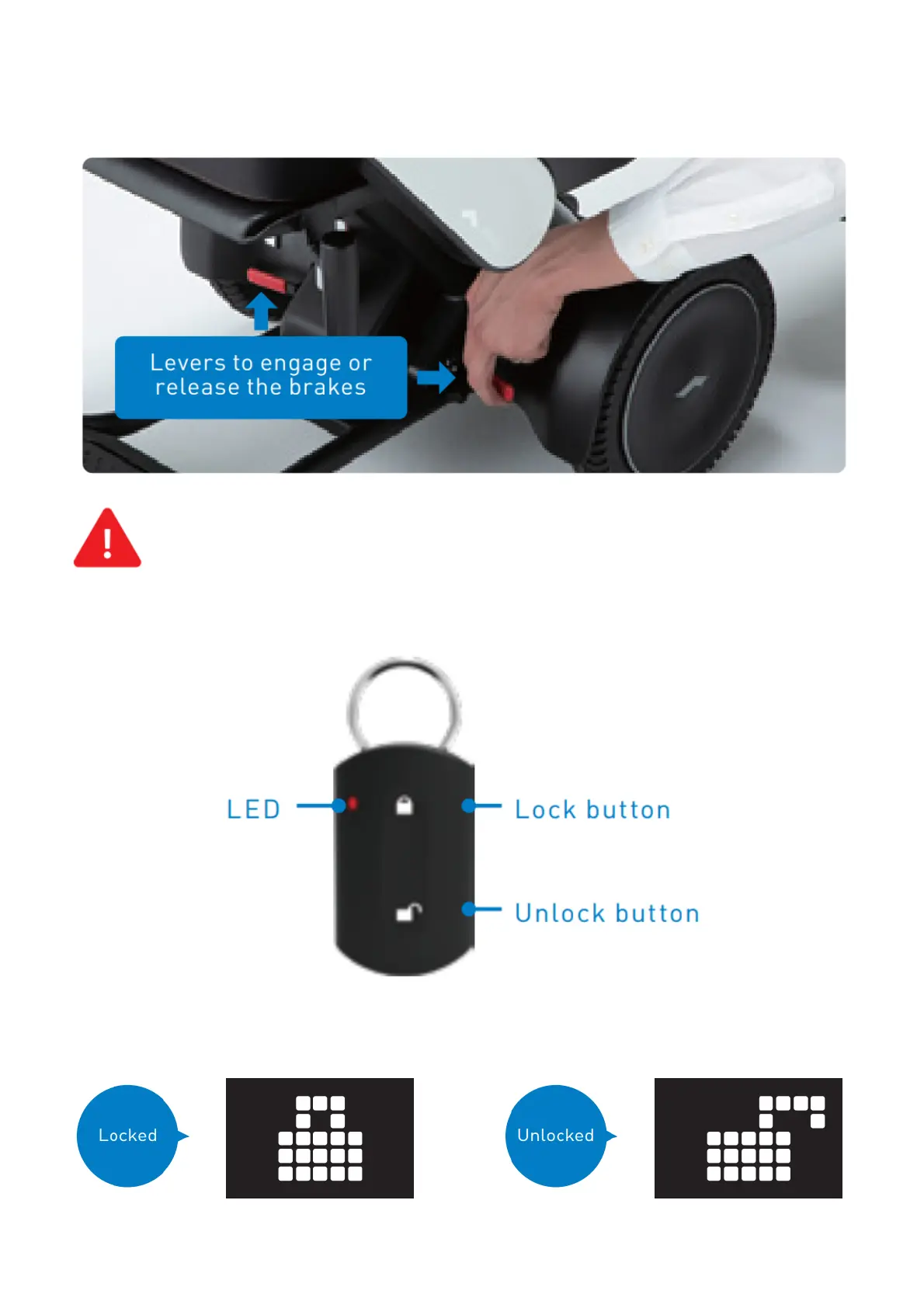
freewheel mode. This can be accomplished using the two red brake release levers.
Turn off the device’s power.
Push down both of the two brake release levers below the seat.
Raise both brake release levers to re-engage the brakes afterward.
Do not release the brakes on a slope. Be sure to release the brakes only when on a flat surface and
in emergencies after turning off the power. After moving the device manually with the brakes
released, be sure to raise the two brake release levers to re-engage the brakes.
Using the smart key
The smart key can be used to lock and unlock the device.


 To Next Page