Press the smart key lock button. The icon indicating the locked status w
ill appear on the controller’s display and make a locking sound. When at
tempting to turn on the device when the device is locked, the icon indica
ting the locked status will appear on the display. The device cannot be t
urned on.
Press the smart key unlock button. The smart key LED will illuminate, a
nd the icon indicating unlocked status will appear on the display and ma
ke an unlocking sound. The device will be unlocked.
Sold separately. Equipped with standard items depending on the areas/countries.
Disassembly procedure
When assembling or disassembling the device, grab only the handles and parts as described in the
instructions, and do not hold the device by any other areas.
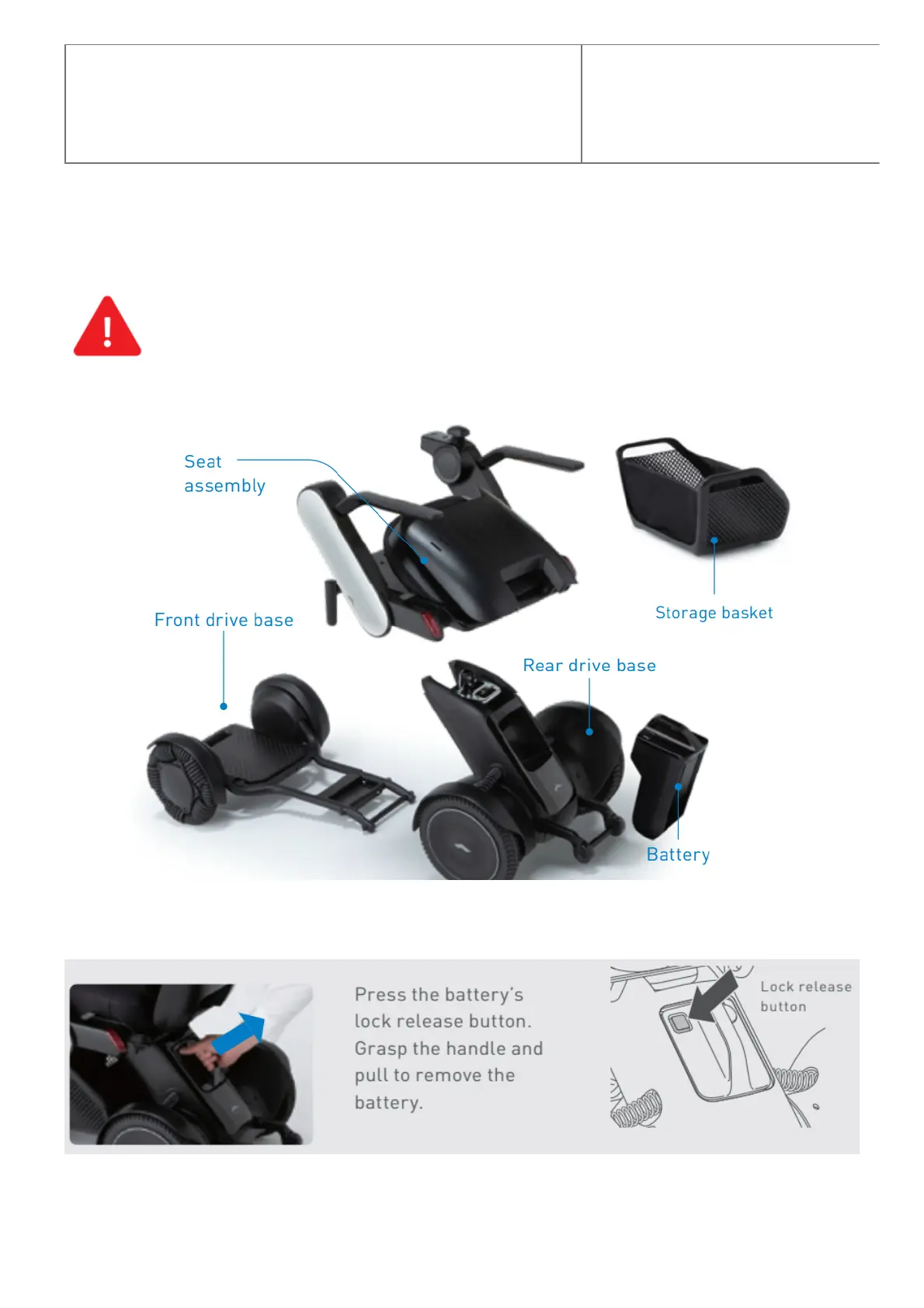
This device can be disassembled into the following five components. ※ Remove the battery before disassembling.
Removing the battery
Removing the seat assembly



 To Next Page